Angular 20 End of Life: Upgrade to Angular 22 in Two Sprints
On this page15 sections
Angular 20 end of life: what happens on November 28, 2026
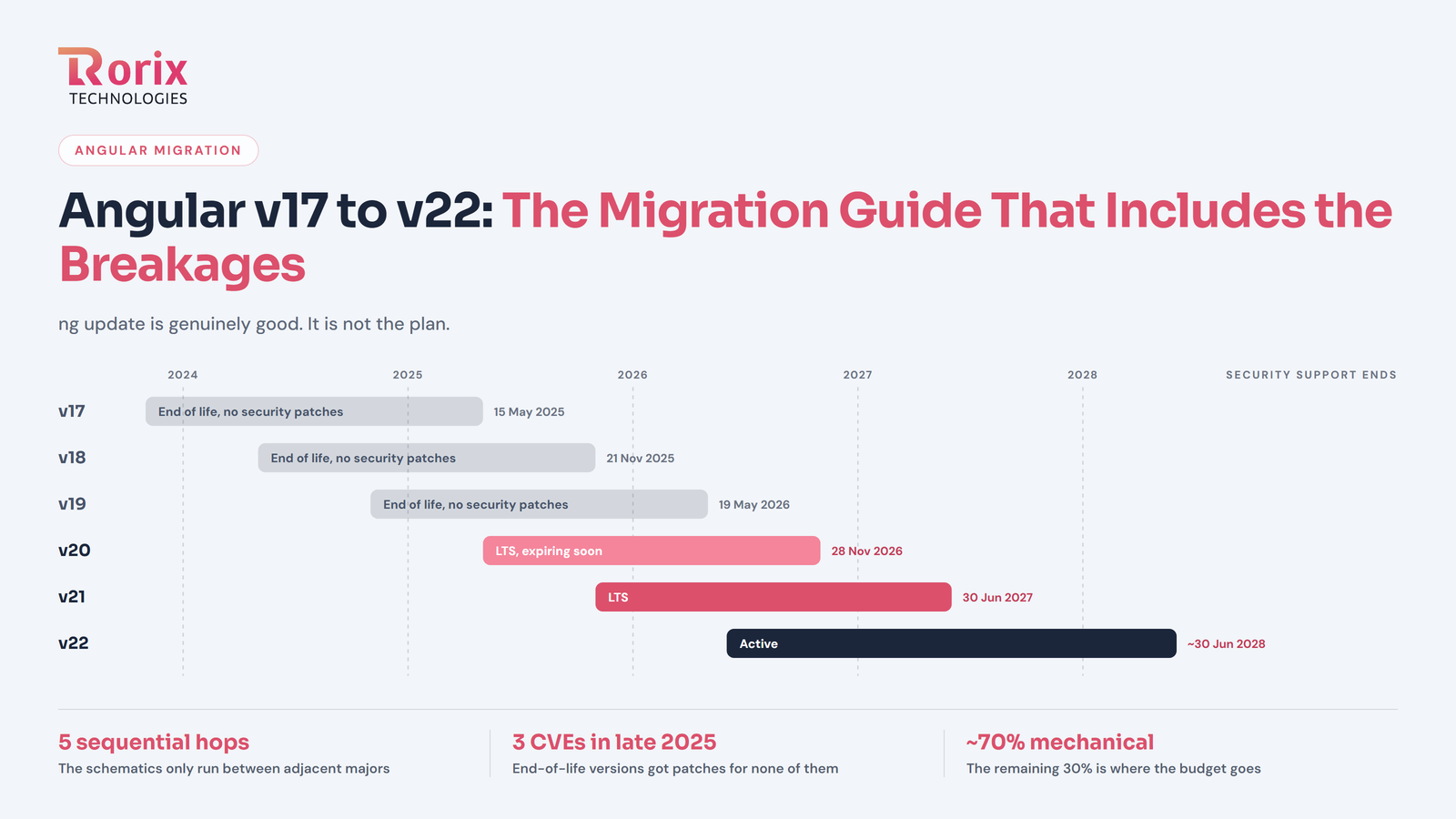
Angular 20 reaches end of life on November 28, 2026. After that date the Angular team stops issuing security fixes for v20, so any framework vulnerability found later stays in your app until you upgrade.
The date comes from Angular's own support table on angular.dev. As of mid-October 2026 it is about six weeks away. That is enough time to upgrade properly if you start now, and not enough if you wait another month.
Here is the table as published today:
| Version | Status | Released | Active support ends | LTS ends |
|---|---|---|---|---|
| v22 | Active | 2026-06-03 | 2027-06 | 2028-06 |
| v21 | LTS | 2025-11-19 | 2026-06-03 | 2027-06 |
| v20 | LTS | 2025-05-28 | 2025-11-19 | 2026-11-28 |
Source: angular.dev, Versioning and releases. Angular describes these dates as approximate and subject to change.
LTS (long-term support) is the stage where Angular only considers critical fixes: newly found security vulnerabilities and regressions caused by third-party changes such as a new browser version. Angular 20 has been in LTS since November 2025. On November 28 it leaves support completely.
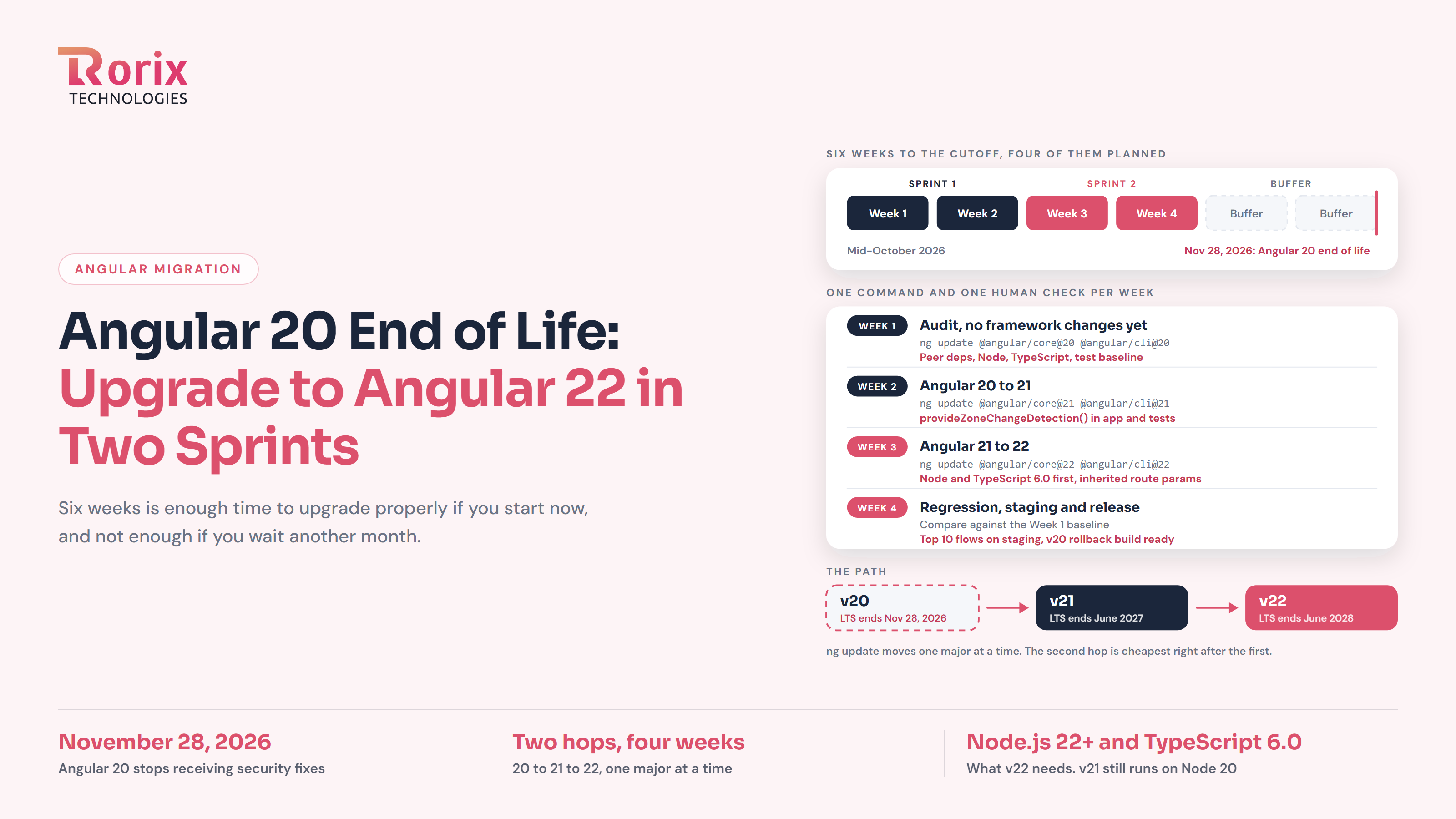
This post is for teams that run an Angular 20 app in production and want a dated plan to reach Angular 22. The plan fits in four calendar weeks, which is two two-week sprints for most teams. For the full catalogue of breaking changes between versions, see Angular v17 → v22: The Migration Guide That Includes the Breakages. This post is the short action plan.
Is your app affected? Check your Angular version
Run this in the root of each Angular project:
ng versionRead the @angular/core line, not the global CLI version at the top. If it starts with 20, this deadline applies to you. Check every app you own: customer portals, internal admin tools, and libraries inside a monorepo. The forgotten internal tool is usually the one that is a version behind.
On November 29 your app will keep running. Nothing switches off. What changes is that new framework vulnerabilities stop getting fixed for v20.
That risk is concrete. In late 2025 Angular published two security fixes that v20 received only because it was still supported:
| CVE | Issue | Fixed in v20 | Fixed in v21 |
|---|---|---|---|
| CVE-2025-66412 | Stored XSS in the template compiler | 20.3.15 | 21.0.2 |
| CVE-2025-66035 | XSRF token leak via protocol-relative URLs in HttpClient | 20.3.14 | 21.0.1 |
The next fix of that kind after November 28 will not be backported to v20.
There is also a compliance angle. SOC 2 audits and customer security questionnaires often ask how you track and patch vulnerabilities in third-party components. Running a framework version that no longer gets security fixes can raise questions in those reviews, and depending on your controls and risk assessment, it may point to a gap in vulnerability management. A documented upgrade plan with a date gives you a clear answer.
Angular 21 or Angular 22: which upgrade target?
Target Angular 22 unless your infrastructure cannot meet its Node.js and TypeScript requirements in time.
Angular 21 support ends in June 2027. Stopping there buys roughly seven months before you repeat this project. Angular 22 is supported until June 2028.
Angular also changed its release cycle with v22. It now plans one major release every 12 months instead of every six, and supports each major for about 24 months (12 active, 12 LTS). v23 is expected around June 2027. Reaching v22 now puts you on the slower cycle.
You also have to pass through v21 anyway. Angular's policy is to update one major version at a time, so the path is 20 to 21 to 22. The second hop is cheapest right after the first, while the codebase and test suite are fresh in your team's heads.
When to stop at v21. Angular 22 requires Node.js ^22.22.3, ^24.15.0 or ^26.0.0, and TypeScript 6.0 (version compatibility table). Node 20 is no longer supported. If your hosting, CI runners or Docker base images cannot move to one of those Node versions before November 28, upgrade to v21 first (it still runs on Node ^20.19.0). That removes the end-of-life risk now. Schedule the v22 hop for early 2027, well before v21 support ends in June 2027.
The four-week Angular 20 to 22 upgrade plan
Four calendar weeks maps to two two-week sprints: sprint one covers the audit and the v21 hop, sprint two covers the v22 hop and release. Start on Monday, October 19, 2026, and Week 4 ends around November 13, leaving two weeks of buffer before November 28. A one-week slip still finishes around November 20, but that runs into Thanksgiving week (November 26), when many US teams freeze releases. Plan the production release before that week.
Before you start
Four things need to be true on day one, or the timeline slips:
- One owner. A named engineer who decides on blockers, not a committee.
- A working test run. Unit and end-to-end tests run in CI today, even if some fail.
- A staging environment that matches production, including the Node version.
- A feature freeze on the upgrade branch. Feature work can continue on main; merge it in at the end of each week, not daily.
Week 1: Audit (no framework changes yet)
What to do. Move to the latest v20 patch first. Anything older than 20.3.15 is missing the fixes for both CVEs above, and a clean starting point makes the next jump easier:
ng update @angular/core@20 @angular/cli@20Then list every Angular-related third-party package and check whether it publishes releases for v21 and v22. A peer dependency is the range of Angular versions a library says it supports. Check it directly:
npm view <package-name> peerDependenciesCheck Node and TypeScript in four places: developer machines, CI images, Dockerfiles, and the engines field in package.json. Targets from Angular's version compatibility table:
- v21: Node
^20.19.0 || ^22.12.0 || ^24.0.0, TypeScript>=5.9.0 <6.0.0 - v22: Node
^22.22.3 || ^24.15.0 || ^26.0.0, TypeScript>=6.0.0 <6.1.0
Also note which builder each project uses in angular.json (@angular/build or the older webpack-based @angular-devkit/build-angular), and whether you use server-side rendering (SSR). Both affect Week 3.
Finally, run the full test suite and record what already fails or flakes. Without that baseline, Week 4 turns into arguments about whether a failure is new.
What usually goes wrong. A third-party library with no release for your target version. ng update then stops with a peer dependency error, and you have four options: upgrade the library, add an overrides entry in package.json, fork it, or replace it. Decide in Week 1, not Week 3.
Hypothetical example. An app uses a date-picker library whose latest release declares
@angular/core: ^20.0.0. The maintainers have an open pull request for v21 but no release. The team tests the library against v21 on a branch, finds it works, and adds anoverridesentry with a ticket to remove it once the official release ships. If the library had failed, the team would have swapped it for the Angular Material date picker in Week 1, before any framework work.
Exit criteria. Every blocker has a written decision; Node and TypeScript upgrade paths are agreed with whoever owns CI; the test baseline is recorded.
Week 2: Angular 20 to 21
What to do. Move TypeScript to 5.9 if you are still on 5.8, then run:
ng update @angular/core@21 @angular/cli@21
ng update @angular/material@21
The second command is only for apps that use Angular Material; it updates the CDK with it. Update other UI libraries (PrimeNG, ng-bootstrap and similar) to their v21-compatible releases in the same week.
What ng update automates. Angular 21 makes zoneless change detection the default for new apps. Zoneless means Angular stops relying on zone.js to know when to refresh the screen. Existing apps do not have to change: the Angular update guide for v20 to v21 says zone-based apps should add provideZoneChangeDetection() to their root providers (for NgModule apps, the root AppModule), and that an automated migration should handle this. That keeps the application on the zone-based behavior it had on v20.
What needs a human. Two separate checks, because the application and the tests are configured separately.
- Application. Confirm
provideZoneChangeDetection()is actually inmain.tsor your rootAppModule, and in every bootstrap file if a monorepo has several apps. - Tests.
TestBeddoes not read your application's providers. If your specs depend on zone-based change detection, addprovideZoneChangeDetection()to the test configuration too; a shared test setup file is the tidiest place. In Angular issue #65941, one team's tests failed withExpressionChangedAfterItHasBeenCheckedErroruntil they did.
Whether you see any symptoms, and which ones, depends on how your code triggers view updates. Apps that already use OnPush and signals widely may see none.
What usually goes wrong. Besides the above: if tsconfig.json still has "moduleResolution": "node", imports such as @angular/core/rxjs-interop can fail with TS2307: Cannot find module (issue #68163). Switching to "bundler" fixes it.
Exit criteria. The app builds and runs on v21; the application bootstrap keeps zone-based change detection; tests are configured to match; the test suite is back to the Week 1 baseline.
Week 3: Angular 21 to 22
What to do. Upgrade Node and TypeScript 6.0 everywhere first, including CI and Docker images. Then:
ng update @angular/core@22 @angular/cli@22
ng update @angular/material@22
What ng update automates. These come from the Angular 22 framework changelog; check the v21 to v22 update guide for the exact list your project gets.
- Change detection. Components without an explicit strategy now default to OnPush, and the old default is renamed
ChangeDetectionStrategy.Eager. The migration addsEagerto existing components so their behavior does not change. - Template type checking. The migration writes a
strictTemplatessetting into yourtsconfigso projects keep their current checking level. - New template diagnostics. v22 adds the
nullishCoalescingNotNullableandoptionalChainNotNullablediagnostics, and the migration turns them off for existing projects. You can turn them on later to find dead code. - HTTP. HttpClient now uses Fetch by default, so
withFetch()is deprecated and can be removed.
Accept these diffs as they are. Turning components into OnPush or enabling the new diagnostics is follow-up work.
Angular CLI 22 also includes an optional update migration from Karma to Vitest (Angular CLI changelog). For a deadline upgrade, skip it. Karma still works in v22, and the test runner change belongs in its own project (see below).
What needs a human.
- Router parameters.
paramsInheritanceStrategynow defaults to'always', so child routes inherit route parameters from all parent routes. The framework changelog lists this as a breaking change with no migration. Search for child components that read a parameter name a parent route also uses. To keep the old behavior while you review, setparamsInheritanceStrategy: 'emptyOnly'in your router configuration (for example throughwithRouterConfig()). - Webpack builders. The webpack builders in
@angular-devkit/build-angularand@ngtools/webpackare deprecated in v22 in favor of@angular/build(Angular CLI changelog). Expect warnings, not a broken build. - SSR. If you use
@angular/ssr, requests that fail host validation now get a 400 Bad Request instead of falling back to client-side rendering, and every valid host must be listed in theallowedHostsoption (Angular CLI changelog, 22.0.0). TheCommonEngineAPIs are also deprecated in favor ofAngularNodeAppEngine. Test SSR behind your real proxy or load balancer before release.
Hypothetical example. A customer detail page lives at
customers/:id, with a child routenotes/new. The notes component treats a missingidas "create mode". On v22 the child inherits the parent'sid, so the form opens in edit mode for the wrong record. The fix is either to rename the parameter, or to setparamsInheritanceStrategy: 'emptyOnly'until the routes are reviewed.
Exit criteria. The app builds on v22 with Node and TypeScript updated in CI; every child route reading inherited parameters is reviewed; SSR (if used) works in a production-like setup.
Week 4: Regression testing, staging and release
What to do.
- Run the full unit and end-to-end suite and compare against the Week 1 baseline.
- Deploy to staging with the production Node version.
- Manually test the ten flows that make you money or would embarrass you if they broke: login, orders, reports, exports, and screens with heavy forms or tables.
- Compare production bundle sizes against the v20 build.
- Release through your normal process, and keep the last v20 build ready to roll back.
What usually goes wrong. The bugs tests do not cover. Look first at screens that change data in place and expect the view to refresh, third-party widgets, and SSR pages.
Hypothetical example. A dashboard widget updates a counter inside a
setTimeoutcallback from a third-party chart library. Unit tests pass, but on staging the counter stops refreshing. The cause is a missingprovideZoneChangeDetection()in one of two bootstrap files in a monorepo. The fix is one line, but only a manual staging pass catches it.
Exit criteria. No new failures against the baseline; the top flows pass manually on staging; a rollback build is ready; production release is done before your holiday freeze.
Angular 20 to 22 effort estimates by app size
The hours below are total engineer-hours. They are our planning ranges, not measured averages and not guarantees.
Component count is only a rough starting point. These factors usually matter more, and any one of them can move an app up a band:
- Dependency compatibility. Third-party Angular libraries without v21 or v22 releases, or forked libraries.
- Repository structure. A monorepo or several apps that must move together.
- SSR. Server-side rendering, especially behind proxies or load balancers.
- Build setup. Custom builders or a custom webpack configuration.
- Test coverage. Weak or flaky tests push work into manual regression testing.
- Routing. Deeply nested routes that share parameter names.
With that in mind, a rough sizing:
- Small: one app, under about 50 components, few third-party Angular libraries, no SSR, standard build.
- Medium: 50 to 250 components, a component library such as Angular Material or PrimeNG, possibly SSR or i18n.
- Large: more than 250 components, or any app with a monorepo, several apps, custom builders, or several libraries that lack v22 releases.
| App size | Week 1 audit (hrs) | Week 2 v21 (hrs) | Week 3 v22 (hrs) | Week 4 release (hrs) | Total (hrs) |
|---|---|---|---|---|---|
| Small | 6-10 | 6-12 | 6-12 | 10-16 | 28-50 |
| Medium | 16-24 | 20-36 | 20-36 | 24-40 | 80-136 |
| Large | 32-48 | 50-90 | 50-90 | 60-100 | 192-328 |
The ranges assume your tests run. If they do not, Week 1 grows. A large app at the top of its range needs about two engineers to fit in four calendar weeks, so plan staffing from the hours, not the calendar.
What to leave until after the upgrade
Deadline upgrades fail when they turn into modernization projects. Each item below is worth doing. None belongs in a security-deadline upgrade.
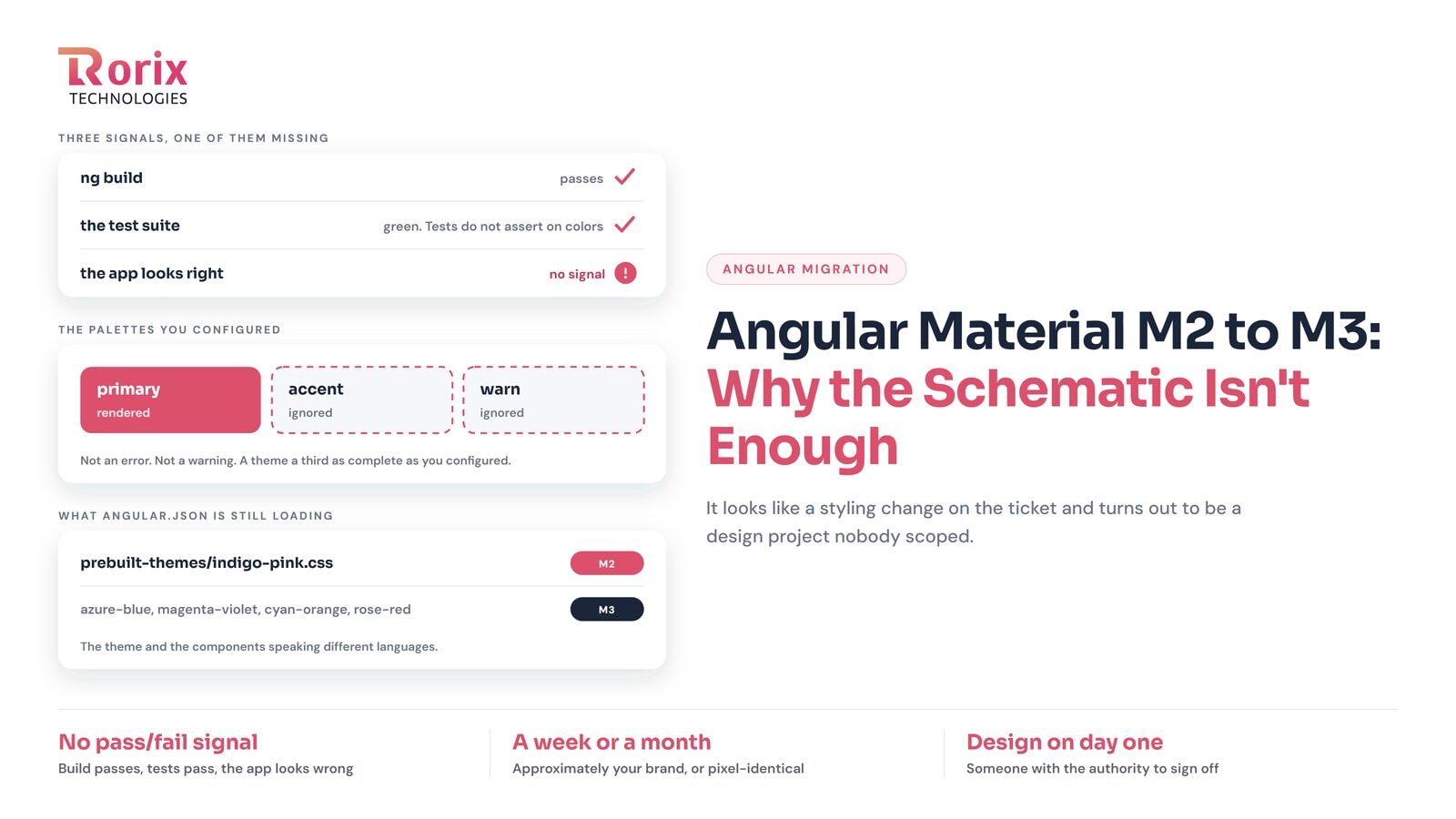
Angular Material M2 to M3 theming. The schematic output usually needs design work to look right, and design review does not fit a deadline. Details in Angular Material M2 → M3: Why the Schematic Isn't Enough.
Zoneless change detection. It changes when your views update, so it needs good OnPush coverage first. The Eager markers the v22 migration adds are a ready-made list of components still to convert. Background in our Angular v21 features breakdown.
Karma to Vitest. Karma still ships in v22. The v22 schematics can convert fakeAsync tests to Vitest fake timers, but timing-sensitive tests still need review, and a test-runner change makes it harder to tell whether a failure came from the framework upgrade. Do it as a separate project.
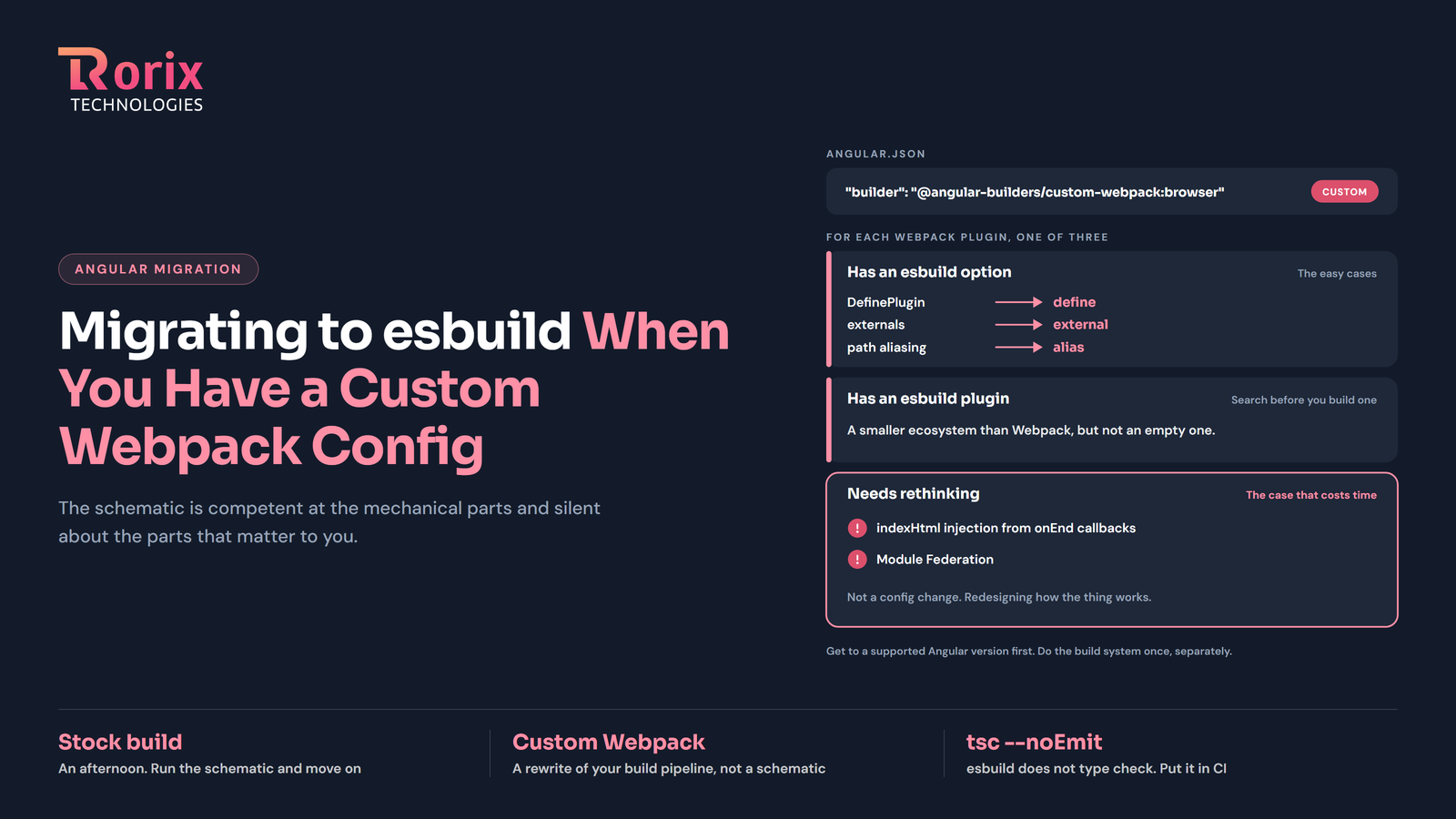
Webpack to esbuild. The webpack builders are deprecated in v22, not removed. If you have a custom webpack config, read Migrating to esbuild When You Have a Custom Webpack Config and give it its own sprint.
Signal Forms and @Service. Both are stable in v22, and both are for new code. See Angular 22: The Features You'll Actually Use.
Angular upgrade checklist (copy into a ticket)
Angular 20 to 22 upgrade. Deadline: 2026-11-28.
- Every app and library inventoried with
ng version - On 20.3.15 or later before starting
- Peer dependencies checked for v21 and v22 on every Angular-related package
- Written decision for each blocking library (upgrade, override, fork or replace)
- Node version updated on dev machines, CI, Dockerfiles and
engines - TypeScript at 5.9 for v21, 6.0 for v22
- Test baseline recorded before any changes
- Material, CDK and other UI libraries updated with core
provideZoneChangeDetection()confirmed in every app bootstrap after v21; test setup configured to matchEagerandstrictTemplatesmigration diffs reviewed and kept- Karma to Vitest migration skipped for this upgrade
- Child routes reading inherited parameters reviewed, or
paramsInheritanceStrategy: 'emptyOnly'set - SSR: all valid hosts in allowedHosts, tested behind the production proxy (if used)
- Staging runs the production Node version
- Top 10 business flows tested manually on staging
- v20 rollback build kept ready
- No M3, zoneless, Vitest or esbuild work in this ticket
- Production release scheduled before the holiday freeze
Our experience: Angular 14 to 21 on a B2B SaaS platform
We have been the engineering partner for a B2B sales-intelligence SaaS company for more than five years. On that platform we built an advanced filter builder, Salesforce and HubSpot sync, a real-time feature built on Signals, and a Chrome extension.
We also migrated the platform from Angular 14 to Angular 21, seven major versions, without a rewrite. The engineers who built the core product still maintain it. Read the full case study.
Going from 20 to 22 is two of those hops, not seven. That is why a four-week window is realistic for most single apps, provided the Week 1 audit finds no hard library blockers.
Angular 20 end of life: FAQ
What happens if I stay on Angular 20 after November 28, 2026? Your app keeps running, but Angular stops considering security fixes for v20. Any framework vulnerability found after that date stays open unless you upgrade or buy third-party extended support, if one covers v20. It can also raise questions in security reviews such as SOC 2 audits, depending on how your vulnerability-management controls are defined.
Can I skip Angular 21 and go straight to 22? Not with ng update. Angular's policy is to update one major version at a time, so the path is 20 to 21 to 22. You can do both hops in one project and release once, which is what this plan does.
How long does an Angular 20 to 22 upgrade take? Our planning range, including audit and regression testing, is about 28 to 50 engineer-hours for a small app, 80 to 136 for a medium app and 192 to 328 for a large one. Third-party libraries and test coverage cause most of the spread.
Which Node.js and TypeScript versions does Angular 22 need? Angular 22 needs TypeScript 6.0 and Node.js ^22.22.3, ^24.15.0 or ^26.0.0. Node 20 is not supported. Update CI and Docker images before running ng update.
Does Angular 22 force my app to go zoneless or switch to OnPush? No. The migrations keep existing behavior: provideZoneChangeDetection() keeps zone-based change detection, and ChangeDetectionStrategy.Eager keeps the old default on existing components. Moving off either is optional follow-up work.
When is the next Angular upgrade after v22? Angular now plans one major release a year. v23 is expected around June 2027, and v22 is supported until June 2028.
Need help with your Angular upgrade?
If your team cannot spare four weeks before November 28, we can run the upgrade for you. Send us your package.json and a short description of the app. After a short review of your dependencies and build setup, we will send a fixed-cost quote for the Angular 20 to 22 upgrade, or tell you if a v21-first approach makes more sense. Request an Angular upgrade quote.
Sitting on a system nobody wants to touch?
We rebuild running software without stopping the business that depends on it. Send us the stack and the failure mode you are living with.