Migrating to esbuild When You Have a Custom Webpack Config
On this page10 sections
Most Angular esbuild migration guides are written for people with a stock build. Run the schematic, watch your build times drop, write a post about the 80% improvement.
That guide is useless to you if your angular.json points at @angular-builders/custom-webpack, or you are using ngx-build-plus, or you have Module Federation wired up. For you, this is not a schematic. It is a rewrite of your build pipeline, and the schematic will not tell you that before it starts.
This post is about that case.
First, work out whether this applies to you
Open angular.json and look at your builder field.
If it says @angular-devkit/build-angular:browser or @angular-devkit/build-angular:browser-esbuild, you have a stock build. Run the migration, spend an afternoon on it, and move on. The rest of this post is not your problem.
If it says any of these, keep reading:
@angular-builders/custom-webpack:browserngx-build-plus:browser- Anything referencing a
customWebpackConfigpath - Anything with Module Federation configuration
Also worth checking: whether anyone on your team added a webpack.config.js at some point for a single specific reason that nobody documented. That happens more than people admit.
What the migration handles
The command is:
ng update @angular/cli --name use-application-builderFrom v18 onward you also get prompted during a normal ng update.
It does a reasonable amount of real work. It rewrites angular.json to the new application builder schema, removes the separate SSR builders since the application builder handles SSR itself, merges tsconfig.server.json into tsconfig.app.json, and strips Webpack-specific stylesheet syntax like tilde and caret prefixes in @import and url().
It also renames main to browser and turns polyfills from a string into an array, which is the kind of schema change you would spend twenty minutes on manually.
Angular's own documentation is honest about the limit here: after migrating, attempt a build, because there could be new errors requiring adjustment. That is doing a lot of quiet work in one sentence.
What it does not handle
Your Webpack plugins
There is no automatic translation from a Webpack plugin to esbuild. There cannot be. The plugin APIs are structurally different, and esbuild deliberately exposes a much smaller surface.
For each plugin in your config, you need to work out which of these applies:
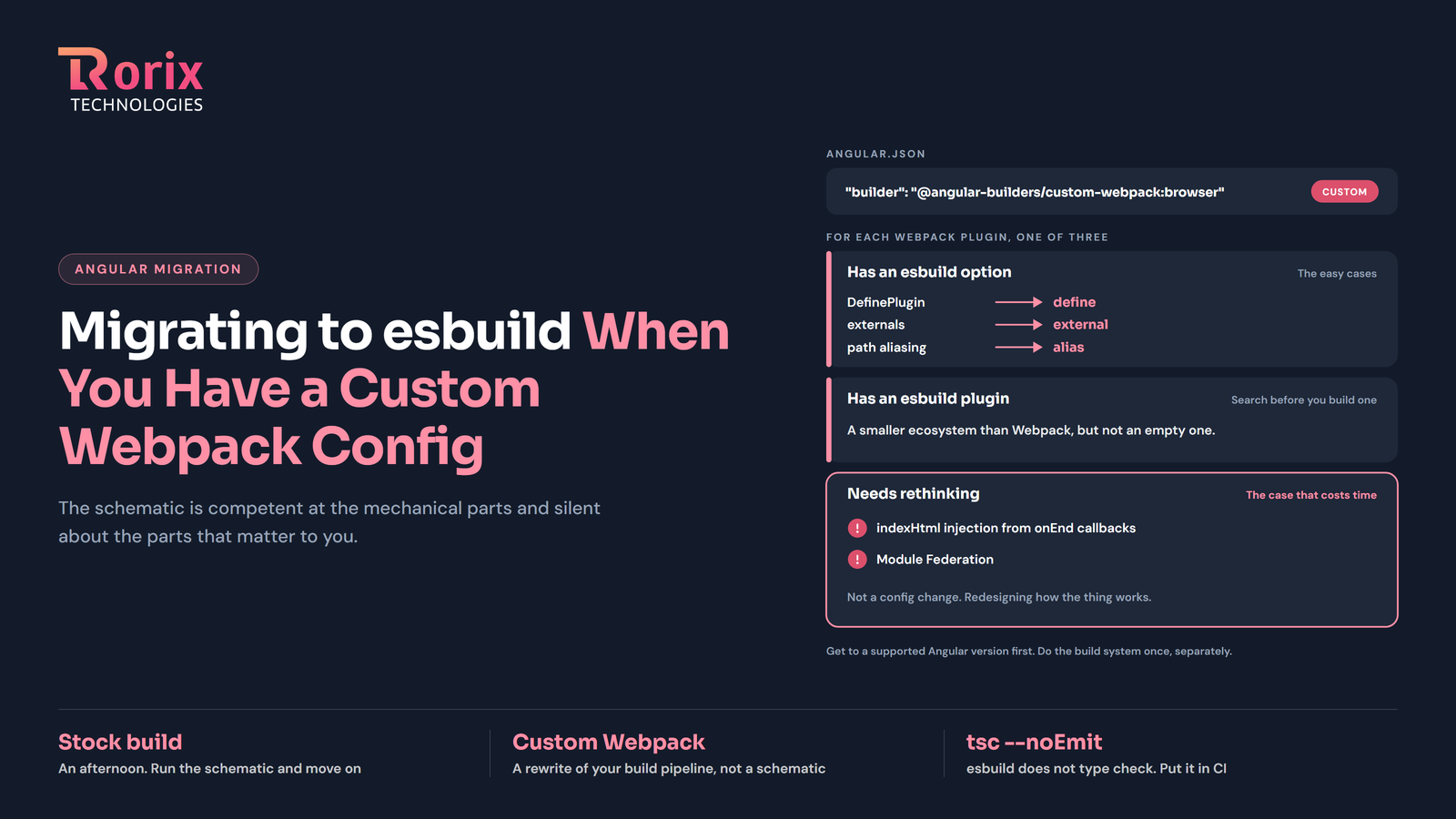
It has an esbuild equivalent option. Things like DefinePlugin map onto esbuild's define. externals maps onto external. Path aliasing maps onto alias. These are the easy cases.
It has an esbuild plugin available. The ecosystem is smaller than Webpack's but not empty. Worth searching before you assume you need to build something.
It has no equivalent and you need to rethink the approach. This is the case that costs time.
angular-cli#28001 is a good illustration of the third category. A team had a custom builder injecting fonts, SVGs, and additional scripts into indexHtml via Webpack plugins. Under esbuild they could not retrieve equivalent metadata from the onEnd callbacks. The information they needed simply was not exposed the same way. That is not a config change. That is redesigning how the thing works.
If you maintain a custom builder, just-jeb/angular-builders - the maintainer of @angular-builders/custom-webpack - publishes a custom-esbuild package and a migration path. Start there rather than from scratch.
CommonJS in your server code
If you are running SSR, everything must be ESM-compatible now. Angular's docs are explicit about removing require, __filename, and __dirname from server code.
In practice this tends to surface as a third-party dependency doing something CommonJS-flavoured deep inside itself, which you then have to work around or replace. Budget for at least one of these.
Build-time type checking
Some builder migrations drop type checking from the build as an intentional design decision, because esbuild does not type check. If your CI relied on the build catching type errors, it no longer will.
Add an explicit step:
"scripts": {
  "typecheck": "tsc --noEmit"
}
And wire it into CI. This is easy to miss because nothing fails - you just stop catching a class of error you used to catch.
Module Federation
Module Federation is tied to Webpack. It does not transfer cleanly, and if you have a micro-frontend architecture built on it, this is not a migration task inside your Angular upgrade. It is its own project with its own timeline.
My honest advice: if you have Module Federation, decouple this decision entirely. Get to a supported Angular version on your existing builder first. Handle the build system separately, once, when you have room to do it properly.
Why bother
Because the numbers are genuinely good, and they are Angular's own numbers rather than a vendor's.
The v17 release reported up to 87% faster ng build, an 80% faster edit-refresh loop for ng serve, and enterprise partners seeing 67% build-time improvements. The persistent build cache became default in new v18 projects on top of that.
For a large app, that is the difference between a CI build you wait for and one you do not. It compounds across every developer, every day, forever.
The counter-argument worth acknowledging: if your build currently takes ninety seconds and your custom Webpack config is load-bearing for something important, the payoff may not justify a week of rework. Faster builds are worth a lot, but they are not worth an unstable build pipeline. That is a real judgement call and it depends on numbers only you have.
How I would sequence it
Do not do this during a version hop. The version upgrade has a clean signal - it compiles or it does not, tests pass or they do not. Build pipeline changes have a much longer tail of things that only surface in specific environments. Combining them means every problem for the next fortnight is ambiguous.
Get to a supported Angular version first, on your existing builder, and ship it. The security clock is the urgent thing. The build system is not.
Then, as its own project:
- Inventory every plugin in your Webpack config and categorise each one: has an esbuild option, has an esbuild plugin, or needs rethinking
- Anything in the third category, solve on paper before you touch the config
- Run the migration on a branch
- Build. Serve. Run the full test suite. Then check the things nobody checks - do your fonts load, do your SVGs render, does your
index.htmlcontain what it should - Compare the built output against your current production bundle, not just against "does it start"
- Add the
tsc --noEmitstep to CI - Deploy to a staging environment and leave it there longer than feels necessary
Step 5 is the one people skip. A build that starts is not the same as a build that produces correct output, and esbuild's differences from Webpack tend to show up in the artifacts rather than the console.
The short version
If your build is stock, this is an afternoon and you should do it.
If your build is not stock, this is a project, and treating it as an afternoon is how it eats a sprint you had allocated to something else. The schematic is competent at the mechanical parts and silent about the parts that matter to you.
Scope it separately, do it deliberately, and do not let it hold up getting onto a supported Angular version.
Sitting on a system nobody wants to touch?
We rebuild running software without stopping the business that depends on it. Send us the stack and the failure mode you are living with.