
React for Enterprise Applications: What It Takes to Work at Scale
Betting a business-critical application on React? Where it fits, what it needs around it, and the decisions that keep a large React codebase coherent for years.
On this page30 sections
React wins most technology votes before the meeting starts. In the 2025 Stack Overflow developer survey, 44.7% of developers use it, the largest share of any front-end framework, and for many teams that settles the question.
For an enterprise build, it should only start the question. The applications that carry a business, the order platform, the operations dashboard, the customer portal, are judged on how they behave in year four: after the original engineers have moved on, after three rounds of new features, after the ecosystem underneath has shifted twice. React can pass that test and regularly does. It just does not pass it by default, because React deliberately leaves the decisions that determine year four to your team.
This guide is about that gap. Not React versus anything, we cover the head-to-head separately, but what React for enterprise applications actually requires: where it genuinely fits, what it refuses to decide for you, and the architecture habits that separate the codebases that scale from the ones that quietly rot.
In this guide, you'll learn:
- Where React genuinely fits an enterprise build, and where it demands the most from your team
- What React decides for you and what it deliberately leaves open
- The 8 things an enterprise-ready React stack needs around the library
- A 6-step adoption sequence that avoids the big-bang rewrite
- The 8 warning signs a React codebase will not survive its own growth
- How we run React on production systems with real teams and real deadlines
Quick Answer: Is React Right for Enterprise Applications?
React fits enterprise work well when paired with the discipline it does not impose: TypeScript, one deliberate state strategy, enforced module boundaries, a design system, and quality gates in CI. Choose it for hiring reach, ecosystem depth, incremental adoption, and shared web-mobile code. Its risks are governance risks, and they belong to your team, not the library.
| Concern | What React provides | What your team must supply |
|---|---|---|
| Structure | A component model and nothing more | Architecture conventions, written down |
| State | Local state and hooks | One agreed strategy for shared state |
| Types | Full TypeScript support, optional | The decision to make types mandatory |
| UI consistency | A huge, fragmented component market | A design system and curated libraries |
| Upgrades | A stable core | Ownership of ecosystem migrations |
| Mobile | A first-party path via React Native | A shared component and code strategy |
Key Takeaways: What React Needs to Work at Enterprise Scale
- React is used by 44.7% of developers in the 2025 Stack Overflow developer survey, the largest share of any front-end framework.
- React is a library, not a framework: it renders components and manages their state but holds no opinion on routing, forms, data fetching, or project structure, so those decisions belong to the team.
- An enterprise-ready React stack needs eight decisions made once, early, and in writing, starting with mandatory TypeScript, which sits at 43.6% adoption in the Stack Overflow survey.
- The US Bureau of Labor Statistics projects 15% growth for software developers between 2024 and 2034, with about 129,200 openings a year, which makes React's hiring pool a defensible way to de-risk staffing.
- Rorix shipped a web portal plus native iOS and Android apps for Driven inside a nine-month engagement from a shared React and React Native codebase.
Is React a Good Choice for Enterprise Applications?
Yes, with a condition attached: the things that sink large React codebases are organizational rather than technical, so the honest evaluation is of your team's discipline, not the library's feature list. React's core has been stable since hooks arrived in 2019, its ecosystem is the deepest in front-end development, and its hiring pool is the largest available. None of that prevents an ungoverned codebase from becoming unmaintainable, because React, by design, does not try to.
That trade has a name in the ecosystem: React is a library, not a framework. It renders components and manages their state, and it holds no opinion about routing, forms, data fetching, project structure, or how fifty engineers stay consistent. Enterprises that treat those open questions as decisions to make once, deliberately, get React's flexibility as an asset. Enterprises that let every feature team answer them independently get a different application per corridor.
What Makes an Application "Enterprise" in the First Place?
The word usually gets used to mean "big," but size is the least of it. The enterprise properties that actually stress a front-end choice are lifespan measured in years rather than quarters, a team large enough that nobody holds the whole codebase in their head, screens dense with forms and tables rather than marketing pages, staff turnover as a certainty to plan for, and a tolerance for production risk that approaches zero during business hours.
Every one of those properties rewards consistency and punishes cleverness. Keep that lens through the rest of this guide, because it is the lens on which React's flexibility reads as either a feature or a liability, depending entirely on what you build around it.
Why Do Enterprises Keep Choosing React?
The hiring pool is the deepest available
Staffing risk is architecture risk on a long-lived system, and React minimizes it. Alongside React's 44.7% share in the Stack Overflow survey, the US Bureau of Labor Statistics projects 15% growth for software developers between 2024 and 2034 with about 129,200 openings a year, which means employers compete for engineers, not the reverse. Building on the ecosystem where the most engineers already work is a defensible way to de-risk the next five years of hiring.
The core is stable and the churn is optional
React's component model has not broken its users since hooks landed in 2019. The movement happens in the ecosystem around it: routers, state libraries, build tools. That churn is real, and later sections treat it as the liability it is, but it comes with a compensating property: you choose when and whether to adopt any of it. A React codebase with a curated, boring set of dependencies can stay still for years.
It adopts incrementally
React does not demand a rewrite. It mounts inside an existing page, which means a legacy front end can be replaced one route at a time while the business keeps running. For enterprises with working systems and no appetite for a two-year rewrite, this is often the deciding property, and the adoption sequence later in this guide leans on it heavily.
One codebase reaches web, iOS, and Android
React Native extends the same component model and the same team to mobile. On Driven, an enterprise CRM and performance platform, we shipped a web portal plus native iOS and Android apps inside a nine-month engagement by sharing a React and React Native codebase. Angular has no first-party equivalent, and for roadmaps that include a real mobile app, this advantage is concrete enough to settle the framework question on its own.
Where Does React Demand the Most From Your Team?
The honest half of the evaluation is a list of things React will not do for you, and each one is a standing invoice that someone on your side has to keep paying.
It will not structure your application. Routing, forms, data fetching, and project layout are all choices, and the conventions live in your team's head rather than in the framework. On small senior teams this is freedom; at enterprise scale it is a governance obligation, and teams that prefer the framework to carry that weight have a legitimate alternative in Angular, which we compare directly in our React vs Angular guide for enterprise applications.
It will not manage the ecosystem for you. The library is stable, but the router you picked, the state library you picked, and the build tool you picked each have their own release cadence, and those migrations are your responsibility. On Lorecs we modernized a React front end from class components to hooks as part of a wider platform overhaul, which is exactly the category of work a React owner signs up for and a budget line worth naming up front.
It will not stop a codebase from rotting. Nothing in React prevents props threaded through six layers, four competing approaches to shared state, or styling scattered across a hundred one-off files. The failure builds silently and presents late, usually as "every feature takes longer than the last one," which is why the warning signs section below exists.
Also Read: React vs Angular for Enterprise Applications: A 2026 Comparison
What Does an Enterprise-Ready React Stack Look Like?
React supplies the rendering model. Everything else that makes a large codebase survivable is a decision, and the healthy pattern is to make all eight of these once, early, and in writing.
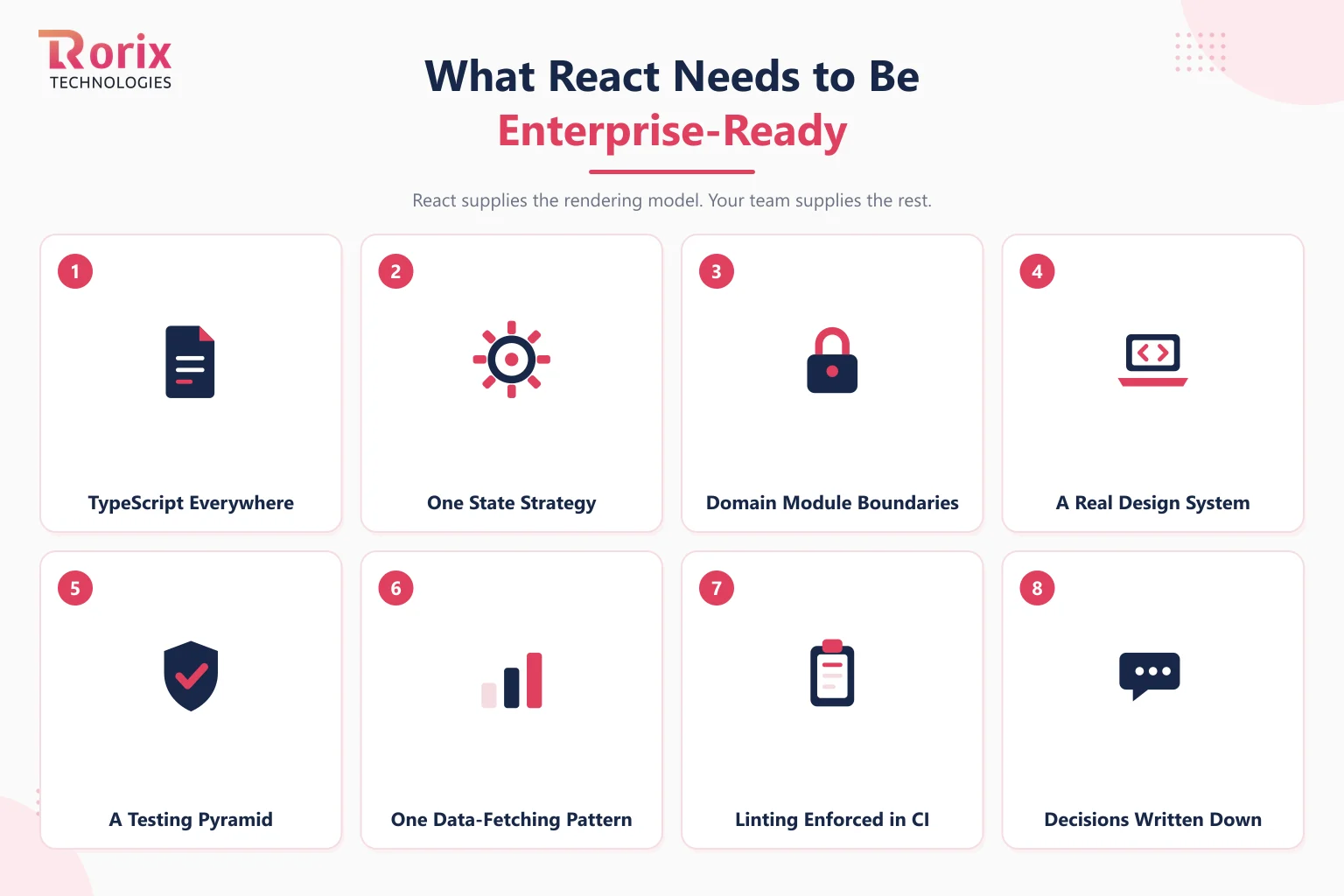
- TypeScript everywhere: at 43.6% adoption in the Stack Overflow survey, typed React is the mainstream, and on a codebase with turnover the types are your only always-current documentation. Make it mandatory, not encouraged.
- One state strategy: pick how shared state works before the second feature ships, and write down when local state is enough. Competing state libraries in one codebase is the most common scar we see in rescue work.
- Domain module boundaries: organize by business capability, orders, inventory, billing, so ownership is clear and a change in one domain cannot quietly break another.
- A real design system: tokens and a shared component library, so the hundredth screen looks like the tenth and new features assemble instead of reinvent.
- A testing pyramid: unit tests on logic, integration tests on workflows, and a handful of end-to-end tests on the flows that make money. Coverage of the critical paths matters more than the percentage.
- One data-fetching pattern: a single convention for how the front end talks to the backend, with caching and error handling decided once.
- Linting enforced in CI: standards that a machine checks survive turnover; standards that live in code review etiquette do not.
- Decisions written down: a short log of what was chosen and why. Six months later, "why does it work this way?" has an answer that does not depend on anyone's memory.
How to Adopt React for an Enterprise Application
The sequence below assumes what is usually true: an existing front end that works, a business that cannot stop, and no appetite for a big-bang rewrite. It is the front-end-specific version of the wider delivery discipline covered in our custom software development process guide.
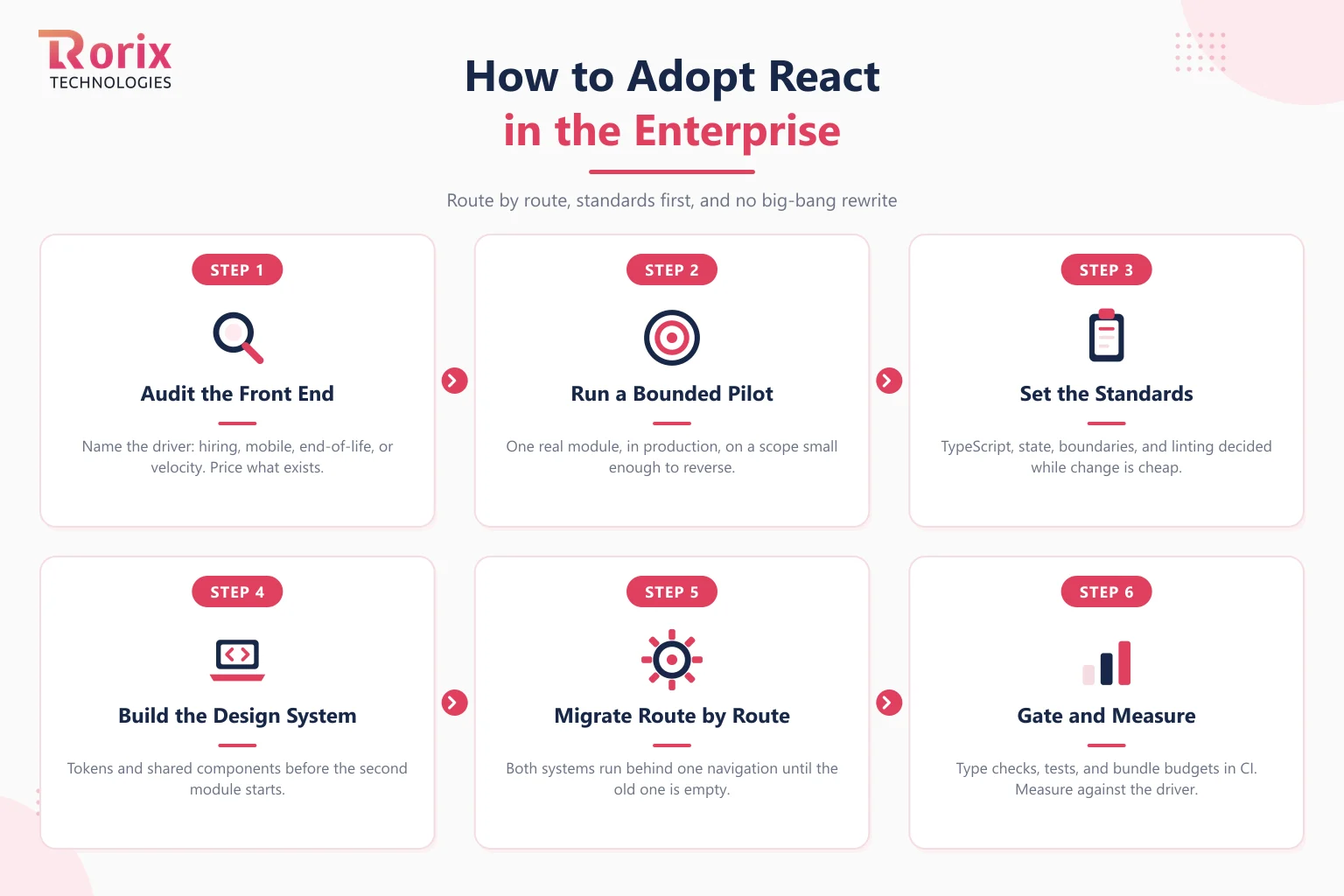
Step 1: Audit the Current Front End and Name the Driver
Write down the specific reason React is on the table: hiring, a mobile roadmap, a legacy framework at end of life, velocity. The driver decides the strategy, and "everyone uses React" is not a driver. An audit of what exists, which routes, which shared logic, which integration points, prices the migration honestly before anyone commits to it.
Step 2: Run a Bounded Pilot in Production
Pick one real module with real users and ship it in React alongside the existing front end. A pilot on a branch proves nothing; a pilot in production proves the build pipeline, the deployment story, the coexistence with the legacy system, and the team's readiness, all on a scope small enough to reverse.
Step 3: Set the Standards Before the Team Grows
Everything in the enterprise-ready list above, TypeScript, state, boundaries, data fetching, linting, gets decided now, while the codebase is small enough to change cheaply. Standards adopted at engineer ten are ten times more expensive than standards adopted at engineer two, because retrofits compete with features forever after.
Step 4: Build the Design System Early
Extract tokens and shared components from the pilot before the second module starts, so every subsequent screen assembles from parts instead of reinventing them. This is the step teams defer most often and regret most reliably, because the cost of skipping it compounds with every screen shipped.
Step 5: Migrate Route by Route, Never All at Once
Replace the legacy front end one route at a time, with both systems running behind the same navigation until the old one has nothing left to serve. Each migrated route is a shippable unit of progress that can pause safely if priorities shift, which is precisely what a rewrite cannot do.
Step 6: Gate Quality in CI and Measure the Result
Wire the standards into the pipeline: type checks, lint, tests on critical paths, and a bundle size budget that fails the build when crossed. Then measure against the driver named in Step 1, hiring speed, delivery pace, mobile reuse, so the migration ends with evidence rather than a shrug.
What Are the Signs a React Codebase Won't Scale?
Every one of these is a governance gap rather than a React flaw, which is the good news: all eight are fixable, and the earlier they are caught the cheaper the fix.
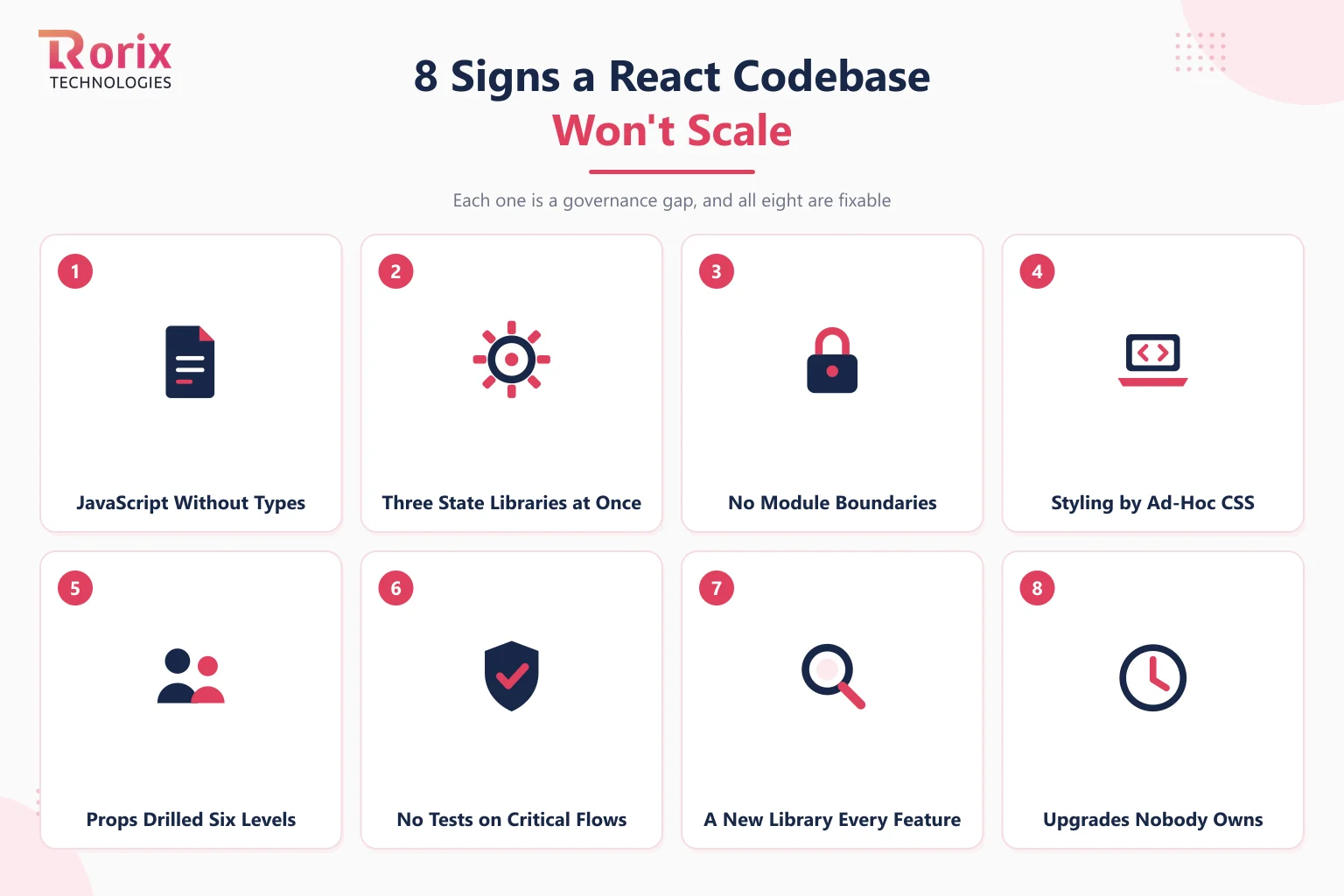
- JavaScript without types: every refactor is a leap of faith, and onboarding means reading the whole codebase.
- Three state libraries at once: each one arrived with a different engineer, and now every feature starts with an argument.
- No module boundaries: any file can import any other, so every change has a blast radius nobody can predict.
- Styling by ad-hoc CSS: a hundred one-off files, and the same button implemented nine ways.
- Props drilled six levels: data threaded through components that only exist to pass it along, a signal the state strategy was never actually decided.
- No tests on critical flows: releases depend on manual clicking, so they get less frequent as the product grows, which is backwards.
- A new library every feature: the dependency list grows monotonically, and nobody can say which packages are load-bearing.
- Upgrades nobody owns: the React version is three majors behind, and the migration keeps losing planning poker to features.
Two or more of these on a growing codebase and the honest move is to pause feature work briefly and fix the foundations, because the alternative is paying the same tax on every feature forever.
How Rorix Builds Enterprise React Applications
Our dedicated development teams ship both React and Angular in production, which keeps our recommendation honest: the framework follows the team size, the lifespan, and the mobile question, and we will argue you out of React when the evidence points the other way.
- Cross-platform delivery, proven: on Driven, a web portal plus native iOS and Android apps shipped inside a nine-month engagement from a shared React and React Native codebase.
- Integration depth as evidence: 40+ integrations on Driven, a US performance platform for pest control and field service teams, with iOS and Android shipped from a single React Native codebase.
- Modernization without rewrites: legacy React brought from class components to modern hooks on Lorecs as part of a live platform overhaul, route by route, with the business running throughout.
- Senior-owned architecture: a dedicated team of senior engineers with a named technical lead on every engagement, standards set in writing, and decisions logged as they are made.
- A verifiable record: 27 projects delivered, a 5.0 rating on Clutch across 4 verified reviews, and clients across the US, UK, Canada, Australia, and New Zealand.
If the roadmap calls for a paying customer fast, our SaaS development engagements target a SaaS MVP ready for a first paying customer in 12 weeks on exactly the stack this guide describes. Book a free consultation and bring your hardest screen. It is usually the fastest way to find out what your front end actually needs.
React Scales as Far as the Discipline Around It
React earns its place in enterprise work honestly: the deepest hiring pool in front-end development, a stable core, a real path to mobile, and an adoption model that respects the fact that your business cannot stop for a rewrite.
What it never offers is a default. Every property that makes a React codebase survivable at scale, types, one state strategy, boundaries, a design system, gated quality, is a decision your team makes and enforces. Make those decisions early and in writing, and React scales as far as the product needs. Skip them, and no framework choice would have saved the project anyway.
Choose the library for its strengths. Budget for the discipline. That is the whole trick, and our engineers can help with both.
Frequently Asked Questions
Is React good for enterprise applications?
Yes, provided the discipline React does not impose gets supplied by the team: mandatory TypeScript, one state strategy, module boundaries, a design system, and quality gates in CI. Its hiring pool, ecosystem, incremental adoption path, and React Native mobile story are genuine enterprise advantages. Its flexibility only becomes a liability when nobody governs it.
Is React a framework or a library, and why does it matter?
React is a library: it renders components and manages their state, and it deliberately holds no opinion on routing, forms, data fetching, or project structure. This matters at enterprise scale because those open questions must be answered by your team's standards instead of the framework's defaults, which is a real, ongoing governance cost that belongs in the plan.
How does React compare to Angular for enterprise development?
Angular builds the structure in, which rewards larger teams on long-lived systems; React leaves the structure to you, which rewards senior teams and roadmaps that include mobile. Team size, lifespan, and the mobile question decide it far more often than any feature comparison. Our React vs Angular guide covers the trade-offs in depth, from projects that ship both.
Do we need Next.js for an enterprise React application?
Only when the requirements call for it: server-side rendering for public, search-indexed pages, or the performance profile of a content-heavy site. Internal tools, dashboards, and portals behind a login rarely need a meta-framework, and adding one is real complexity that should buy something specific. Name the requirement first, then decide.
Does React scale for large development teams?
The library scales; whether the codebase does depends on governance. Large teams succeed with React when module boundaries, typed contracts, and CI-enforced standards keep fifty engineers from making fifty independent architecture decisions. Teams that want the framework itself to enforce that consistency often find Angular the more natural fit.
Should an enterprise React codebase use TypeScript?
Yes, and as a requirement rather than a preference. TypeScript sits at 43.6% adoption in the Stack Overflow survey, typed React is the mainstream way large systems get built, and on a codebase with staff turnover the types are the only documentation guaranteed to stay current. Every serious codebase we have inherited without types has paid for the omission.
Can we adopt React without rewriting our existing front end?
Yes, and you should insist on it. React mounts inside an existing page, so a legacy front end can be replaced route by route while both systems run behind the same navigation. Each migrated route is shippable progress that can pause safely if priorities shift, which is the property a big-bang rewrite can never offer.
What team does an enterprise React application need?
A senior lead who owns the architecture and the standards, engineers fluent in TypeScript and the chosen state approach, and clear ownership of the design system and the upgrade calendar. If you have that core and simply need more hands, augmenting the team is often the right shape, covered in our guide to IT staff augmentation.
Need engineers who stay?
Dedicated developers at $3,500 per developer per month, working your backlog on 2-week sprints with a named technical lead.
Continue learning
Written by
Renish DadhaniyaFounder & Director, Rorix Technologies
Renish co-founded Rorix Technologies and drives the engineering and delivery culture across the organization. Beyond engineering, he leads the company's sales, finance, and HR operations, building the infrastructure that lets the team focus on shipping quality software. With deep hands-on expertise in architecture and team building, he ensures every project lands on time to the quality standards clients demand.
View full profileRelated articles
React vs Angular for Enterprise Applications: A 2026 Comparison from Engineers Who've Used Both
An honest, project-grounded comparison of React and Angular for enterprise applications in 2026, from an engineering team that ships both in production.
Read article
Node.js for Enterprise Backends: Where It Wins and What It Needs
Choosing a backend runtime for a business-critical system? Where Node.js wins, where it is the wrong tool, and the discipline an enterprise backend needs.
Read article
How to Hire a Dedicated Development Team: The Complete 2026 Guide
How to hire a dedicated development team that integrates with your workflow and stays long term: vetting steps, retainer models, and red flags to avoid.
Read article