
AI-Enabled Business Systems: How to Build One That Pays Back
AI-enabled business systems explained: the six layers, where AI pays back by function, a data readiness checklist, six build steps, and the real cost drivers.
On this page39 sections
Almost every company has AI somewhere now. Far fewer can point at a line on the P&L and say that is where it landed.
The numbers make the gap concrete. McKinsey's State of AI survey of 1,993 respondents across 105 countries found 88% of organizations now use AI in at least one business function, up from 78%. Only 39% report any EBIT impact at the enterprise level, and most of those put it below 5% of earnings.
That gap is not a model problem. It is a systems problem. A chatbot beside your business does very little. Intelligence built inside the software that already runs your operation changes what the operation is capable of, because the prediction lands where the work actually happens.
This guide is the practical version: what an AI-enabled business system is made of, where it pays back by function, and the sequence that turns a pilot into something with a number attached to it.
In this guide, you'll learn:
- What an AI-enabled business system actually is, and what it is not
- Why most AI spending never reaches the bottom line
- The 6 layers every working system needs
- Where AI pays back across warehouse, HR, sales, finance, support, and engineering
- The data readiness checklist to run before you spend anything
- A 6-step build sequence, plus what it costs and how to test vendor claims
By the end, you'll know which decision in your business is worth automating first, whether your data can support it, and how to prove it worked.
Quick Answer: Where AI Pays Back Inside Business Systems
AI earns its keep where a person currently makes the same judgment call repeatedly, on data your systems already capture. The table below is the map. The rest of the guide is the detail.
| Business function | What the AI decides | The payback signal |
|---|---|---|
| Inventory and warehouse | What to stock, where to place it | Fewer stockouts, shorter pick paths |
| HR and workforce | Who to shortlist, who is at risk of leaving | Faster hiring, lower attrition surprise |
| Sales and CRM | Which lead to work, which account will churn | Higher win rate per rep hour |
| Finance and billing | Which invoice is wrong, which payment will slip | Fewer write-offs, faster collections |
| Customer support | How to route, summarize, and resolve | Lower handle time, steadier CSAT |
| Engineering delivery | What to review, test, and document | Shorter lead time to release |
Key Takeaways: Why AI Pays Back Only Inside the Workflow
- McKinsey's State of AI survey of 1,993 respondents across 105 countries found 88% of organizations now use AI in at least one business function, but only 39% report any EBIT impact at the enterprise level.
- Gartner predicts organizations will abandon 60% of AI projects unsupported by AI-ready data through 2026, and its survey of 248 data management leaders found 63% either lack the right data management practices for AI or are unsure whether they do.
- An AI-enabled business system carries the decision layer inside the system of record, so a forecast writes a purchase suggestion and a risk score reorders a queue instead of landing on a separate dashboard.
- Every working system needs the same six layers, and most stalled projects are missing layer 2, the event and data pipeline, while trying to compensate at layer 3, the decision layer.
- Monitoring, retraining, and evaluation behave like the 15% to 25% annual maintenance already budgeted for software, and McKinsey's survey of CIOs put tech debt at 20% to 40% of the value of an entire technology estate.
What Is an AI-Enabled Business System?
An AI-enabled business system is operational software that carries a decision layer inside it: your system of record makes a prediction or takes an action a person used to handle, in the same workflow where the work already happens. The intelligence is a component of the platform, not a separate tool your team has to remember to open.
The distinction matters commercially. A standalone assistant produces answers, and someone still has to act on them. An AI-enabled system produces a changed outcome, because the forecast writes a purchase suggestion, the risk score reorders a queue, and the classification routes a ticket without anyone copying anything across.
That is also why these systems are usually built rather than bought whole. The valuable predictions depend on your data, your workflow, and your edge cases, which is exactly what generic software cannot reach into.
Why Do Most AI Projects Never Reach the Bottom Line?
Because the model is rarely the constraint. Data readiness, workflow integration, and measurement are, and all three sit outside the part vendors demo.
Gartner predicts that through 2026 organizations will abandon 60% of AI projects unsupported by AI-ready data. Its survey of 248 data management leaders found 63% either do not have the right data management practices for AI or are unsure whether they do. The project does not fail at the model. It fails months earlier, in the pipeline.
The second pattern is subtler. Google Cloud's DORA research found AI's primary role is as an amplifier, magnifying an organization's existing strengths and weaknesses, and that the greatest returns come from the underlying organizational system rather than the tools themselves. A disciplined operation gets faster. A disorganized one gets faster at being disorganized.
McKinsey's survey points the same direction from the value side: the organizations reporting the largest EBIT impact are the ones that redesigned end-to-end workflows rather than adding AI beside the existing ones. Which is the whole argument for building the intelligence into the system instead of alongside it.
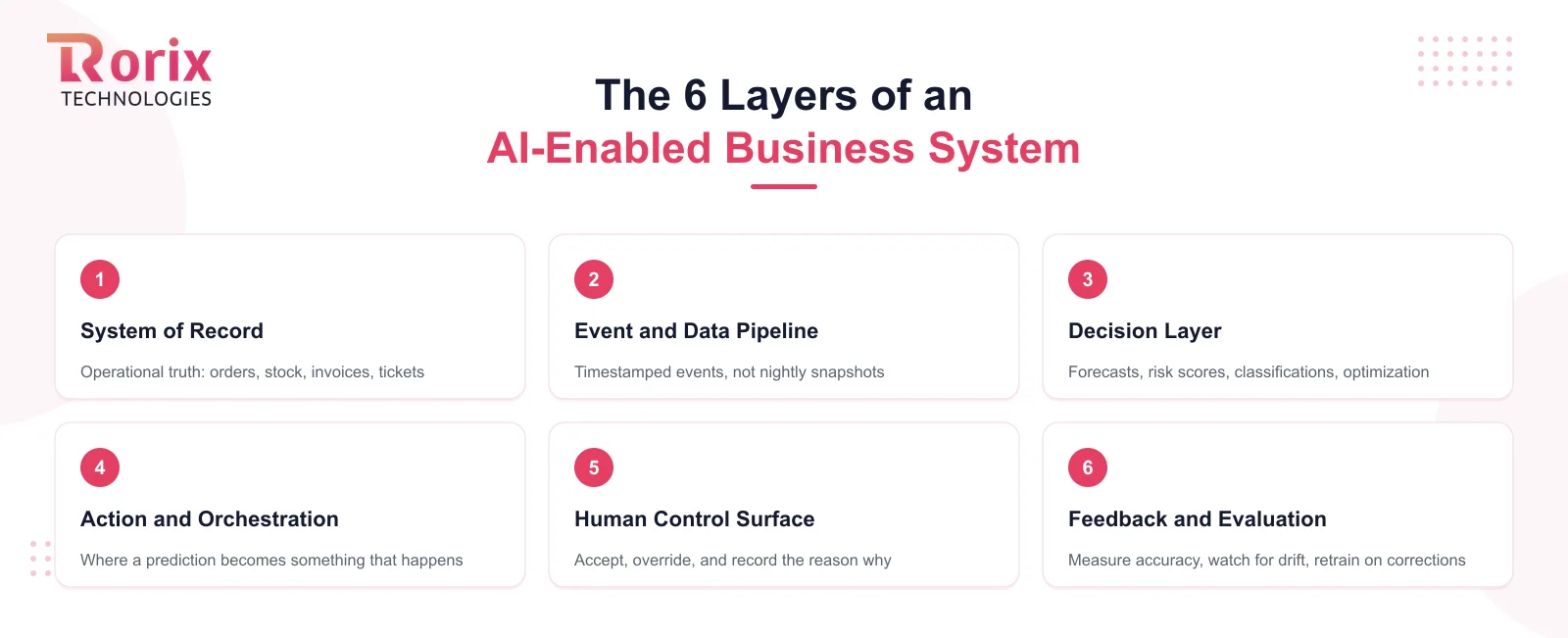
The 6 Layers of an AI-Enabled Business System
Think of it as a stack where each layer only works if the one beneath it is sound. Most stalled projects are missing layer 2 and trying to compensate at layer 3.
1. The System of Record
The operational database and workflows that hold the truth: orders, employees, stock, invoices, tickets. Every prediction reads from here and every action writes back to here. If two systems disagree about the same fact, you do not have a system of record yet, and that is the project.
2. The Event and Data Pipeline
Models learn from timestamped events, not from nightly snapshots. You need the stream of what happened and when: created, moved, approved, shipped, refunded. Where decisions have to react inside seconds rather than hours, that pipeline needs real-time data plumbing rather than batch jobs.
3. The Decision Layer
The models themselves: forecasts, risk scores, classifications, extractions, and optimization routines. This is the layer everyone shops for and the one that matters least in isolation, because a good model on weak data reliably produces confident nonsense.
4. The Action and Orchestration Layer
Where a prediction becomes something that happens. A forecast becomes a replenishment suggestion. A churn score reorders the account manager's call list. Skip this layer and you have built a dashboard, and dashboards do not change outcomes.
5. The Human Control Surface
The screens where people see the recommendation, accept it, override it, and say why. Overrides are not friction to be designed away. They are your highest-value training signal and your liability protection, and the reason a team trusts the system enough to keep using it.
6. The Feedback and Evaluation Loop
Measurement of whether predictions were right, monitoring for drift as your business changes, and retraining on the corrections. Without this layer, accuracy decays quietly and nobody notices until the recommendations are visibly wrong.
Also Read: AI in Warehouse Management: 8 Use Cases That Actually Pay Back
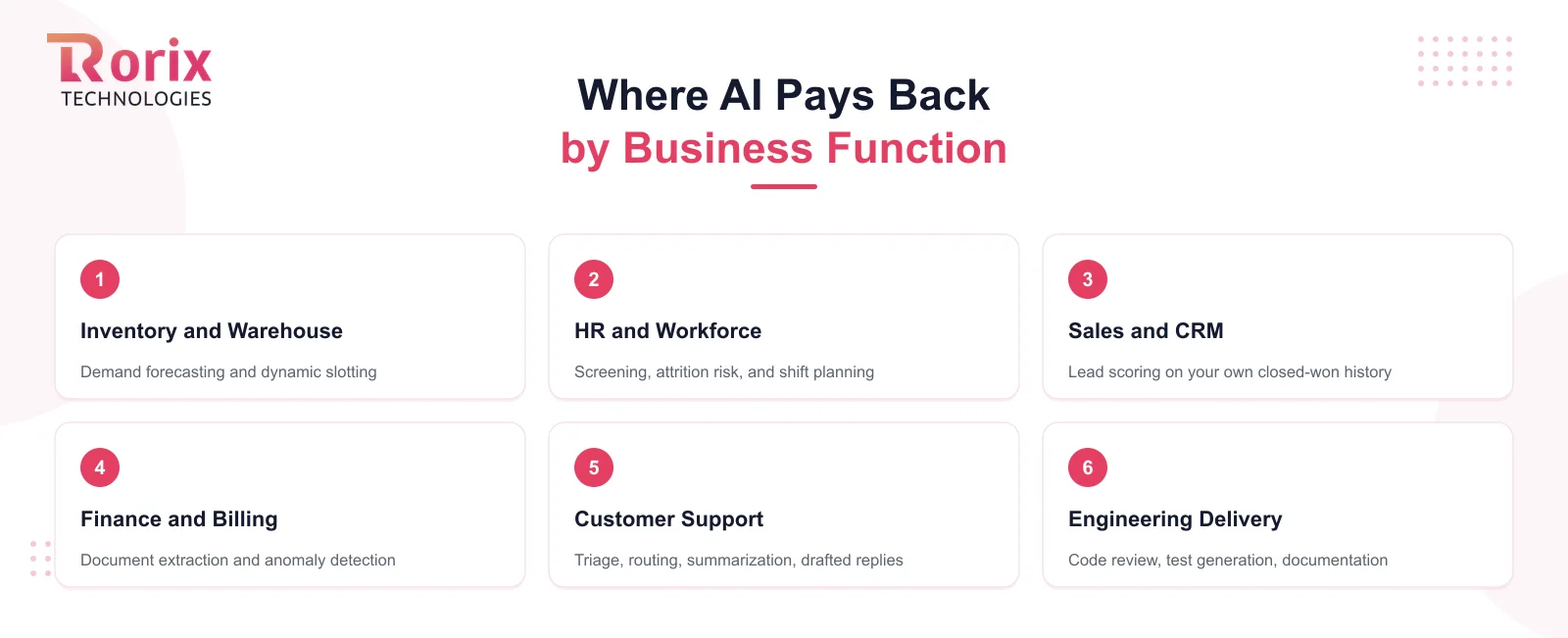
Where AI Pays Back, by Business Function
The pattern repeats across departments: find the repeated judgment call, check whether the data behind it is clean, and put the output back into the same screen.
Inventory and Warehouse Operations
Demand forecasting and dynamic slotting are the two that consistently earn their keep, because both run on data a warehouse already generates and both produce a number you can check within weeks. Our warehouse AI guide covers the eight use cases and the payback signal for each.
HR and Workforce
Screening at the top of the funnel, attrition risk across tenure and engagement data, and shift planning against forecast volume. The constraint here is fairness rather than accuracy: any model touching hiring or promotion needs documented criteria, human sign-off, and an audit trail from the first release.
Sales and CRM
Lead scoring against your own closed-won history beats any generic model, because it learns which signals predict revenue in your market specifically. Churn prediction pays back further along, once you have enough account history for the pattern to be real.
Finance and Billing
Document extraction removes the manual keying from invoices and remittances. Anomaly detection catches duplicate payments, price drift, and the quiet fraud patterns a monthly review misses. Collections prioritization tells the team which chase call is worth making today.
Customer Support
Triage and routing first, because misrouted tickets are pure cost. Then summarization of long threads for handover, and drafted replies with an agent approving before send. Full autonomous resolution is the last step, not the first.
Engineering and Delivery
Code review support, test generation, and documentation. DORA's finding applies most sharply here: teams with strong review and testing discipline compound the gains, and teams without it ship their existing problems faster.
Is Your Data Ready? The Honest Checklist
Gartner's 63% figure is not about exotic infrastructure. It is about basics that are easy to assume and rarely true. Run this before you approve any budget:
- One agreed source of truth per fact. If sales and finance report different revenue for the same month, fix that first. A model cannot arbitrate between two systems that disagree.
- Events are timestamped and kept. Not just current state, but the history of how it changed. Overwritten records erase the exact pattern you want to learn.
- The decision you want to automate is already being made. By a person, on a schedule, with a defensible rationale. If nobody makes it today, you have a process question, not an AI project.
- You can state today's number. Current forecast error, current handle time, current write-off rate. No baseline, no verdict later.
- Someone owns the outcome. A named person who will compare before and after, and who is permitted to report that it did not work.
- Access and permissions are settled. Who may see which records, and whether the model output inherits those rules. Retrofitting this after launch is painful and sometimes regulated.
Three or more gaps and the honest answer is that the foundation is the project. That work pays back on its own through better reporting and fewer reconciliation hours, whatever you decide about AI afterward.
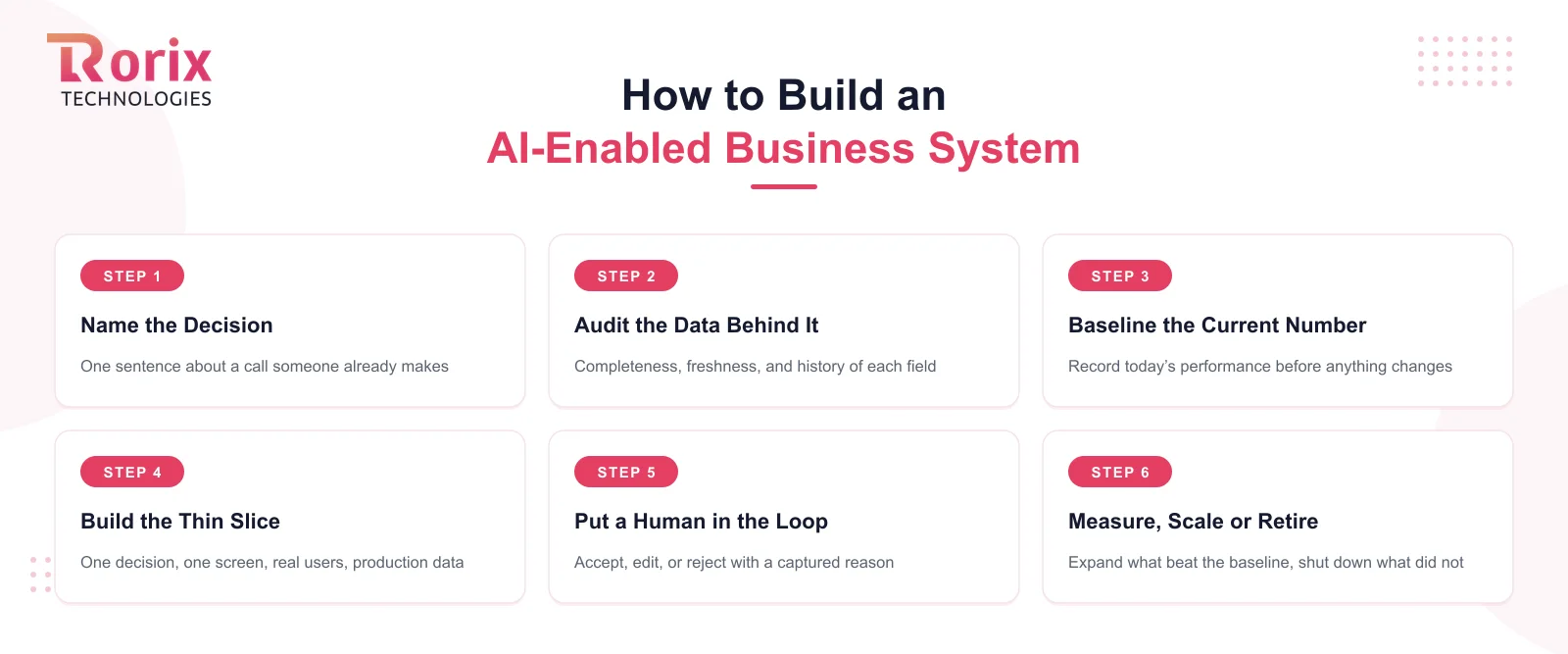
How to Build an AI-Enabled Business System in 6 Steps
Failed projects almost all start at the technology and go looking for a problem. This runs the other way.
Step 1. Name the Decision, Not the Technology
Write down one sentence: "every Tuesday, a planner decides X, using Y, and gets it wrong about Z% of the time." That sentence is a project. "We should use AI" is a budget leak with a roadmap attached.
Step 2. Audit the Data Behind That Decision
Trace the exact fields the decision depends on and check their completeness, freshness, and history. This is where most timelines actually get set, and where you find out whether you are building a model or a pipeline.
Step 3. Baseline the Current Number
Record today's performance before anything changes, over a window long enough to cover normal variation. Teams that skip this end up arguing about whether the system helped, with no way to settle it.
Step 4. Build the Thin Slice Inside the Workflow
One decision, one screen, real users, production data. Resist the platform instinct. A narrow slice that runs inside the tool people already use teaches you more in three weeks than a broad pilot does in three months.
Step 5. Put a Human in the Loop With a Real Override
Ship the recommendation with an accept, an edit, and a reject that captures a reason. You get adoption, an audit trail, and labeled training data from the same control, which is the cheapest instrumentation you will ever build.
Step 6. Measure, Then Scale or Retire
Compare against the baseline honestly and act on it. Expand what beat the number, and shut down what did not, so the next decision gets funded on evidence rather than on the enthusiasm of whoever presented last.
What an AI-Enabled Business System Costs
There is no single honest number, but the cost structure is predictable and it is rarely weighted where people expect. You pay in four places: the data foundation, the decision layer, the integration work that puts output into real workflows, and the recurring cost of keeping the thing accurate.
The foundation is usually the biggest line, and the one buyers most consistently underestimate. If your systems disagree with each other, that is the first invoice. It is worth noting that McKinsey's survey of CIOs put tech debt at 20% to 40% of the value of an entire technology estate before depreciation, with 10% to 20% of the budget for new products diverted into servicing it. AI does not route around that debt. It runs straight into it.
The recurring line is the one that surprises people. Monitoring, retraining, and evaluation behave like the 15% to 25% annual maintenance you already budget for software, not like a one-time purchase. A model is a component with an upkeep cost, not a feature you finish.
For the underlying build economics, our custom software development cost guide breaks down the full stack, and the project cost estimator will scope your specific case.
How to Judge a Vendor's AI Claims Before You Sign
Most AI capability slides describe the same three demos. These questions separate the teams who have shipped this from the teams who have watched it being shipped.
- "Show me where the output lands in the user's screen." If the answer is a separate dashboard, they built a report, not a system.
- "What happens when the model is wrong?" You want an override path, a logged reason, and a retraining story. Hesitation here means nobody has run this in production.
- "What data did you need, and what did you have to fix first?" Real projects have a cleanup phase. A vendor who does not mention one has either not done it or is not telling you about it yet.
- "How will we know it worked?" A specific metric and a measurement window, agreed before the build. Anything vaguer becomes unfalsifiable by design.
- "Who owns the model, the training data, and the derived outputs?" Settle this in the contract before code gets written, alongside source code and IP.
- "Where does AI sit inside your own delivery process?" Teams using it on their own documentation, review, and test generation have operationalized it. Teams who only sell it have not.
Why Rorix Builds AI-Enabled Business Systems
Rorix Technologies builds the system of record first, because that is what every useful prediction depends on. We deliver custom WMS, HRMS, ecommerce, and SaaS platforms with real-time data, event-level tracking, and integration depth designed in from the start, then add the decision layer where your numbers say it will pay back.
- Foundation-first sequencing: the pipeline and the system of record before the model, so the intelligence has something trustworthy to learn from.
- Operations-heavy domain depth: warehouse, HR, and SaaS platforms built around real workflows, with 40+ vendor integrations shipped on a single platform.
- Delivery you can watch: a retainer model in 2-week sprints with full task visibility, and a named team of senior engineers that stays on the product past go-live.
- A verifiable record: 27 projects delivered and a 5.0 rating on Clutch, with clients across the US, UK, Canada, Australia, and New Zealand.
- Independent architecture consulting: we will tell you when the answer is a better pipeline rather than a model, including when that means a smaller engagement.
Book a free consultation, and we will map which decision in your business is worth automating first, and what your data needs before it can be.
AI Pays Back When the Prediction Lives Inside the Workflow
The companies getting returns from AI are not the ones running the most pilots. They are the ones who picked one expensive repeated decision, made sure the data behind it was trustworthy, and put the prediction inside the screen where the work already happens.
That is the whole difference between AI as a line item and AI as a capability. One shows up in a press release. The other shows up in forecast error, handle time, and write-offs, where anyone can check it.
Start with the decision. Prove the data. Ship a thin slice with an override, and let the before-and-after number decide what gets built next.
Working out which decision is worth automating is the first stage of an AI integration engagement. Ready to scope one? Talk to our engineers about the decision you would automate first, and we will tell you honestly what stands between you and it.
Frequently Asked Questions
What is an AI-enabled business system?
It is operational software with a decision layer inside it, so your system of record predicts or acts on something a person used to handle, in the workflow where the work already happens. The intelligence is part of the platform rather than a separate tool someone has to open.
How is an AI-enabled business system different from using an AI tool?
A tool produces an answer that someone still has to act on. An AI-enabled system produces a changed outcome, because the prediction writes back into the same workflow: a forecast becomes a replenishment suggestion, a risk score reorders a queue, a classification routes a ticket automatically.
Why do most enterprise AI projects fail?
Rarely because of the model. Gartner expects 60% of AI projects unsupported by AI-ready data to be abandoned through 2026, and found 63% of organizations lack or are unsure of the data practices AI needs. The failure usually happens in the data pipeline and the workflow integration, well before the model is the problem.
What data do you need before adding AI to a business system?
One agreed source of truth per fact, timestamped event history rather than only current state, and the decision you want to automate already being made by a person today. You also need a stated baseline number, or you will have no way to judge the result.
Should we build AI into our existing software or buy a separate tool?
Buy the generic capability, and build the part that depends on your data and workflow. Off-the-shelf tools handle commodity tasks like transcription or document extraction well, but the predictions worth real money sit inside your own history and edge cases, which packaged software cannot reach.
How much does an AI-enabled business system cost?
It splits across the data foundation, the decision layer, workflow integration, and recurring accuracy work. The foundation is usually the largest and most underestimated line, and the recurring cost of monitoring and retraining behaves like the 15% to 25% annual software maintenance you already budget.
How long before an AI-enabled system shows results?
A properly scoped thin slice should move against its baseline inside one quarter, provided the data was ready before the build started. Where the data is not ready, the honest timeline is the pipeline work first, which is a separate project with its own payback.
Does adding AI mean replacing our current business software?
Usually not. Most systems need a better event pipeline and clear integration boundaries rather than a rebuild. Replacement becomes the cheaper path when the existing platform cannot expose its own data reliably, which is a decision worth testing with an architecture review before committing either way.
Adding AI to your system, or building a new AI feature?
Most of the work sits in the data plumbing rather than the model. Send us the workflow you want to automate and we will tell you what is feasible on your current stack.
Continue learning
Written by
Renish DadhaniyaFounder & Director, Rorix Technologies
Renish co-founded Rorix Technologies and drives the engineering and delivery culture across the organization. Beyond engineering, he leads the company's sales, finance, and HR operations, building the infrastructure that lets the team focus on shipping quality software. With deep hands-on expertise in architecture and team building, he ensures every project lands on time to the quality standards clients demand.
View full profileRelated articles
Top 15 AI Agent Development Companies in 2026 (Compared)
Explore the top AI agent development companies in 2026. Compare capabilities, headquarters, and Clutch ratings to choose the right development partner.
Read article
How to Add AI to Existing Software: What Your System Will Let You Do
How to add AI to existing software: the four insertion points, whether your system can emit what a model needs, shadow mode, and when to modernize first.
Read article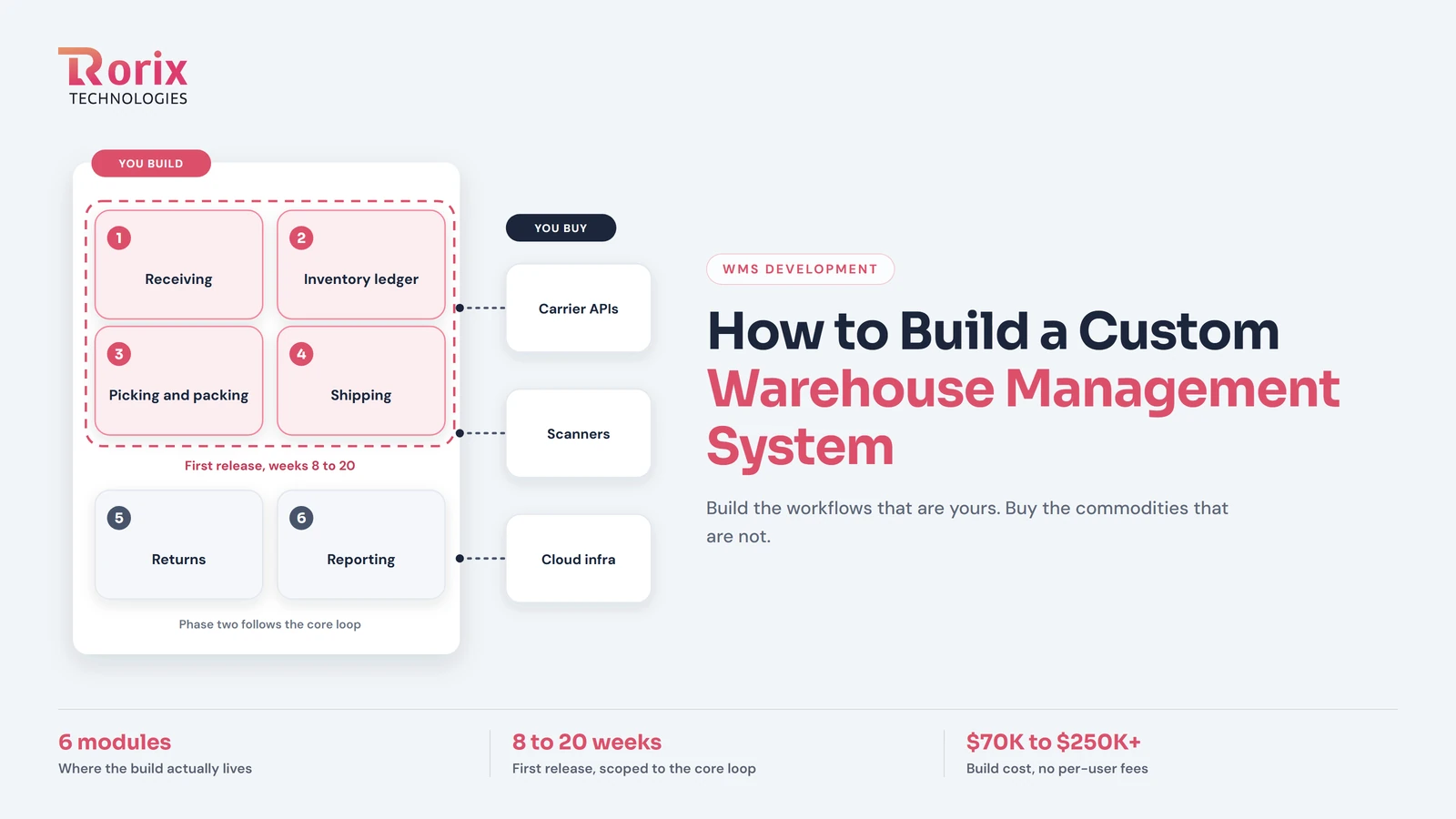
How to Build a Custom Warehouse Management System: 2026 Guide
Learn how to build a custom warehouse management system: build phases, core modules, tech stack, integrations, indicative cost ranges, and realistic timelines.
Read article