
WMS Integration Best Practices: ERP, E-Commerce and TMS
WMS integration best practices for connecting ERP, e-commerce, shipping carriers, and TMS: proven patterns, sync strategies, and common failure points.
On this page39 sections
Key Takeaways: Your WMS Is the Hub of the Supply Chain Stack
Successful WMS integration connects your warehouse system to ERP, e-commerce, shipping carriers, TMS/3PL, and EDI partners using proven real-time patterns so inventory, orders, and fulfillment stay in sync. Poor integrations cause inventory sync delays, manual data entry, and order fulfillment delays.
- Treat the WMS as the hub of your supply chain stack, not an isolated system.
- Integrate with ERP (SAP, Oracle, NetSuite, Microsoft Dynamics) and e-commerce platforms (Shopify, Magento, BigCommerce, custom).
- Connect shipping carriers (UPS, FedEx, DHL), TMS/3PL systems, and EDI partners.
- Use real-time sync for orders and inventory to avoid showing items available when out of stock.
What Poor WMS Integrations Cost Your Operation
Your WMS doesn't operate in isolation. It's the hub connecting your entire supply chain technology stack. Poor integrations cause:
- Inventory sync delays (orders show available when out of stock)
- Manual data entry (wasted staff time, errors)
- Order fulfillment delays (waiting for system updates)
- Customer service nightmares (can't find order status)
In this guide, we'll cover proven integration patterns for connecting your WMS to:
ERP systems (SAP, Oracle, NetSuite, Microsoft Dynamics)
E-commerce platforms (Shopify, Magento, BigCommerce, custom)
Shipping carriers (UPS, FedEx, DHL)
TMS/3PL systems
EDI partners
Need integration help? Schedule a consultation with our integration specialists or calculate integration ROI with our ROI Calculator.
Estimate Your WMS ROI
Get a preliminary estimate of potential savings with a modern warehouse management system. Estimates based on industry averages; individual results vary.
WMS Integration Architecture Overview
Typical Integration Landscape
┌─────────────────────────────────────────────────────────┐
│                    E-COMMERCE                            │
│              (Shopify, Magento, Custom)                  │
└────────────┬────────────────────────────┬────────────────┘
             │                            │
             │ Orders (Real-time)         │ Inventory (Real-time)
             ▼                            ▲
┌────────────────────────────────────────────────────────┐
│                   WAREHOUSE MANAGEMENT SYSTEM (WMS)     │
│     - Receiving   - Picking   - Packing   - Shipping   │
└──┬────────┬────────────┬────────────┬──────────────────┘
   │        │            │            │
   │        │            │            │ Shipping Labels
   │        │            │            ▼
   │        │            │      ┌─────────────────┐
   │        │            │      │  CARRIERS       │
   │        │            │      │  UPS/FedEx/DHL  │
   │        │            │      └─────────────────┘
   │        │            │
   │        │            │ Shipment Confirmations
   │        │            ▼
   │        │      ┌──────────────────┐
   │        │      │  CUSTOMER        │
   │        │      │  Tracking/Email  │
   │        │      └──────────────────┘
   │        │
   │        │ POs, ASNs
   │        ▼
   │  ┌─────────────────┐
   │  │  TMS / 3PL      │
   │  │  Transportation │
   │  └─────────────────┘
   │
   │ Inventory, Transactions, Financial Data
   ▼
┌─────────────────────────────────┐
│            ERP SYSTEM            │
│  (SAP, Oracle, NetSuite, D365)  │
└─────────────────────────────────┘
Integration Method Decision Matrix
| Method | When to Use | Pros | Cons | Cost |
|---|---|---|---|---|
| Real-Time API | High-volume, time-critical (e-commerce orders) | Instant sync, bidirectional | Complex, requires expertise | $$$$ |
| Batch File Transfer | Lower volume, scheduled updates | Simple, reliable | Data lag (hourly/daily) | $$ |
| Direct Database | Same vendor for both systems | Fast, no middleware | Risky, breaks support | $ |
| Middleware/iPaaS | Multiple systems, complex mapping | Flexible, scalable, maintainable | Additional cost, complexity | $$$ |
| EDI | B2B partners, compliance requirements | Industry standard | Rigid format, expensive | $$$ |
| Manual Export/Import | Very low volume, temporary | Zero cost | Labor-intensive, error-prone | $ (labor) |
ERP ↔ WMS Integration Best Practices
For the full ERP picture, including which system owns each field, the seven integration methods, and cost ranges, see our guide to WMS integration with ERP.
Critical Data Flows
ERP → WMS:
- Purchase Orders (trigger receiving)
- Sales Orders (trigger picking)
- Master Data (SKUs, customers, vendors, locations)
- Inventory Adjustments (cycle count corrections)
WMS → ERP:
- Receipts Confirmation (PO received, inventory updated)
- Shipment Confirmation (order shipped, inventory reduced)
- Inventory Transactions (movements, adjustments)
- Labor/Activity Data (for costing)
Integration Pattern: Real-Time API
Best For: High-volume operations, real-time inventory visibility required
Architecture:
ERP creates sales order
   ↓
Calls WMS API: POST /api/orders
   ↓
WMS validates and accepts order
   ↓
Returns Order ID to ERP
   ↓
WMS picks, packs, ships
   ↓
WMS calls ERP API: POST /api/shipments
   ↓
ERP updates order status, reduces inventory
Code Example (Node.js):
// ERP sends order to WMS
const sendOrderToWMS = async (order) => {
  try {
    const response = await fetch('https://wms.company.com/api/v1/orders', {
      method: 'POST',
      headers: {
        'Authorization': `Bearer ${WMS_API_KEY}`,
        'Content-Type': 'application/json'
      },
      body: JSON.stringify({
        orderNumber: order.id,
        customer: {
          name: order.customerName,
          address: order.shippingAddress
        },
        lines: order.items.map(item => ({
          sku: item.productSKU,
          quantity: item.qty,
          uom: item.unitOfMeasure
        })),
        shipBy: order.requestedShipDate,
        priority: order.isPriority ? 'HIGH' : 'NORMAL'
      })
    });

    const result = await response.json();

    if (response.ok) {
      // Update ERP with WMS Order ID
      await updateERPOrder(order.id, { wmsOrderId: result.wmsOrderId });
      console.log(`Order ${order.id} sent to WMS successfully`);
    } else {
      // Handle errors
      throw new Error(`WMS rejected order: ${result.error}`);
    }
  } catch (error) {
    // Retry logic or manual intervention queue
    console.error('Failed to send order to WMS:', error);
    await queueForManualReview(order);
  }
};
Best Practices:
Idempotency: Include unique transaction ID, WMS deduplicates
Error Handling: Retry with exponential backoff (3 attempts)
Validation: WMS validates SKU exists, quantity > 0 before accepting
Async Processing: ERP doesn't wait for WMS picking, just order acceptance
Webhooks: WMS calls ERP webhook when shipment complete (don't poll)
Integration Pattern: Batch File Transfer
Best For: Lower volume, less time-critical, simpler IT infrastructure
Architecture:
ERP exports orders to CSV/XML (every 30 minutes)
   ↓
Places file in SFTP folder: /outbound/orders/
   ↓
WMS polls SFTP folder (every 30 minutes)
   ↓
WMS imports file, processes orders
   ↓
WMS exports shipments to CSV/XML
   ↓
Places file in SFTP folder: /inbound/shipments/
   ↓
ERP polls folder, imports shipments
File Format Example (CSV):
OrderNumber,CustomerName,SKU,Quantity,ShipToAddress,ShipByDate
SO-12345,Acme Corp,WIDGET-001,50,"123 Main St, Boston MA 02101",2026-01-25
SO-12345,Acme Corp,GADGET-200,25,"123 Main St, Boston MA 02101",2026-01-25
SO-12346,Tech Inc,WIDGET-001,100,"456 Oak Ave, Austin TX 78701",2026-01-26
Best Practices:
File Naming Convention: orders_YYYYMMDD_HHMMSS.csv (timestamp prevents overwrites)
Archiving: Move processed files to /archive/ folder (don't delete)
Error Files: Create /errors/ folder for files that fail validation
File Locking: Use .tmp extension during write, rename to .csv when complete
Reconciliation: Daily report comparing ERP orders sent vs WMS orders received
Common ERP Integration Challenges
Challenge 1: Data Mapping Mismatches
Problem: ERP uses "Customer ID" but WMS expects "Customer Name"
Solution: Create mapping table
-- Mapping table
CREATE TABLE customer_mapping (
  erp_customer_id VARCHAR(50),
  wms_customer_code VARCHAR(50),
  customer_name VARCHAR(200)
);

-- Use during integration
SELECT wms_customer_code
FROM customer_mapping
WHERE erp_customer_id = '12345';
Challenge 2: Inventory Sync Conflicts
Problem: ERP shows 100 units, WMS shows 95 units (diverged inventory)
Solution: WMS is "master" for inventory, periodic reconciliation
// Daily inventory reconciliation job
const reconcileInventory = async () => {
  const wmsInventory = await fetchWMSInventory();
  const erpInventory = await fetchERPInventory();

  const discrepancies = [];

  for (const item of wmsInventory) {
    const erpItem = erpInventory.find(e => e.sku === item.sku);
    const diff = item.quantity - erpItem.quantity;

    if (Math.abs(diff) > 5) { // Threshold: >5 unit difference
      discrepancies.push({
        sku: item.sku,
        wmsQty: item.quantity,
        erpQty: erpItem.quantity,
        difference: diff
      });

      // Auto-adjust ERP to match WMS (WMS is authoritative)
      await updateERPInventory(item.sku, item.quantity);
    }
  }

  if (discrepancies.length > 0) {
    await sendAlertEmail('Inventory discrepancies found', discrepancies);
  }
};
Challenge 3: Order Status Sync
Problem: Customer calls "where's my order?" ERP doesn't know WMS status
Solution: Real-time status webhooks
// WMS sends status updates to ERP
app.post('/api/webhook/order-status', async (req, res) => {
  const { orderNumber, status, trackingNumber } = req.body;

  // Status: RECEIVED, PICKING, PACKED, SHIPPED
  await updateERPOrderStatus(orderNumber, {
    wmsStatus: status,
    trackingNumber: trackingNumber,
    lastUpdated: new Date()
  });

  // Trigger customer email if shipped
  if (status === 'SHIPPED') {
    await sendCustomerShippingEmail(orderNumber, trackingNumber);
  }

  res.json({ success: true });
});
E-Commerce ↔ WMS Integration Best Practices
Critical Data Flows
E-Commerce → WMS:
- Orders (real-time as they're placed)
- Order Priority (express shipping, gift orders)
- Customer Notes (special instructions)
WMS → E-Commerce:
- Inventory Levels (real-time available-to-promise)
- Shipment Tracking (order status, tracking number)
- Backorder Notifications
Shopify Integration Example
Using Shopify Webhooks:
// 1. Subscribe to Shopify order creation webhook
// (Done once in Shopify admin or via API)

// 2. Handle incoming Shopify order webhook
app.post('/webhooks/shopify/orders/create', async (req, res) => {
  const shopifyOrder = req.body;

  // Transform Shopify order format to WMS format
  const wmsOrder = {
    orderNumber: shopifyOrder.order_number,
    orderDate: shopifyOrder.created_at,
    customer: {
      email: shopifyOrder.email,
      name: `${shopifyOrder.customer.first_name} ${shopifyOrder.customer.last_name}`,
      phone: shopifyOrder.phone
    },
    shippingAddress: {
      name: shopifyOrder.shipping_address.name,
      address1: shopifyOrder.shipping_address.address1,
      address2: shopifyOrder.shipping_address.address2,
      city: shopifyOrder.shipping_address.city,
      state: shopifyOrder.shipping_address.province_code,
      zip: shopifyOrder.shipping_address.zip,
      country: shopifyOrder.shipping_address.country_code
    },
    lines: shopifyOrder.line_items.map(item => ({
      sku: item.sku,
      quantity: item.quantity,
      price: parseFloat(item.price),
      name: item.name
    })),
    shippingMethod: shopifyOrder.shipping_lines[0]?.title || 'Standard',
    isPriority: shopifyOrder.shipping_lines[0]?.code === 'EXPRESS'
  };

  // Send to WMS
  try {
    await sendOrderToWMS(wmsOrder);
    res.status(200).send('OK');
  } catch (error) {
    console.error('Failed to send order to WMS:', error);
    res.status(500).send('Error');
  }
});

// 3. Update Shopify when WMS ships order
const updateShopifyFulfillment = async (orderNumber, trackingNumber, carrier) => {
  const shopify = new Shopify({
    shopName: process.env.SHOPIFY_SHOP_NAME,
    accessToken: process.env.SHOPIFY_ACCESS_TOKEN
  });

  const order = await shopify.order.list({ name: orderNumber });

  await shopify.fulfillment.create(order[0].id, {
    location_id: process.env.SHOPIFY_LOCATION_ID,
    tracking_number: trackingNumber,
    tracking_company: carrier,
    notify_customer: true // Shopify sends shipping email
  });
};
Real-Time Inventory Sync (E-Commerce ← WMS)
Problem: Customer buys last item, but inventory not updated in Shopify = oversell
Solution: Real-time inventory push from WMS to e-commerce
// WMS pushes inventory update after every transaction
const updateEcommerceInventory = async (sku, newQuantity) => {
  // Update Shopify
  await shopify.inventoryLevel.set({
    inventory_item_id: await getShopifyInventoryItemId(sku),
    location_id: SHOPIFY_LOCATION_ID,
    available: newQuantity
  });

  // Update Magento (if multi-channel)
  await magento.put(`/rest/V1/products/${sku}`, {
    extension_attributes: {
      stock_item: {
        qty: newQuantity,
        is_in_stock: newQuantity > 0
      }
    }
  });

  console.log(`Updated ${sku} inventory to ${newQuantity} across all channels`);
};

// Trigger after every WMS transaction
app.post('/api/inventory/transaction', async (req, res) => {
  const { sku, quantityChange, newQuantity } = req.body;

  // Update WMS database
  await updateWMSInventory(sku, newQuantity);

  // Push to e-commerce platforms
  await updateEcommerceInventory(sku, newQuantity);

  res.json({ success: true });
});
Best Practices:
Debouncing: Batch updates every 30 seconds (don't update on every pick)
ATP Calculation: Available-to-Promise = On-Hand - Reserved - Safety Stock
Buffer Stock: Show 5 fewer units than actual (prevent oversells during lag)
Fallback: If push fails, e-commerce polls WMS inventory every 5 minutes
Shipping Carrier Integration
Multi-Carrier Rate Shopping
Best Practice: Query multiple carriers, select cheapest that meets SLA
const getRatesFromCarriers = async (shipment) => {
  const rateRequests = [
    upsAPI.getRates(shipment),
    fedexAPI.getRates(shipment),
    uspsAPI.getRates(shipment)
  ];

  const rates = await Promise.allSettled(rateRequests);

  const validRates = rates
    .filter(r => r.status === 'fulfilled')
    .map(r => r.value)
    .flat()
    .sort((a, b) => a.cost - b.cost);

  // Select cheapest rate that meets delivery date
  const selectedRate = validRates.find(rate =>
    new Date(rate.deliveryDate) <= shipment.shipByDate
  ) || validRates[0]; // Fallback to cheapest if none meet date

  return selectedRate;
};

// Usage during packing
app.post('/api/shipment/create-label', async (req, res) => {
  const { orderNumber, weight, dimensions } = req.body;

  const shipment = await getShipmentDetails(orderNumber);
  const bestRate = await getRatesFromCarriers({
    ...shipment,
    weight,
    dimensions
  });

  // Generate label with selected carrier
  const label = await generateShippingLabel(bestRate.carrier, shipment);

  res.json({
    trackingNumber: label.trackingNumber,
    labelUrl: label.pdfUrl,
    carrier: bestRate.carrier,
    cost: bestRate.cost
  });
});
Shipping Label Generation Best Practices
Address Validation: Always validate address before generating label
Caching: Cache rates for 30 minutes (avoid rate limit issues)
Fallback Carrier: If primary carrier API down, auto-switch to backup
Label Format: Generate PDF + ZPL (Zebra printer format)
Void Labels: If order canceled, void label to get refund
Integration Security Best Practices
API Authentication
Use OAuth 2.0 or API Keys (Never Basic Auth)
// Good: API Key in header
const headers = {
  'Authorization': `Bearer ${API_KEY}`,
  'Content-Type': 'application/json'
};

// Bad: Username/password in URL
const badUrl = 'https://api.example.com/orders?user=admin&pass=password123';
Data Encryption
In Transit: Always use HTTPS (TLS 1.2+), never HTTP
At Rest: Encrypt sensitive data (customer PII, payment info)
API Keys: Store in environment variables, never commit to Git
Rate Limiting & Throttling
Prevent overwhelming partner APIs:
const rateLimiter = require('bottleneck');

const limiter = new rateLimiter({
  maxConcurrent: 5, // Max 5 concurrent requests
  minTime: 200 // Min 200ms between requests (max 5/second)
});

const wrappedAPICall = limiter.wrap(async (data) => {
  return await externalAPI.post('/endpoint', data);
});
Monitoring & Error Handling
Integration Health Dashboard
Track Key Metrics:
const integrationMetrics = {
  // Orders
  ordersReceivedToday: 1247,
  ordersFailedToday: 3,
  averageOrderSyncTime: '2.3 seconds',

  // Inventory
  inventorySyncsToday: 3421,
  inventorySyncFailures: 0,
  lastInventorySyncTime: '2026-01-23 14:32:15',

  // Shipments
  shipmentsConfirmedToday: 1189,
  shipmentSyncFailures: 1,

  // API Health
  erpAPIResponseTime: '145ms',
  ecommerceAPIResponseTime: '89ms',
  carrierAPIResponseTime: '312ms',

  // Errors Last 24H
  totalErrors: 4,
  criticalErrors: 0
};
Automated Error Alerting
const checkIntegrationHealth = async () => {
  const health = await getIntegrationMetrics();

  // Alert if order sync failure rate > 1%
  if (health.ordersFailedToday / health.ordersReceivedToday > 0.01) {
    await sendAlert({
      severity: 'HIGH',
      message: `Order sync failure rate: ${health.ordersFailedToday} of ${health.ordersReceivedToday}`,
      action: 'Check integration logs and API status'
    });
  }

  // Alert if inventory not synced in 10+ minutes
  const minutesSinceSync = (Date.now() - new Date(health.lastInventorySyncTime)) / 60000;
  if (minutesSinceSync > 10) {
    await sendAlert({
      severity: 'MEDIUM',
      message: `Inventory not synced for ${minutesSinceSync.toFixed(0)} minutes`,
      action: 'Check WMS inventory sync job status'
    });
  }
};

// Run every 5 minutes
setInterval(checkIntegrationHealth, 5 * 60 * 1000);
Integration Testing Strategy
Test Scenarios Checklist
Order Flow:
- Happy path: Order created in ERP/e-commerce → WMS picks → Ships → Confirmation back
- Duplicate order: Same order sent twice (WMS should reject)
- Invalid SKU: Order contains SKU not in WMS
- Out of stock: Order for item with zero inventory
- Order cancellation: Cancel order after sent to WMS but before shipped
Inventory Flow:
- Receipt: PO received in WMS → ERP inventory updated
- Shipment: Order shipped in WMS → ERP inventory reduced
- Adjustment: Cycle count in WMS finds discrepancy → ERP adjusted
- Negative inventory: Try to ship more than on-hand (should error)
Error Handling:
- API timeout: WMS API takes > 30 seconds (should retry)
- Invalid API key: Unauthorized request (should alert)
- Network failure: Internet connectivity lost (should queue)
- Data validation failure: Missing required field (should reject gracefully)
Integration Performance Optimization
Reduce API Calls with Bulk Operations
Instead of this (slow):
// BAD: 100 API calls for 100 orders
for (const order of orders) {
  await wmsAPI.createOrder(order); // 100 API calls
}
Do this (fast):
// GOOD: 1 API call for 100 orders
await wmsAPI.bulkCreateOrders(orders); // 1 API call
Expected Performance:
- Individual calls: 100 orders × 500ms = 50 seconds
- Bulk call: 1 call × 2 seconds = 2 seconds (25x faster)
Async Processing with Message Queues
Use RabbitMQ/AWS SQS for high-volume integrations:
// Producer: ERP adds orders to queue
await orderQueue.add({
  orderNumber: '12345',
  data: orderData
});

// Consumer: WMS processes queue (separate process)
orderQueue.process(async (job) => {
  const { orderNumber, data } = job.data;
  await sendToWMS(data);
  console.log(`Processed order ${orderNumber}`);
});
Benefits:
- ERP doesn't wait for WMS response (faster)
- Auto-retry on failures
- Scale consumers independently
- Handle volume spikes (queue buffers load)
Integration Costs & Timeline
| Integration Type | Complexity | Development Time | Cost Estimate |
|---|---|---|---|
| ERP (Standard) | Medium | 4-8 weeks | $15K-$40K |
| ERP (Custom) | High | 8-16 weeks | $40K-$100K |
| E-Commerce (Shopify/Magento) | Low-Medium | 2-4 weeks | $5K-$20K |
| Shipping Carriers | Low | 1-2 weeks | $3K-$10K |
| TMS/3PL | Medium | 4-6 weeks | $15K-$35K |
| EDI Partners | Medium-High | 4-8 weeks | $20K-$50K |
| Middleware/iPaaS Setup | Low-Medium | 2-4 weeks | $10K-$30K |
Reliable WMS Integrations Are Designed for Failure
WMS integrations are critical for operational success. Follow these principles:
Design for failure (retries, error handling, monitoring)
Keep it simple (batch files often better than complex real-time for low volume)
Test thoroughly (edge cases, error scenarios)
Monitor continuously (dashboards, alerts, metrics)
Document everything (data mappings, error codes, contact info)
Ready to integrate your WMS?
Schedule an integration consultation: talk the design through with an engineer
Custom WMS development: how we build and integrate warehouse systems
Related Resources:
- WMS Implementation Checklist: 50 Steps to Success
- How to Select the Right WMS Vendor
- Cloud vs On-Premise WMS: Complete Comparison
About Rorix Technologies
We specialize in complex WMS integrations with 200+ successful projects connecting WMS to ERP, e-commerce, TMS, and custom systems. Our integration framework ensures reliable, scalable connections.
Contact our integration team to discuss your WMS integration requirements.
Frequently Asked Questions
Which systems does a WMS typically integrate with?
A WMS acts as the hub of your supply chain stack, connecting to ERP systems (SAP, Oracle, NetSuite, Microsoft Dynamics), e-commerce platforms (Shopify, Magento, BigCommerce, or custom), shipping carriers (UPS, FedEx, DHL), TMS/3PL systems, and EDI partners. Poor integrations cause inventory sync delays, manual data entry, fulfillment delays, and order-status confusion.
Should I use real-time API or batch file transfer for WMS integration?
Real-time APIs suit high-volume, time-critical flows such as e-commerce orders where instant, bidirectional sync matters, but they are more complex and require expertise. Batch file transfer (CSV/XML over SFTP on a schedule) is simpler and reliable for lower-volume, less time-critical updates, at the cost of data lag. For low volume, batch files are often the better choice.
How do I prevent overselling inventory between my WMS and e-commerce store?
Push inventory updates from the WMS to the e-commerce platform in near real time after transactions, calculate Available-to-Promise as On-Hand minus Reserved minus Safety Stock, and keep a buffer (for example, showing five fewer units than actual) to absorb sync lag. Debounce updates rather than pushing on every pick, and fall back to polling WMS inventory every five minutes if a push fails.
Which system should be the master for inventory when ERP and WMS diverge?
Treat the WMS as the authoritative master for inventory and run periodic reconciliation. A scheduled job compares WMS and ERP quantities, flags differences beyond a set threshold, auto-adjusts the ERP to match the WMS, and sends an alert when discrepancies are found.
How long does WMS integration take and what does it cost?
It depends on complexity: shipping carrier integrations run about 1-2 weeks ($3K-$10K), e-commerce platforms like Shopify or Magento about 2-4 weeks ($5K-$20K), standard ERP integration 4-8 weeks ($15K-$40K), and custom ERP up to 8-16 weeks ($40K-$100K). TMS/3PL, EDI, and middleware/iPaaS setups fall in between.
What security practices should WMS integrations follow?
Use OAuth 2.0 or API keys rather than basic auth, always transmit over HTTPS (TLS 1.2+), encrypt sensitive data such as customer PII at rest, and store API keys in environment variables instead of committing them to Git. Add rate limiting and throttling so you do not overwhelm partner APIs.
How should integrations handle failures and stay reliable?
Design for failure with idempotency (unique transaction IDs so the WMS can deduplicate), retries using exponential backoff, server-side validation before accepting orders, and webhooks instead of polling for status updates. Layer on monitoring dashboards, automated alerts on elevated failure rates, and message queues for high-volume async processing.
Building this into a live warehouse system?
Bring the constraint you keep hitting and a named engineer will walk the design with you.
Continue learning
Written by
Nirmal JTeam Lead, WMS & Inventory Systems, Rorix Technologies
Nirmal leads WMS and inventory software delivery at Rorix, from warehouse picking and stock control to real-time inventory tracking and fulfillment workflows. He manages project timelines, stakeholder alignment, and sprint execution, ensuring production-ready systems are delivered on time and keep operations running without disruption.
View full profileRelated articles
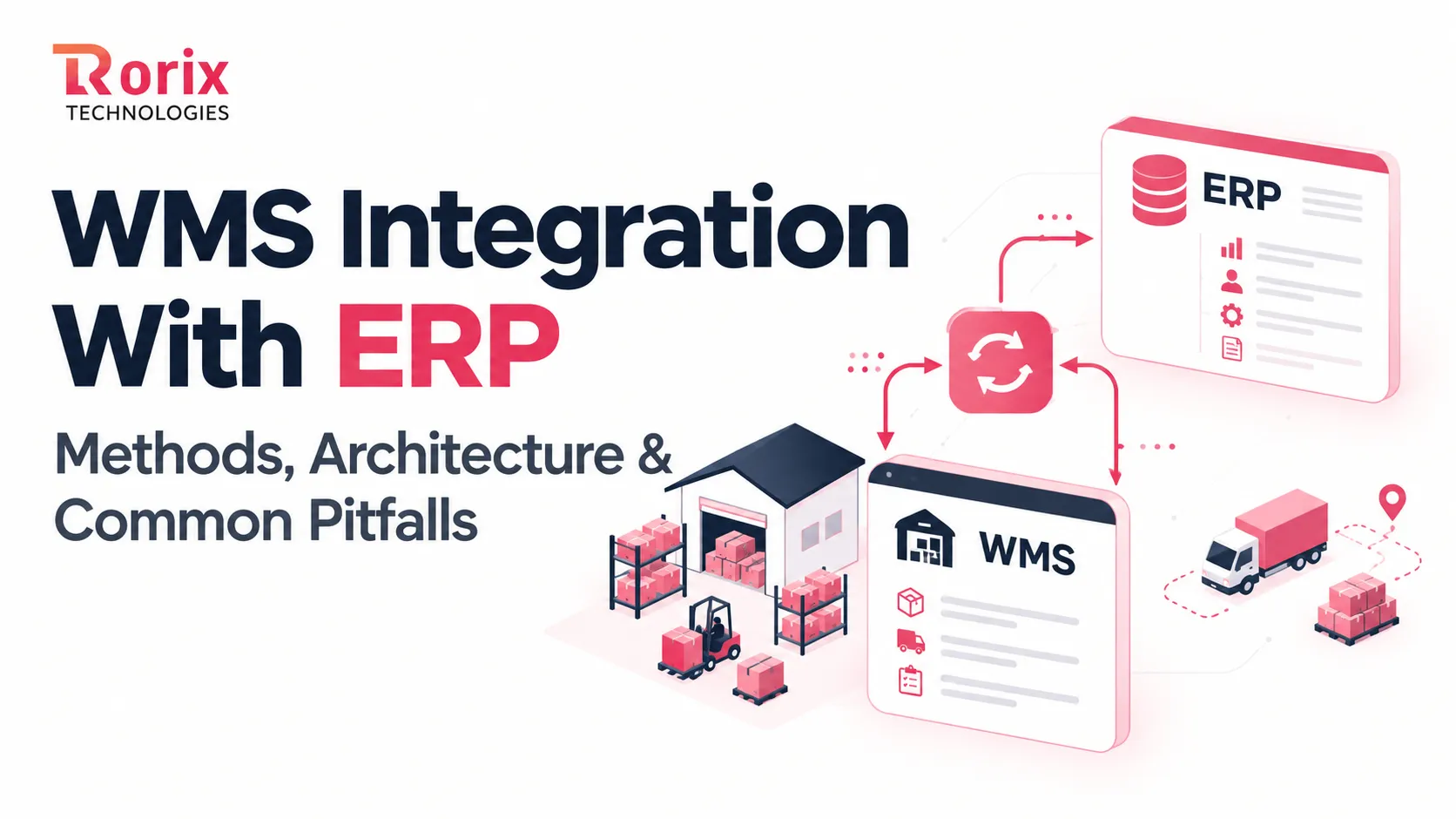
WMS Integration With ERP: Methods, Architecture & Common Pitfalls
Learn how WMS integration with ERP works, with 7 methods, architecture decisions, data flows, an 8-step roadmap, costs, timelines, and common pitfalls to avoid.
Read article
Barcode and RFID Integration Patterns in React
A practical guide to integrating barcode scanners and RFID readers with a React warehouse app: the four real connection patterns and when to use each.
Read article
Top 25 API Development Companies in 2026
Compare 25 API development companies in 2026 by expertise, costs, integrations, and project fit to find the right partner for your business.
Read article