
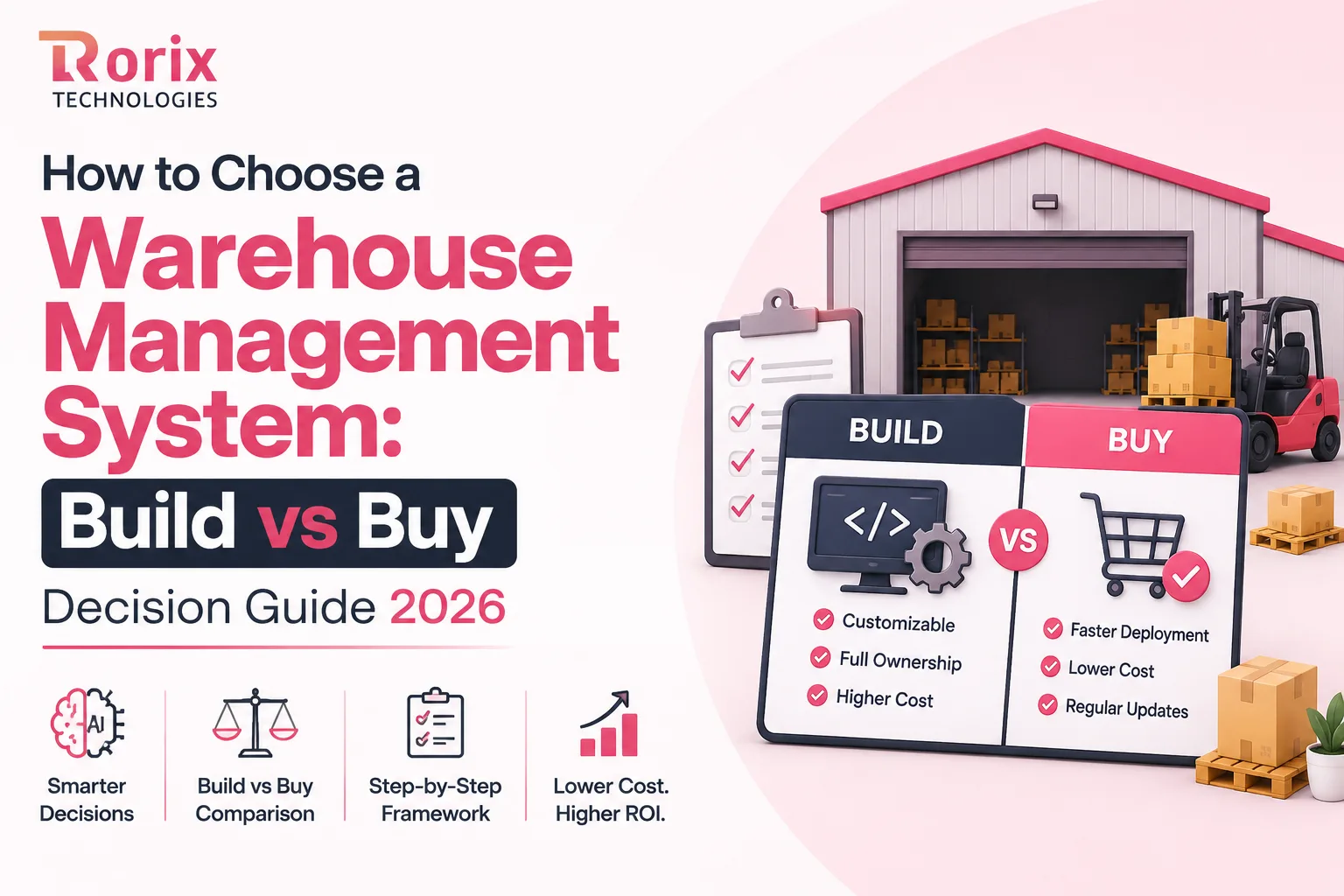
How to Choose a Warehouse Management System: Build vs Buy Decision Guide 2026
Learn how to choose a warehouse management system with our build vs buy guide, cost comparison, decision framework, and expert selection tips.
On this page77 sections
Your warehouse is busier than ever. Orders are increasing. New sales channels keep getting added. Inventory is spread across multiple locations. But instead of becoming more efficient, mistakes start happening more often.
Inventory no longer matches what's on the shelves. Picking errors are increasing. Orders take longer to fulfill. Teams rely on spreadsheets and manual workarounds just to keep operations running.
If this sounds familiar, it's probably time for a Warehouse Management System (WMS). But choosing one isn't just about comparing features or prices. The real decision is whether to buy an off-the-shelf WMS, build a custom WMS solution, or take a hybrid approach.
That single decision influences your implementation timeline, long-term costs, operational flexibility, system integrations, and even how easily you can scale your warehouse over the next five to ten years.
Inside, you'll learn:
- What a WMS does and when you need one
- WMS types and deployment options
- Build vs buy, including costs and trade-offs
- The 10 criteria that separate systems that work from systems that get abandoned
- The 15 questions to ask before you sign
- The KPIs to track after go-live
By the end of this guide, you'll know how to choose a warehouse management system that fits your business and supports long-term growth.
Quick Answer: Build or Buy a WMS at a Glance
If you are short on time, this is the compressed version of how to choose a warehouse management system.
- Buy off the shelf when: Your workflows follow standard patterns, you need to go live in weeks, and you have no engineering capacity in-house.
- Build custom when: Your picking, billing, or fulfillment logic is genuinely different, off-the-shelf systems force process changes, or license fees scale faster than your margin.
- Go hybrid when: A packaged core covers 70% to 80% of your needs, and the remaining workflows are the ones that actually win you business.
- Fastest to value: Buying, typically 6 to 12 weeks for a single site.
- Best long-term fit and lowest recurring cost: Building, typically 8 to 20 weeks for a first production release, with no per-user license drag.
- The real deciding factor: Not company size or budget. It is how far your actual workflows sit from what packaged software assumes.
Key Takeaways: How to Decide Between Building and Buying a WMS
- The deciding factor is not company size or budget but how far your actual workflows sit from what packaged software assumes.
- Buying an off-the-shelf WMS typically reaches go-live in 6 to 12 weeks for a single site, while a well-scoped custom build reaches a production-ready first release in 8 to 20 weeks.
- Stfalcon's worked cost analysis puts a custom build's three-year total at roughly $273,000 against $470,000 for the equivalent SaaS plan.
- Davanti WICS benchmarks a simple cloud deployment at 8 to 12 weeks and a complex custom implementation at 6 to 12 months.
- Rorix WMS builds have delivered up to 80% picking-error reduction through real-time tracking, barcode scanning, and automated workflows.
What Does a Warehouse Management System Actually Do?
A WMS manages your warehouse operations from the moment inventory arrives until it is shipped to the customer. It helps track, organize, and manage every step of the process.
This includes receiving goods, performing quality checks, assigning storage locations, guiding warehouse staff on what to pick, verifying packing, confirming shipments, and processing returns. Every action is recorded in real time, so your inventory stays accurate and up to date.
A WMS also becomes your warehouse's single source of truth. Every barcode scan updates the item's quantity, location, and status instantly, ensuring everyone in your business works with the same accurate information.
8 Signs You've Outgrown Your Current Warehouse System
Most businesses don't start looking for a Warehouse Management System (WMS) unless something in their warehouse stops working. If you're facing any of the following problems, it may be time to upgrade your current system.
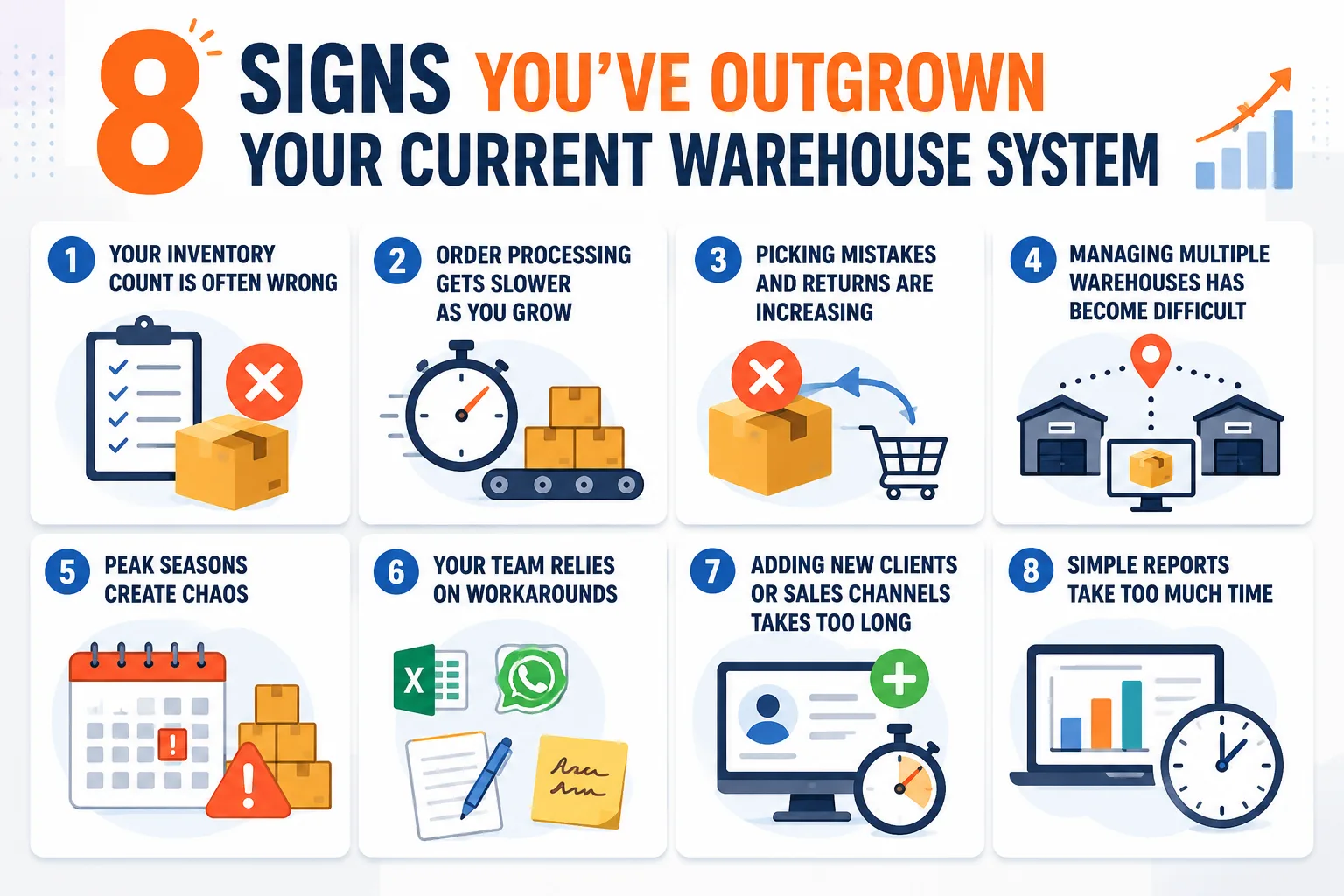
1. Your Inventory Count Is Often Wrong
Your system says an item is in stock, but your team can't find it on the shelf. This usually happens because inventory updates are delayed or recorded manually. Over time, these mistakes lead to overstocking, stockouts, and higher inventory costs.
2. Order Processing Gets Slower as You Grow
Your warehouse worked well when you handled fewer orders, but as order volume increases, fulfillment slows down. If employees spend more time searching for products or fixing mistakes than picking orders, your current system is no longer supporting your growth.
3. Picking Mistakes and Returns Are Increasing
Wrong products, incorrect quantities, or orders sent to the wrong customer increase return costs and damage customer trust. If returns keep rising without any change in product quality, your warehouse process is likely the problem.
4. Managing Multiple Warehouses Has Become Difficult
If each warehouse uses separate spreadsheets or different systems, it's hard to see inventory across all locations. This makes stock transfers, order allocation, and inventory planning much more difficult.
5. Peak Seasons Create Chaos
Your warehouse performs well during normal business periods but struggles during busy seasons. Temporary staff takes longer to train, orders pile up, overtime increases, and deliveries get delayed because your processes aren't organized or automated.
6. Your Team Relies on Workarounds
If employees use spreadsheets, WhatsApp messages, handwritten notes, or printed lists to complete daily tasks, your current system is no longer meeting your operational needs. Every manual workaround increases the chance of errors.
7. Adding New Clients or Sales Channels Takes Too Long
For 3PL providers and multi-channel businesses, bringing on a new client or selling through a new marketplace should be quick. If it takes days or weeks of manual setup, your warehouse system is slowing your business growth.
8. Simple Reports Take Too Much Time
You should be able to check important metrics like inventory levels, picking accuracy, or order status within seconds. If your team has to export data into spreadsheets and build reports manually, you're making decisions with outdated information instead of real-time data.
7 Benefits of Choosing the Right Warehouse Management System
Organizing inventory is only the entry point. Where the right WMS earns its cost is in the compounding gains across accuracy, speed, and decision quality. Here are the biggest benefits you can expect.
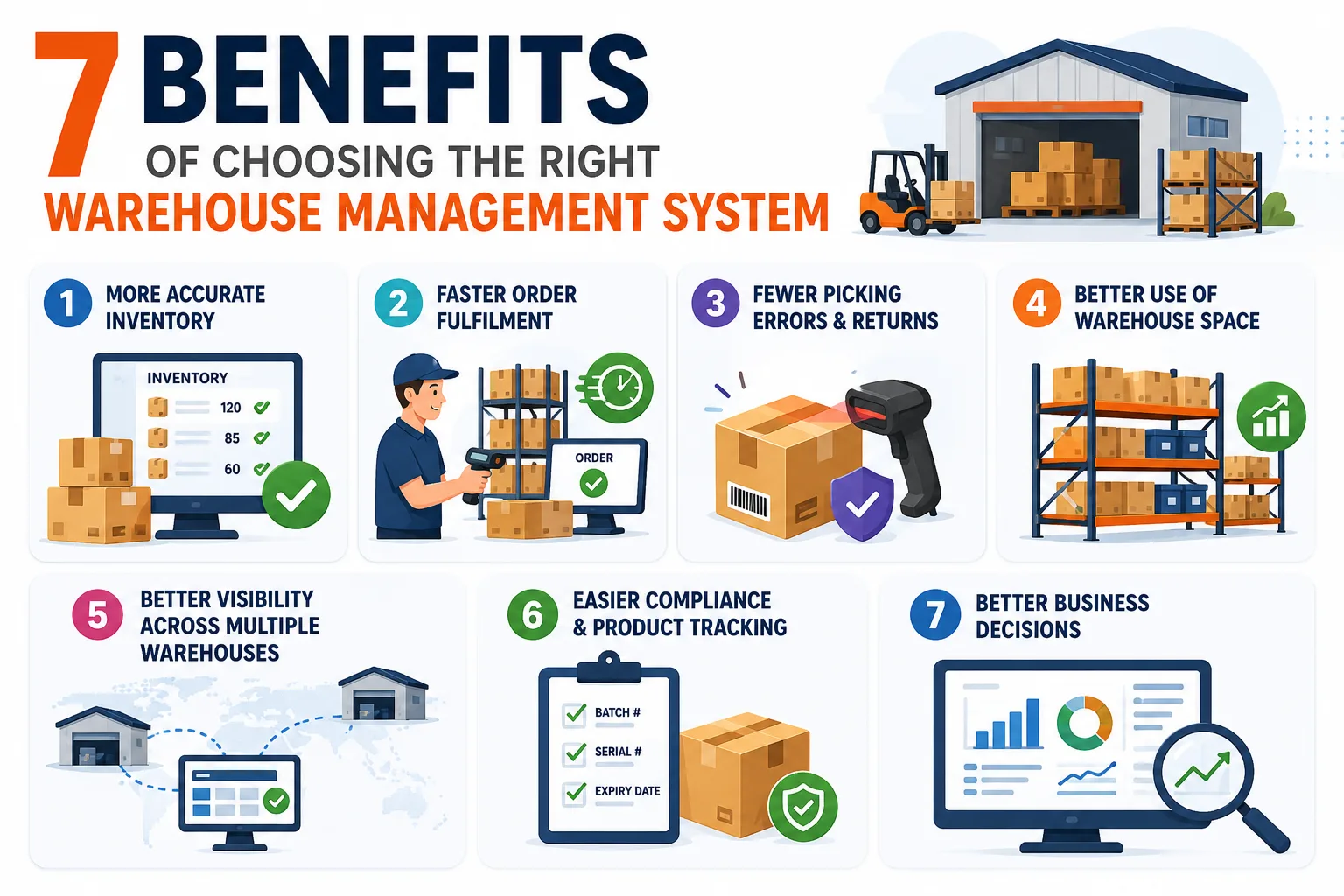
1. More Accurate Inventory
A WMS updates inventory in real time whenever items are received, moved, picked, or returned. This keeps stock levels accurate and helps prevent stockouts and overselling.
2. Faster Order Fulfillment
The system guides warehouse staff through the fastest picking routes and validates orders before shipping. This helps process more orders without increasing your workforce.
3. Fewer Picking Errors and Returns
Barcode scanning and real-time validation catch mistakes before orders leave the warehouse. This reduces shipping errors, product returns, and customer complaints.
4. Better Use of Warehouse Space
A WMS stores fast-moving products in easy-to-reach locations and organizes inventory more efficiently. This helps you make better use of your existing warehouse space without expanding.
5. Better Visibility Across Multiple Warehouses
If you manage more than one warehouse, a WMS gives you a single view of inventory across all locations. This makes it easier to transfer stock, fulfill orders from the nearest warehouse, and avoid shortages.
6. Easier Compliance and Product Tracking
The system tracks batch numbers, serial numbers, expiry dates, and product movements. This simplifies audits, supports regulatory compliance, and makes product recalls much easier.
7. Better Business Decisions
A WMS provides real-time reports on inventory, order accuracy, warehouse performance, and employee productivity. With accurate data, you can identify problems faster and make smarter business decisions.
Also Read: WMS Implementation Checklist: 50 Steps to Successful Deployment
5 Types of Warehouse Management Systems
The label "WMS" hides five quite different products, each shaped for a different operating reality. Matching the type to your business is the first fork in the decision, so it pays to know where each one fits.
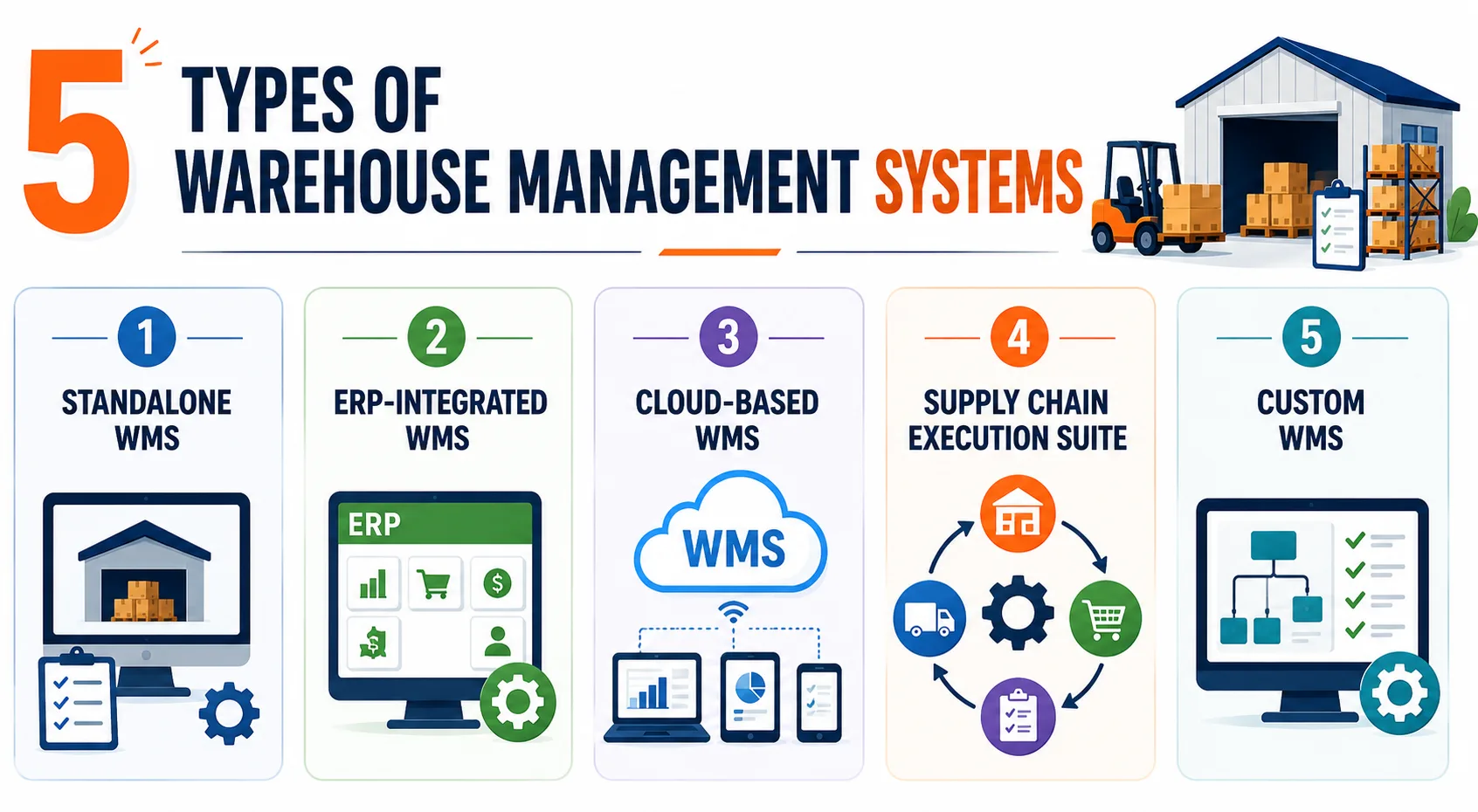
1. Standalone WMS
A standalone WMS focuses only on warehouse operations, such as receiving, storage, picking, packing, and shipping. It works separately from your ERP, making it a good choice for businesses that want to improve warehouse efficiency without replacing their existing business systems.
2. ERP-Integrated WMS
An ERP-integrated WMS is built into your ERP system, so inventory, finance, purchasing, and sales all share the same data. This makes information easy to manage, although warehouse features are often less advanced than those offered by dedicated WMS platforms. Our ERP vs WMS guide covers where that trade-off lands.
3. Cloud-Based WMS
A cloud-based WMS is hosted online and accessed through the internet. The software provider manages updates, security, and maintenance. It offers faster deployment, lower upfront costs, and makes it easy to scale as your business grows.
4. Supply Chain Execution Suite
This type of system manages more than just the warehouse. It connects warehouse operations with transportation, procurement, and other supply chain activities. It is best suited for large businesses with complex supply chains and multiple locations.
5. Custom Warehouse Management System
A custom WMS is built specifically for your business processes. It can support unique workflows, specialized integrations, and custom features that standard software cannot provide. While it requires a higher upfront investment, it offers greater flexibility, full ownership, and can grow with your business.
Deployment Models Compared: Cloud, On-Premise and Hybrid
The type of WMS you pick and where it runs are two separate decisions. This choice applies whether you buy or build, because a custom system still needs a hosting model.
| Deployment Model | Best For | Key Benefits | Things to Consider |
|---|---|---|---|
| Cloud | Fast-growing and multi-site businesses | Low upfront cost, quick deployment, automatic updates, remote access, easy scalability | Requires a reliable internet connection and depends on the vendor for hosting and updates |
| On-Premise | Businesses with strict security, compliance, or data control requirements | Full control over data, servers, security, and customization | Higher upfront investment, requires an in-house IT team, hardware maintenance, and manual upgrades |
| Hybrid | Multi-site businesses needing both flexibility and reliability | Combines local system reliability with cloud reporting and centralized visibility | More complex to set up and manage than cloud-only or on-premise solutions |
Build vs Buy WMS: The Complete Comparison
Most buying guides quietly avoid this decision. Here is the direct comparison across the factors that actually change the outcome.
| Factor | Buy Off-the-Shelf | Build Custom | Hybrid |
|---|---|---|---|
| Time to first release | 6 to 12 weeks | 8 to 20 weeks | 10 to 16 weeks |
| Upfront cost | Low, subscription-based | Higher, project-based | Moderate |
| Recurring cost | Per user or per order, grows with you | Hosting and support only | Core license plus maintenance |
| Workflow fit | You adapt to the software | Software adapts to you | Standard core, custom edges |
| Integration depth | Limited to supported connectors | Any system with an API | Core connectors plus custom |
| Feature roadmap | Vendor decides priorities | You decide priorities | Split control |
| Data and code ownership | Vendor holds both | You hold both | Shared |
| Internal effort needed | Configuration and training | Product owner plus testing | Moderate on both fronts |
| Best fit | Standard operations, fast go-live | Differentiated operations at scale | Mostly standard with key exceptions |
When Buying an Off-the-Shelf WMS Is the Right Choice
- Your warehouse follows standard workflows: If your receiving, picking, packing, and shipping processes are fairly standard, a ready-made WMS will meet your needs without major changes.
- You need a quick implementation: Packaged WMS solutions can usually be deployed in a few weeks, making them ideal when time is a priority.
- You don't have an in-house development team: The vendor manages software updates, maintenance, and technical support, reducing the burden on your team.
- Your business is growing steadily: If your order volume is predictable, subscription costs remain affordable and easier to manage.
- You use popular business software: Most off-the-shelf WMS platforms offer ready-made integrations with common ERPs, ecommerce platforms, and shipping carriers.
- Your compliance needs are standard: Features like batch tracking, expiry management, and FIFO/FEFO inventory are already included in many WMS solutions.
- You're replacing manual processes: If you're moving from spreadsheets or paper-based workflows, a packaged WMS can deliver immediate improvements.
When Building a Custom WMS Is the Right Choice
- Your workflows are unique: If standard software forces you to change the way your warehouse operates, a custom WMS gives you a better fit.
- Your processes are your competitive advantage: If your picking, packing, billing, or fulfillment process sets you apart, custom software helps preserve that advantage.
- You manage multiple warehouses or clients: A custom WMS can support different workflows, billing rules, and reporting for each warehouse or customer.
- You need custom integrations: If you use legacy software or in-house systems, a custom WMS can integrate with them without limitations.
- License costs keep increasing: As your business grows, owning your own software can become more cost-effective than paying ongoing subscription fees.
- You need advanced real-time capabilities: If your operations require instant inventory updates or specialized automation, a custom solution provides greater flexibility.
- You want full ownership and control: You own the software, data, and future roadmap, giving you complete control over future improvements and expansion.
For a decision-stage view of the same question, with our published build bands beside each cost line, see the custom WMS vs off-the-shelf WMS comparison.
10 WMS Selection Criteria That Decide the Outcome
Whichever path you take, these ten criteria separate systems that work from systems that get abandoned. Score every option against all ten before you commit.
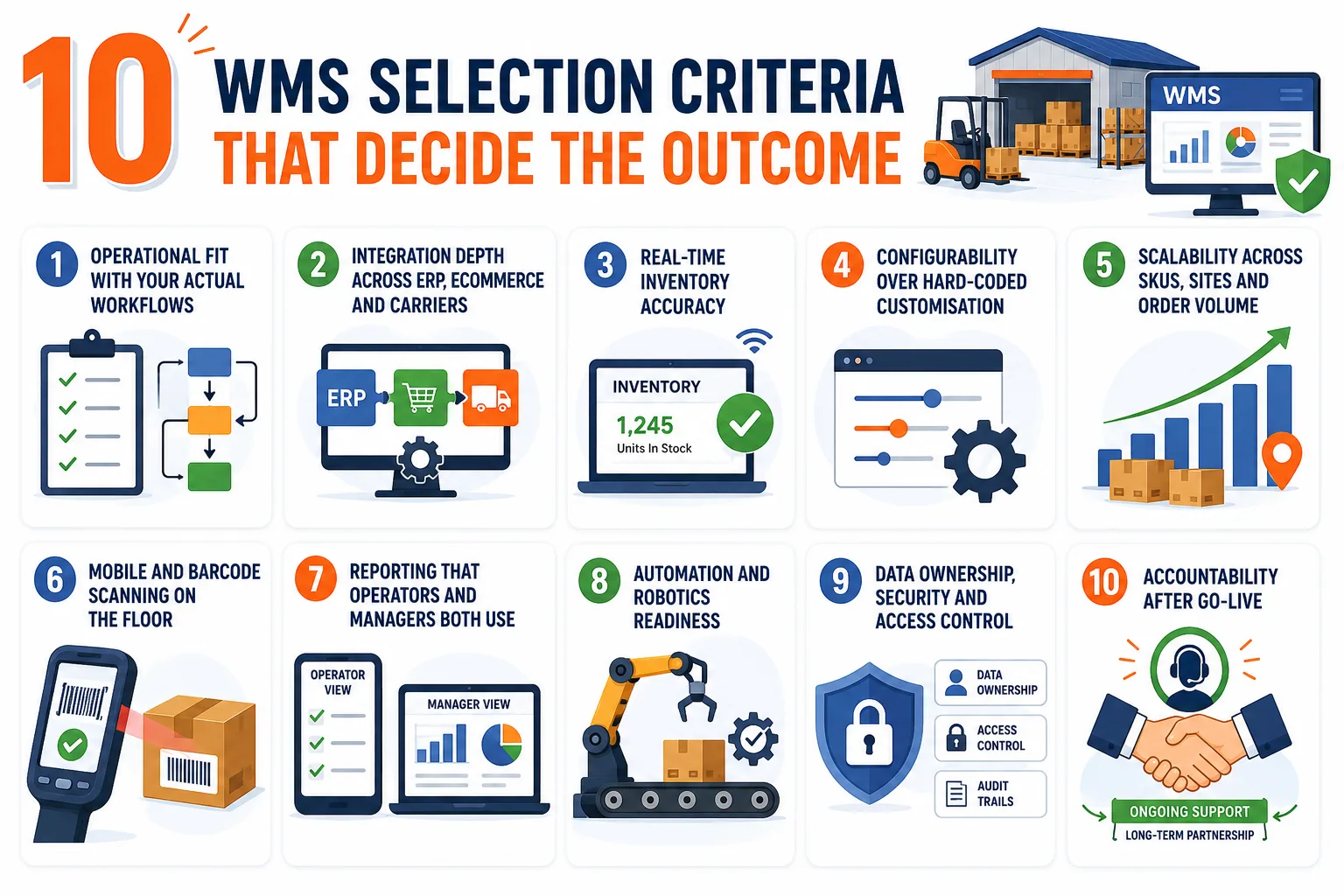
1. Operational Fit With Your Actual Workflows
Fit beats feature count every time. Walk a real order through each candidate system, from receipt to dispatch, and count the places where you would have to change your process. That number tells you more than any comparison chart a vendor hands you.
2. Integration Depth Across ERP, Ecommerce and Carriers
Ask for API documentation, not a logo wall. Real integration means open APIs, webhook support, and the ability to sync in real time rather than in overnight batches. Shallow integration is where most WMS projects quietly lose their promised value.
3. Real-Time Inventory Accuracy
Find out how quickly a floor scan becomes visible on a dashboard and in your sales channels. That comes down to the real-time inventory architecture underneath. Anything running on a polling interval will oversell you during peak periods. This is one of the clearest technical dividing lines between systems.
4. Configurability Over Hard-Coded Customization
Ask a vendor to change a picking rule live during the demo. If it takes a few clicks, workflows can evolve with your business. If it needs a developer ticket and a release cycle, every future change becomes slow and expensive.
5. Scalability Across SKUs, Sites and Order Volume
Your system needs to handle next year's peak, not last year's average. Check how the platform behaves as SKU count grows, when you add a second site, and during seasonal spikes. Rebuilding because you outgrew a system is the most avoidable cost in this whole process.
6. Mobile and Barcode Scanning on the Floor
Warehouse work happens on handhelds, not desktops. Test the scanning experience with gloves on, in poor light, with a damaged label. Adoption lives or dies on whether the floor interface is genuinely fast to use. If a scan takes three attempts, your accuracy gains vanish before they reach the dashboard.
7. Reporting That Operators and Managers Both Use
Supervisors need live task views, while managers need trend analysis and KPI dashboards. A system that serves only one audience gets ignored by the other. Check that role-based views exist and that they are actually useful without exporting anything. Ask to see both views during the demo, not only the polished manager dashboard.
8. Automation and Robotics Readiness
Even if you have no conveyors or robots today, verify the system can talk to them later. Hardware independence and open interfaces protect you from a rebuild the day you automate. This is a cheap question to ask now and an expensive one to skip.
9. Data Ownership, Security and Access Control
Establish who owns your operational data, how you extract it, and what happens if you leave. Then check role-based permissions, audit trails and encryption standards. These terms are far easier to negotiate before you sign than afterwards, so get every answer in writing rather than in a sales conversation.
10. Accountability After Go-Live
The vendor or partner who disappears at launch is the most expensive kind. Ask what support looks like in month six, how issues get escalated, and who owns the roadmap. Rorix works on a retainer model with 2-week sprints precisely because accountability past go-live is where most projects actually succeed or fail.
Must-Have WMS Features to Look For
Treat this list as the baseline no serious candidate should miss. If a system cannot cover these cleanly, it is not ready to run a growing warehouse, whatever else its brochure promises.
- Receiving and Putaway: Helps receive goods, perform quality checks, and assign the right storage location.
- Storage Management: Organizes inventory using bins, racks, and locations for faster picking and better space utilization.
- Picking, Packing, and Shipping: Supports efficient picking methods and validates orders before dispatch to reduce errors.
- Inventory Tracking: Tracks batch numbers, serial numbers, expiry dates, and supports cycle counting for accurate inventory.
- Returns Management: Simplifies returns, inspections, restocking, and refund or replacement processes.
- Multi-Warehouse Management: Provides visibility across all warehouse locations and supports smooth stock transfers.
- Labor and Productivity Tracking: Monitors employee performance, task completion, and warehouse productivity.
- Reports and Dashboards: Offers real-time insights into inventory, order accuracy, warehouse performance, and audit history.
7 Advanced WMS Features Worth Paying For
Once the basics are covered, these seven capabilities are where a modern WMS starts to pay for itself twice, improving today's efficiency while preparing the floor for tomorrow's volume.
1. Demand Forecasting
Predicts future inventory needs using your sales history and demand trends, helping you avoid stockouts and reduce excess inventory.
2. Smart Replenishment Alerts
Automatically reminds you when it's time to restock based on real demand and supplier lead times, so you always have the right inventory on hand.
3. Slotting Optimization
Suggests the best storage location for each product based on how often it's picked, helping your team fulfill orders faster with less walking.
4. Predictive Labor Planning
Estimates how many workers you'll need based on expected order volumes, making it easier to plan shifts and handle busy periods.
5. Multi-Site Control Tower
Gives you a single dashboard to monitor inventory, orders, and warehouse performance across all your locations in real time.
6. Warehouse Automation Support
Connects with technologies like conveyors, robots, AGVs, and barcode scanners, making it easier to automate warehouse operations as your business grows.
7. Role-Based Access and Audit Trails
Gives employees access only to the information they need while recording every action, helping improve security, compliance, and accountability.
Also Read: Real-Time Inventory: WebSocket and Pub-Sub Architecture
What a WMS Costs: Build vs Buy Total Cost of Ownership
Cost is where this decision gets settled, and where most comparisons are done badly. The figures below are indicative market ranges to frame your planning, not quotes.
| Cost Line | Buy Off-the-Shelf | Build Custom |
|---|---|---|
| Initial software | $0 to $25,000 setup | $40,000 to $200,000+ build |
| License or subscription | $1,000 to $10,000+ per month | None |
| Implementation and configuration | $10,000 to $60,000 | Included in build scope |
| Integrations | $2,000 to $15,000 per connector | Included in build scope |
| Hardware (scanners, printers) | $200 to $2,500 per device | $200 to $2,500 per device |
| Training and onboarding | $3,000 to $20,000 | $3,000 to $20,000 |
| Ongoing support | Bundled in subscription | 15% to 25% of build annually |
| Adding a site or user | New license fees apply | Hosting cost only |
These ranges line up with published market data. Stfalcon's WMS software cost analysis puts SaaS pricing at $100 to $500 per user per month and a custom build at $80,000 to $300,000+, with custom maintenance at roughly 15% of the build cost annually. For the platform-only line items, our WMS cost guide breaks the numbers down further.
Hidden Costs to Consider
- Implementation time: Your team's time spent on setup, testing, and training adds to the overall cost.
- Migration downtime: Temporary disruptions during implementation can affect productivity.
- Change requests: Future customizations and feature requests may come with additional charges.
- Ongoing maintenance (for custom WMS): Budget for hosting, security updates, monitoring, and long-term support.
Calculate the 5-Year Total Cost
- Look beyond the first year: Compare costs over at least five years for a more accurate picture.
- Include future growth: Factor in additional users, warehouses, integrations, and upgrades.
- Compare long-term costs: Off-the-shelf WMS is often cheaper initially, while a custom WMS can become more cost-effective as your business grows. Stfalcon's own worked example puts a custom build's three-year total at roughly $273,000 against $470,000 for the equivalent SaaS plan.
Know Where Your ROI Comes From
- Fewer warehouse errors: Reduce picking, packing, and shipping mistakes.
- Higher productivity: Process more orders without adding more staff.
- Better space utilization: Store inventory more efficiently and delay warehouse expansion.
- Lower inventory losses: Reduce costs from damaged, expired, or misplaced stock.
- Better customer satisfaction: Faster, more accurate deliveries lead to happier customers and repeat business.
Want a number for your own operation? Run the project cost estimator for a scoped figure.
How Long Each Path Takes: Realistic WMS Implementation Timelines
Timeline expectations cause more friction than budgets do. Independent estimates from Davanti WICS put a simple cloud deployment at 8 to 12 weeks and a complex custom implementation at 6 to 12 months, with the full range running 3 to 12 months by warehouse complexity. Here is what each path genuinely looks like against those benchmarks.
1. Off-the-Shelf Deployment Timeline
A single-site packaged deployment typically runs 6 to 12 weeks from contract to go-live, assuming you follow a disciplined WMS implementation plan. That covers configuration, data migration, integration setup, testing, and training. Multi-site rollouts add roughly 2 to 4 weeks per additional facility, depending on how similar the operations are.
2. Custom Build Timeline
A well-scoped custom WMS reaches a production-ready first release in roughly 8 to 20 weeks, faster than the full-build industry norm because the release is phased rather than delivered in one cutover. Insist on 2-week sprints, so you see working software throughout, rather than waiting for a single reveal at the end.
Phasing the release matters a great deal here. Launch core receiving, storage, and picking first, then layer returns, billing, and analytics on top. That sequence delivers value months earlier than a big-bang cutover.
3. What Slows Both Paths Down
Dirty data is the number one delay on either path, because nobody can migrate records that do not reconcile. Undefined workflows come second, since a system cannot automate a process your team has never actually agreed on. Slow decision-making on your side comes third, and it is entirely within your control.
15 Questions to Ask Before You Sign
The right questions surface weaknesses no proposal ever will. Ask all fifteen, and pay attention to who answers directly.
Questions for an Off-the-Shelf WMS Vendor
- Workflow proof: Can you demonstrate my three scenarios live, in your system, right now?
- Configuration limits: Which of my requirements need custom development rather than configuration?
- Integration reality: Do you have a live client integrating with the same ERP version I run?
- Upgrade impact: What happens to my customizations when you release a major update?
- True pricing: What triggers additional cost as I add users, sites, orders or modules?
- Implementation ownership: Who runs my implementation, and are they your staff or a subcontractor?
- Support reality: What is your guaranteed response time for a floor-down issue at peak?
- Exit terms: How do I export my complete operational history if I leave, and what does it cost?
Questions for a Custom WMS Development Partner
- Domain evidence: Which warehouse systems have you shipped, and can I speak to those clients?
- Team composition: Who exactly works on my build, and how senior are they?
- Delivery rhythm: How often do I see working software, and how do I change priorities mid-build?
- Architecture decisions: How will you handle real-time inventory, multi-site data, and concurrent scans?
- Code ownership: Is it written into the contract that I own the code and the database outright?
- Post-launch model: What does support look like in month six, and how is it priced?
- Key-person risk: What happens to my project if your lead engineer leaves next quarter?
8 Common Mistakes to Avoid When Choosing a WMS
These failures repeat across industries and company sizes whenever teams rush the decision. Each one is avoidable if you know it is coming.
Mistake 1: Choosing Features Over Workflow Fit
Many businesses choose a WMS because it offers the most features. However, if those features don't match your daily warehouse operations, your team will end up creating workarounds instead of improving efficiency.
Solution: Choose a WMS that fits your existing workflows and solves your biggest operational challenges, not the one with the longest feature list.
Mistake 2: Ignoring System Integrations
A WMS is only effective if it works smoothly with your ERP, ecommerce platform, accounting software, shipping carriers, and other business systems. Missing or weak integrations create manual work and data errors. For online sellers, our guide to the best WMS for ecommerce applies this to storefronts, marketplaces, and carriers.
Solution: Verify all critical integrations before making a decision and involve your IT team during the evaluation.
Mistake 3: Forgetting About Post-Go-Live Support
Many businesses focus only on implementation and forget that a WMS needs ongoing updates, optimization, and technical support after launch.
Solution: Choose a vendor or development partner that offers long-term support, regular updates, and continuous improvements.
Mistake 4: Underestimating Training and Change Management
Even the best WMS will fail if your warehouse staff doesn't know how to use it or resists the new processes.
Solution: Train supervisors first, involve warehouse employees during testing, and run a pilot before rolling out the system across the entire warehouse.
Mistake 5: Choosing the Cheapest Option
The lowest price often excludes important services like implementation, training, integrations, or ongoing support. These hidden costs usually appear later.
Solution: Compare the total cost of ownership over five years instead of choosing the lowest upfront price.
Mistake 6: Building Without a Product Owner
Custom software projects need someone from your business to make decisions, prioritize features, and review progress. Without that person, projects often face delays and scope changes.
Solution: Assign a dedicated product owner before development begins to guide the project from start to finish.
Mistake 7: Planning Only for Today's Needs
A WMS that works for your current order volume may struggle as your business grows, leading to another expensive software replacement.
Solution: Choose a system that can support future users, warehouses, products, and order volumes as your business expands.
Mistake 8: Ignoring Data Ownership
Some businesses only discover after implementation that they don't fully own their data or face extra charges to export it.
Solution: Clearly define data ownership, export rights, and exit terms in your contract before signing with any vendor or development partner.
Also Read: 12 Top Warehouse Management Software Development Companies in 2026
KPIs to Track After Go-Live and What Good Looks Like
Deciding well is only half the job, and measurement proves you got it right. Track these seven from week one.
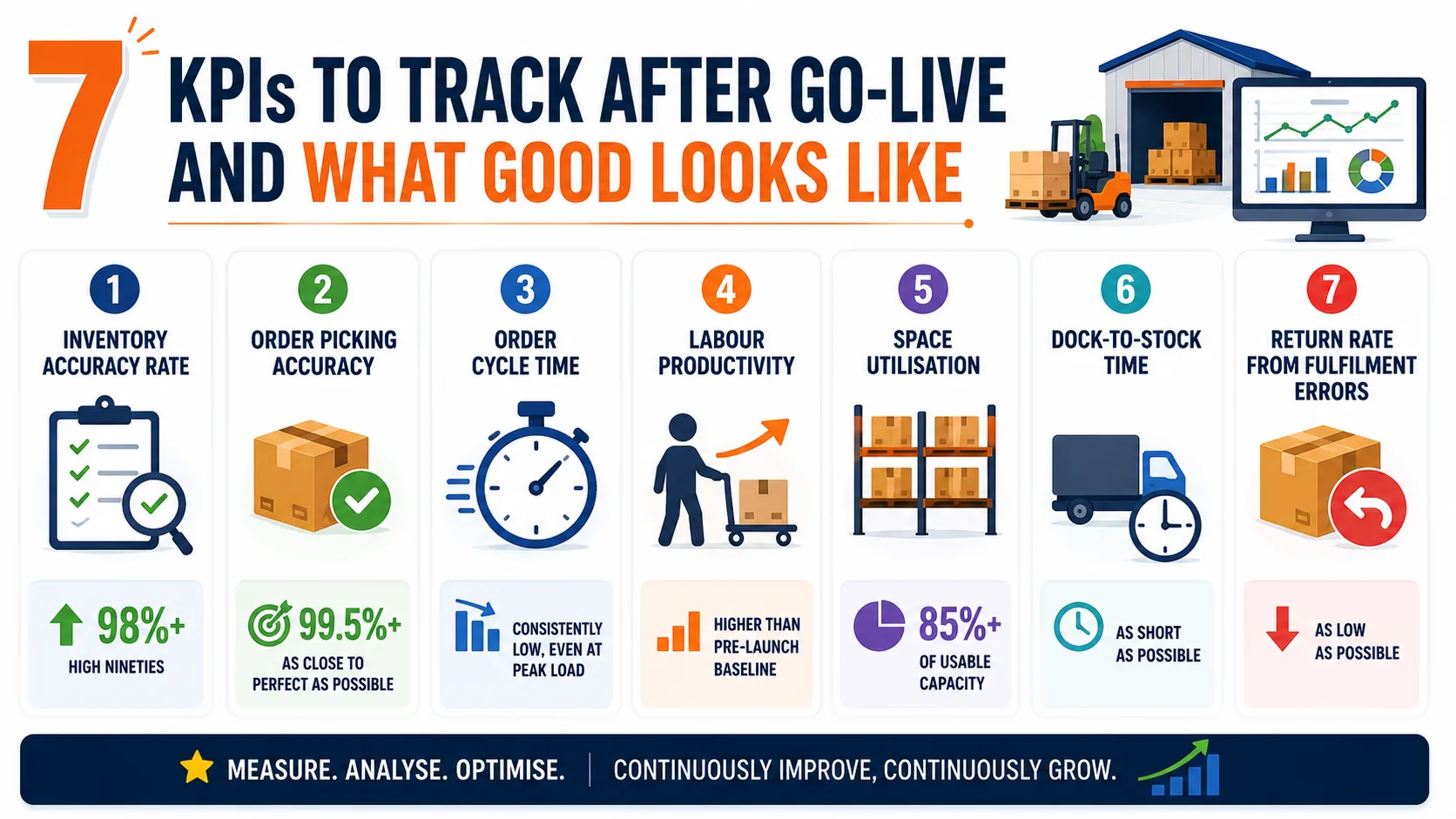
- Inventory accuracy rate: Aim for the high nineties, measured through rolling cycle counts rather than annual stocktakes.
- Order picking accuracy: Push this as close to perfect as you can, since every miss lands directly in your returns cost.
- Order cycle time: Measure from order receipt to dispatch, and watch how it behaves under peak load.
- Labor productivity: Track lines picked per hour per person, then compare against your pre-launch baseline.
- Space utilization: Monitor what percentage of usable capacity sits in productive use.
- Dock-to-stock time: Measure how long inbound goods take to become sellable inventory.
- Return rate from fulfillment errors: Separate this from product-quality returns so the number stays meaningful.
Review these monthly for the first six months. Where a metric refuses to improve, the cause is usually configuration or training rather than the software itself.
Why Rorix Technologies Builds Custom WMS Platforms
Rorix Technologies engineers warehouse management systems for the domain rather than adapting templates. We have 27 projects delivered and a 5.0 rating on Clutch.
Your team works on a retainer model with 2-week sprints, so the same people stay accountable well past go-live. Clients across the US, UK, Canada, Australia, and New Zealand describe working with us as having an in-house team rather than a vendor.
What that looks like in practice:
- Domain-specific engineering: WMS, inventory and fulfillment systems built around your floor, not adapted from a generic template.
- Measurable operational impact: WMS builds delivering up to 80% picking-error reduction through real-time tracking, barcode scanning and automated workflows.
- Real integration depth: Driven, a US field-service performance platform, carries 40+ vendor integrations on a single system.
- Full ownership handover: You own the code, the database and the roadmap, with no license renegotiation as you scale.
- Transparent delivery: 2-week sprints with full task visibility, so you always know exactly where your build stands.
Not sure whether your operation is ready to build? Check your readiness with our free digital transformation assessment.
Your Workflows Decide Whether You Build or Buy a WMS
Choosing a warehouse system is really two decisions stacked together. First you decide whether packaged software can genuinely handle how your floor works, and then you decide which specific option delivers that best.
Get the order right and you avoid the most common outcome, which is expensive software nobody on the floor wants to use.
So the decision comes down to one honest question: how far do your real workflows sit from what packaged software assumes? Measure your bottlenecks, map every workaround, run your shortlist through the ten criteria, and model five years of cost rather than one. The answer your own floor gives is the one worth acting on.
When you are ready to pressure-test the build side of that decision, connect with our experts to scope a WMS built around your operation.
Frequently Asked Questions
How do I choose a warehouse management system for the first time?
The short version is this. Measure your current losses in accuracy, throughput, and returns, then map your real workflows including every workaround. Turn those into must-have requirements, decide build versus buy with a scored matrix, and test finalists against your own scenarios.
Is it cheaper to build or buy a WMS?
Buying is almost always cheaper in the first two years because there is no upfront build cost. Building typically wins over five years when your user count, site count, or order volume grows quickly. One worked cost analysis puts a custom build's three-year total at about $273,000 against $470,000 for the equivalent SaaS plan, because subscription fees scale with you while a custom system's costs stay flatter.
How long does a WMS implementation take?
A single-site packaged deployment usually runs 6 to 12 weeks from contract to go-live, in line with industry timeline benchmarks of 8 to 12 weeks for cloud systems. A well-scoped custom build reaches a production-ready first release in roughly 8 to 20 weeks, depending on complexity and how many integrations are involved.
What is the difference between a standalone and an ERP-integrated WMS?
A standalone WMS focuses purely on warehouse execution and runs independently, which usually means deeper picking and inventory functionality. An ERP-integrated WMS shares one database with finance and procurement, giving effortless data sync but generally shallower warehouse-specific capability.
Should a 3PL build or buy a warehouse management system?
3PLs have the strongest case for building because multi-client billing, client-specific workflows, and white-label portals stretch packaged systems past their design assumptions. If onboarding a new client currently takes weeks of manual configuration, a custom platform usually pays for itself through growth capacity.
Costing a WMS build?
Send us your SKU count and daily order volume. You get back a scope and a number you can take to your CFO.
Continue learning
Written by
Renish DadhaniyaFounder & Director, Rorix Technologies
Renish co-founded Rorix Technologies and drives the engineering and delivery culture across the organization. Beyond engineering, he leads the company's sales, finance, and HR operations, building the infrastructure that lets the team focus on shipping quality software. With deep hands-on expertise in architecture and team building, he ensures every project lands on time to the quality standards clients demand.
View full profileRelated articles
Best WMS for Ecommerce: Buyer's Guide (2026)
Choose the best WMS for ecommerce with a buyer's guide: a 10-step selection process, vendor questions, costs, timelines, and mistakes to avoid.
Read article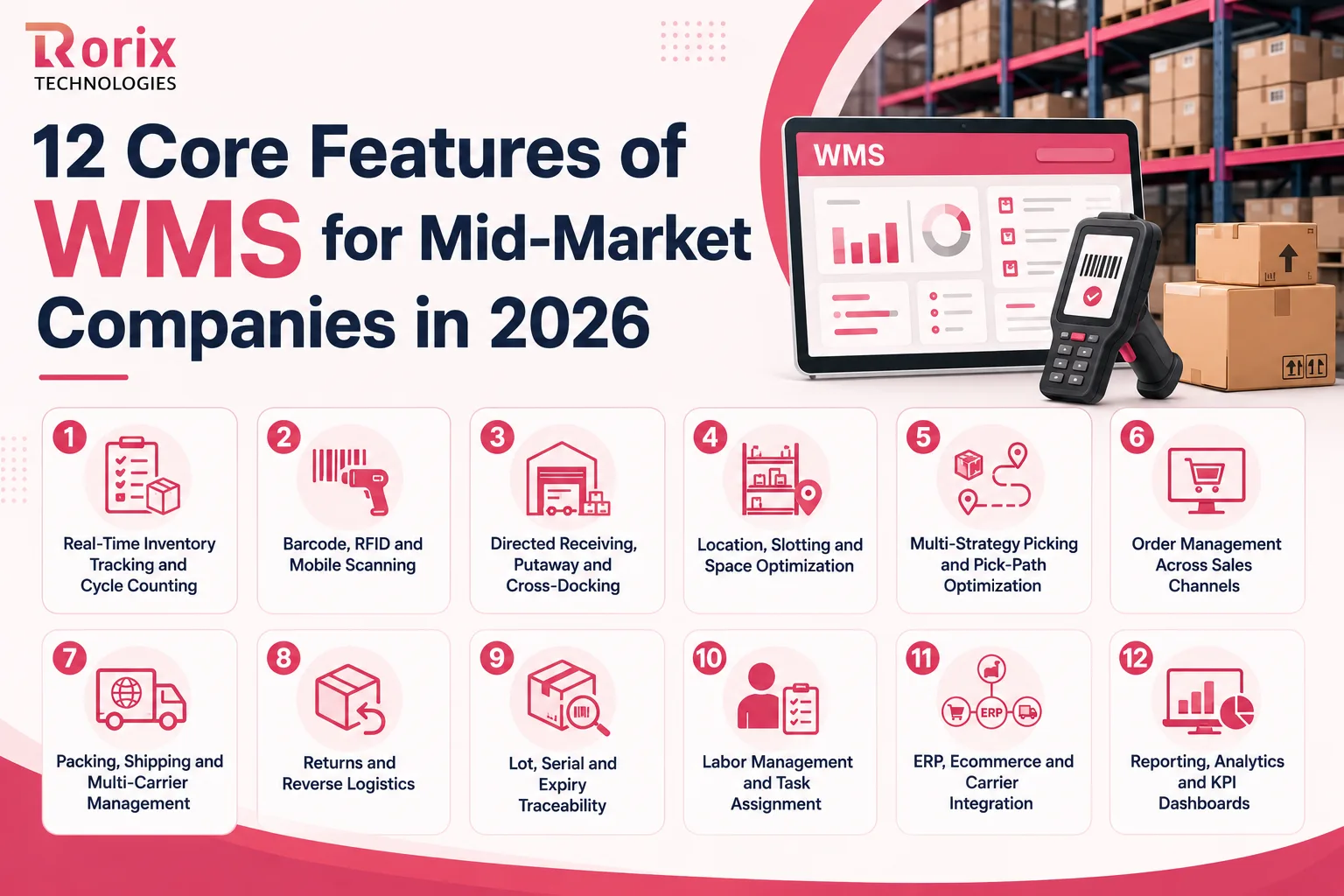
12 Core Features of WMS for Mid-Market Companies in 2026
Which WMS features does a mid-market warehouse need first? Compare all 12, see which seven belong on day one, and how to test each one in a demo.
Read article
15 Top SaaS Development Companies in 2026
Compare 15 top SaaS development companies in 2026, including pricing, services, timelines, strengths, and tips to choose the right SaaS partner.
Read article