
12 Core Features of WMS for Mid-Market Companies in 2026
Which WMS features does a mid-market warehouse need first? Compare all 12, see which seven belong on day one, and how to test each one in a demo.
On this page47 sections
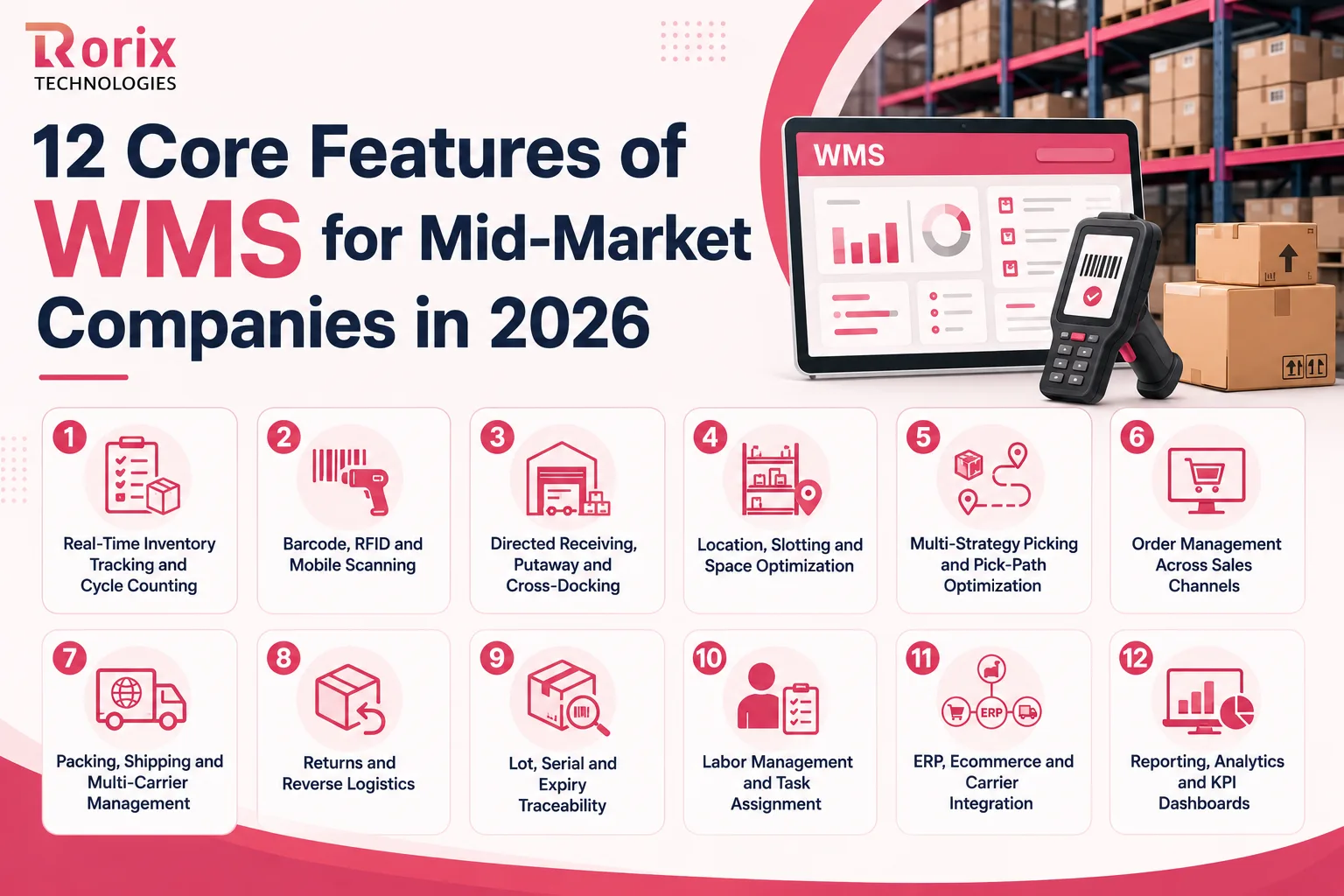
Most mid-market warehouses need about seven of the twelve core WMS features live on day one: real-time inventory tracking, barcode scanning, directed receiving and putaway, location management, picking strategies, order management, and ERP integration. The other five earn their place later, once volume, complexity, or compliance makes them cheaper to run than to work around.
The trouble is that nothing announces which seven you are missing. Stock gets misplaced. Pickers walk the aisle twice looking for an item the screen says is there. Orders ship a day late, and the count in the system stops matching the count on the shelf. As orders, SKUs, and sales channels grow, each of those small failures starts costing real money.
A warehouse management system (WMS) is what closes that gap. The right one gives your team control over inventory, picking, receiving, packing, shipping, and returns in one place. The wrong one gives you a longer feature list and the same problems.
In this guide, you'll learn:
- The 6 signs you have outgrown your current warehouse system
- What each of the 12 core features does and what to look for in it
- The 5 platform requirements that decide whether it still fits in three years
- Which features to run on day one, defer, or skip, by operation type
- The 5 features mid-market buyers over-buy and rarely use
- Which AI features work today and which need data you do not have yet
- How to test every feature on your shortlist during a vendor demo
Key Takeaways: Which of the 12 Features You Need First
- Seven features carry the floor: inventory tracking, scanning, receiving and putaway, location management, picking strategies, order management, and ERP integration. Returns, labor tasks, and reporting can follow a quarter later without hurting accuracy or throughput.
- The right sequence depends on your model, not on the vendor's tier chart. A 3PL needs client-level separation on day one. An ecommerce operation needs batch picking and carrier management. A cold chain operation needs lot and expiry traceability before anything optional.
- Five features are commonly over-bought: engineered labor standards, voice picking, robotics orchestration, yard management, and built-in forecasting. Each earns its place at a volume most mid-market floors have not reached.
- Test with your own SKUs, your own devices, and a broken order. A demo the vendor controls tells you what the software can do, not what your team can do with it.
- Buy for the gap you have, not the roadmap you are shown. The feature that matters is the one that fits how your floor actually works.
6 Signs You Have Outgrown Your Current Warehouse System
Most operations do not decide to replace their warehouse system. They hit a week where overtime, a mis-shipment, and a stock count all land together, and the decision gets made for them. These are the six signs that week is coming.
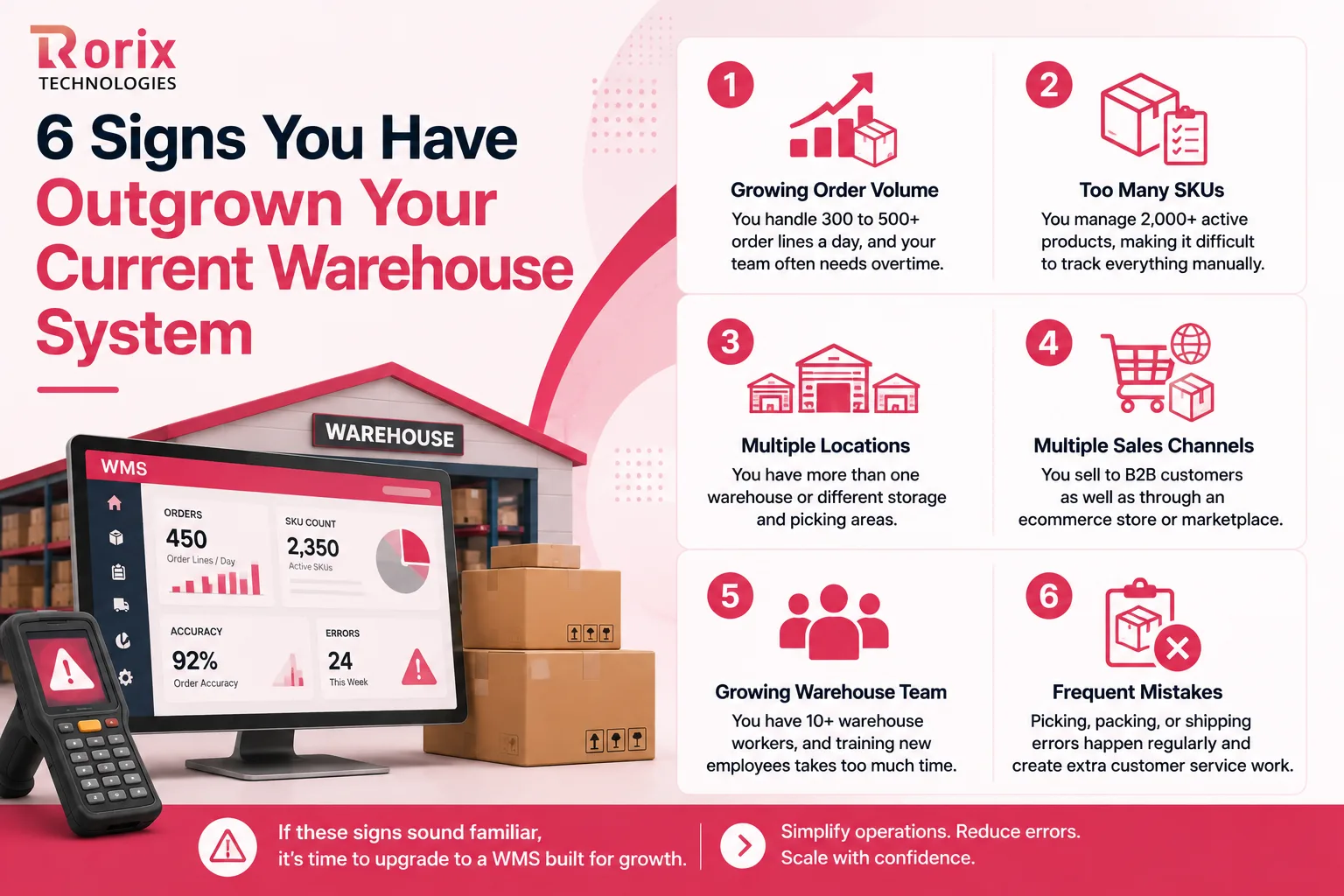
- Growing order volume: You handle 300 to 500+ order lines a day, and your team often needs overtime.
- Too many SKUs: You manage 2,000+ active products, making it difficult to track everything manually.
- Multiple locations: You have more than one warehouse, or different storage and picking areas in the same building.
- Multiple sales channels: You sell to B2B customers as well as through an ecommerce store or marketplace.
- Growing warehouse team: You have 10+ warehouse workers, and training new employees takes too much time.
- Frequent mistakes: Picking, packing, or shipping errors happen regularly and create extra customer service work.
Several of these at once is the real signal. Any one of them on its own can usually be absorbed for another quarter. Our guide to the 10 signs you need a warehouse management system works through the operational math behind each one.
The 12 Core Features of WMS for Mid-Market Companies
A feature list is not a specification. The same feature name can mean a checkbox in one system and a configurable engine in another, which is why each of the twelve below comes with what to look for rather than just what it is called.

1. Real-Time Inventory Tracking and Cycle Counting
Your WMS should always show how much stock you have and exactly where it is. When a worker receives, moves, picks, or ships an item, the inventory should update immediately.
This is what prevents the situation where the system shows 50 units and only 42 are on the shelf. Regular cycle counts catch the small errors that create that gap before they compound into a stockout.
What to look for:
- Bin-level tracking: Know the exact aisle, shelf, or bin where each item is stored.
- Different stock statuses: Separate available, reserved, damaged, and quarantined stock.
- Automatic cycle counts: Schedule stock checks based on product value, movement, or frequency.
- Fast updates: Changes should reach your ERP, ecommerce store, and other connected systems quickly.
2. Barcode, RFID, and Mobile Scanning
Manual data entry creates mistakes that surface much later. A worker types the wrong SKU, quantity, or location, and nobody notices until a customer calls.
Barcode, RFID, and mobile scanning let workers confirm items and locations with a scan, and complete tasks on the floor instead of walking back to a terminal.
What to look for:
- Flexible device support: Works with handheld scanners, Android devices, and mobile cameras.
- Offline scanning: Workers can keep scanning when the Wi-Fi connection drops.
- Label formats: Works with the barcode and shipping label types your business already uses.
- Simple instructions: The device tells workers what to scan and what to do next.
3. Directed Receiving, Putaway, and Cross-Docking
Receiving is where inventory enters your warehouse, so a mistake here contaminates every process that follows it.
A good WMS checks incoming goods against the purchase order and tells workers where to put each item. When goods are already needed for an open order, cross-docking moves them straight from receiving to shipping without a storage step.
What to look for:
- Advance shipment information: See what is coming before the truck arrives.
- Partial receiving: Receive large shipments in batches instead of waiting for the whole load.
- Smart putaway: Suggest the best location based on size, demand, temperature, or other rules.
- Blind receiving: Let workers count incoming goods without seeing the expected quantity, which makes supplier shortages easier to spot.
4. Location, Slotting, and Space Optimization
A poorly organized warehouse costs you in walking distance, search time, and cubic space you are already paying rent on. A WMS should show every storage location and help you put frequently picked items where workers can reach them fastest.
It should also move stock from bulk storage into picking locations before those locations run empty.
What to look for:
- Detailed location tracking: Manage warehouses, zones, aisles, bays, levels, and bins.
- Different location types: Separate bulk storage, picking areas, staging areas, and quarantine locations.
- Automatic replenishment: Alert or create tasks to refill picking locations before they run out.
- Warehouse visibility: Help supervisors see where products are stored without walking the floor.
Slotting rules only pay off when the layout underneath them is sound. Our warehouse layout optimization guide covers the physical decisions the software then enforces.
5. Multi-Strategy Picking and Pick-Path Optimization
Not every order should be picked the same way. A large B2B order may need dedicated picking, while hundreds of small ecommerce orders are cheaper picked together in batches.
Your WMS should support several picking methods and sequence the work so pickers walk less.
What to look for:
- Multiple picking methods: Support piece, batch, cluster, zone, and wave picking.
- Better pick routes: Order tasks so workers do not double back through the same aisle.
- Short-pick handling: Let workers report missing or damaged stock and get an alternative immediately.
- Picking accuracy: Track errors by worker, zone, or order type so you know where to fix the process.
6. Order Management Across Sales Channels
Mid-market companies take orders from several places at once: an ecommerce store, marketplaces, B2B accounts, EDI, and sales orders typed in by hand.
Managed separately, those channels quietly oversell the same stock. A WMS should pull them into one queue and apply allocation rules you control.
What to look for:
- One order queue: Bring orders from every channel into one system.
- Smart allocation: Decide which stock to commit based on customer priority, location, and shipping deadline.
- Backorder management: Track items that are temporarily out of stock automatically.
- Channel updates: Every status change writes back to the source channel, which is where ecommerce fulfillment optimization starts.
7. Packing, Shipping, and Multi-Carrier Management
Shipping sits at the end of the process, which is exactly why errors there are expensive. The wrong box, label, or carrier costs you margin on an order you have already picked and packed.
A good WMS should help your team pick the right packaging and the right service, and automate as much of the paperwork as possible.
What to look for:
- Smart box selection: Recommend the right carton for the product size and weight.
- Carrier comparison: Compare options on price, delivery time, and service level.
- Automatic documents: Generate labels, packing slips, and customs paperwork when needed.
- Tracking updates: Send tracking information back to your order system and your customers.
8. Returns and Reverse Logistics
Returns become a backlog the moment there is no defined process for them. Product sits in a corner for days while the customer waits for a refund and calls support twice.
A WMS should walk your team through receiving, inspecting, and dispositioning every returned item.
What to look for:
- Return matching: Connect returned items to the original customer order.
- Clear return actions: Send products to restock, repair, repack, disposal, or back to the supplier.
- Refund support: Use the inspection result to trigger a refund or replacement.
- Return reporting: Group return reasons by SKU and supplier, which is where returns management optimization starts paying back.
9. Lot, Serial, and Expiry Traceability
Some products need more than a unit count. Food, beverages, pharmaceuticals, cosmetics, and anything with a warranty need to be traceable to a batch and a customer.
Traceability lets you follow a product from the moment it enters the warehouse to the customer who received it, which is what makes a recall or an audit survivable.
What to look for:
- Stock rotation: Support FIFO, FEFO, or other rotation rules when required.
- Product details: Record lot, batch, serial number, manufacturing date, and expiry date.
- Recall tracking: Identify which customers received product from a specific lot.
- Audit history: Record who moved or changed stock, when, and why.
Regulated and temperature-controlled operations need this depth on day one rather than in phase two. Our guide to a cold storage warehouse management system sets out what changes when the product itself is perishable.
10. Labor Management and Task Assignment
As a warehouse grows, supervisors need more than a task list. They need to know who should do each task and where work is piling up.
A WMS can assign work by location, worker skill, equipment, and current load, which stops one zone drowning while another stands idle.
What to look for:
- Task interleaving: Give a worker a useful task nearby instead of sending them back empty-handed.
- Workload balancing: Move tasks between zones when one gets busy.
- Skill matching: Assign forklift and equipment tasks to qualified workers.
- Performance tracking: See how many lines or tasks each worker and zone completes.
11. ERP, Ecommerce, and Carrier Integration
A WMS that cannot exchange data with the rest of your stack becomes a second source of truth, and your team becomes the integration layer.
Good integration keeps inventory, orders, and shipping data consistent across your systems, and takes the spreadsheets out of the middle.
What to look for:
- Modern APIs: Support for APIs and webhooks rather than nightly file drops.
- Error handling: Show failed transactions clearly and let your team fix and resend them.
- Ready-made integrations: Check whether it already connects to the systems you run.
- Flexible data mapping: Let your team map fields without a change request for every small edit.
How those connections are built matters as much as whether they exist. Our WMS integration best practices guide covers the patterns that survive a busy season.
12. Reporting, Analytics, and KPI Dashboards
A WMS should not only tell you what happened. It should tell you where the operation is performing well and where it is quietly losing money.
Managers should be able to see inventory accuracy, picking performance, order processing time, and dispatch performance without asking anyone to build a report.
What to look for:
- Key warehouse KPIs: Track accuracy, throughput, dispatch performance, and cost per order.
- Easy filtering: View results by shift, zone, SKU, customer, or order type.
- Scheduled reports: Send the important reports to managers automatically.
- Data export: Connect warehouse data to your BI or financial reporting tools.
These twelve cover the processes a growing warehouse has to manage. They do not all have to arrive at once. Start with the ones that solve your biggest operational problem today, add the rest as volume and complexity justify them, and make sure the system you buy can take them on later without a replacement project.
Also Read: Cloud vs On-Premise WMS: Complete Comparison Guide
5 Platform Requirements That Support Your Growth
Features decide what your team can do next month. The platform underneath decides what you can still do in three years without starting over.
1. Support for Multiple Warehouses, Channels, and Clients
Choose a WMS that can run multiple warehouses, sales channels, and clients from one system. You should be able to see stock across locations, transfer inventory between them, and keep client data separate without standing up a second instance.
2. Easy-to-Change Workflows
Your processes will change as the business does. A good WMS lets your team update picking rules, putaway logic, screens, and labels without paying for development every time.
3. Ready for Future Automation
You may not need robots today, but order volume has a way of arriving faster than budget cycles. Check that the WMS can talk to conveyors, sorters, print-and-apply, and mobile robots when you are ready for them.
4. User Access, Security, and Audit Controls
A WMS holds inventory, customer, and commercial data, so people should see only what their role needs. Look for role-based permissions and an audit trail that records who changed what, when, and why.
5. Deployment Options That Fit Your Business
A WMS can run in the cloud, on your own servers, or in a hybrid setup. Cloud is easier to deploy and update; on-premise gives you more control over data and infrastructure. Pick the one that matches your IT resources, security requirements, and appetite for customization.
Must-Have, Phase Two, or Skip: How to Tier the 12 Features for Your Operation
No warehouse needs all twelve features live at go-live. The right sequence depends on what you store, who you ship to, and how your orders arrive. Use the table below to tier the twelve against your own model.
| Operation type | Day one features | Phase two | Usually skip early |
|---|---|---|---|
| Single-site distributor | Inventory tracking, scanning, receiving, locations, picking, ERP integration | Labor tasks, reporting, returns | Traceability depth, automation modules |
| Multi-site distributor | All single-site features plus multi-site inventory and transfer orders | Slotting optimization, labor balancing, network reporting | Yard management, robotics orchestration |
| Ecommerce and DTC | Inventory tracking, scanning, batch picking, channel order management, carrier management | Returns workflow, cartonization rules, KPI dashboards | Lot traceability, voice picking |
| 3PL serving multiple clients | Client-separated inventory, scanning, receiving, picking, billing-ready activity capture | Client portals, labor reporting, returns | Engineered labor standards, demand forecasting |
| Cold chain and regulated | Inventory tracking, scanning, lot and expiry traceability, FEFO rotation, audit logging | Temperature integration, compliance reporting, labor tasks | Robotics orchestration, advanced slotting engines |
Two rows are worth reading twice. A 3PL that defers billing-ready activity capture is choosing to give handling work away for free, and a regulated operation that defers traceability is choosing to fail its first audit. Everything else on this table can genuinely wait.
Also Read: How to Calculate WMS ROI: Complete Guide
5 WMS Features Mid-Market Companies Over-Buy and Rarely Use
The features that end up unused are rarely the ones nobody demoed. They are the ones that demoed beautifully, priced into the contract, and then waited for a volume that never arrived.
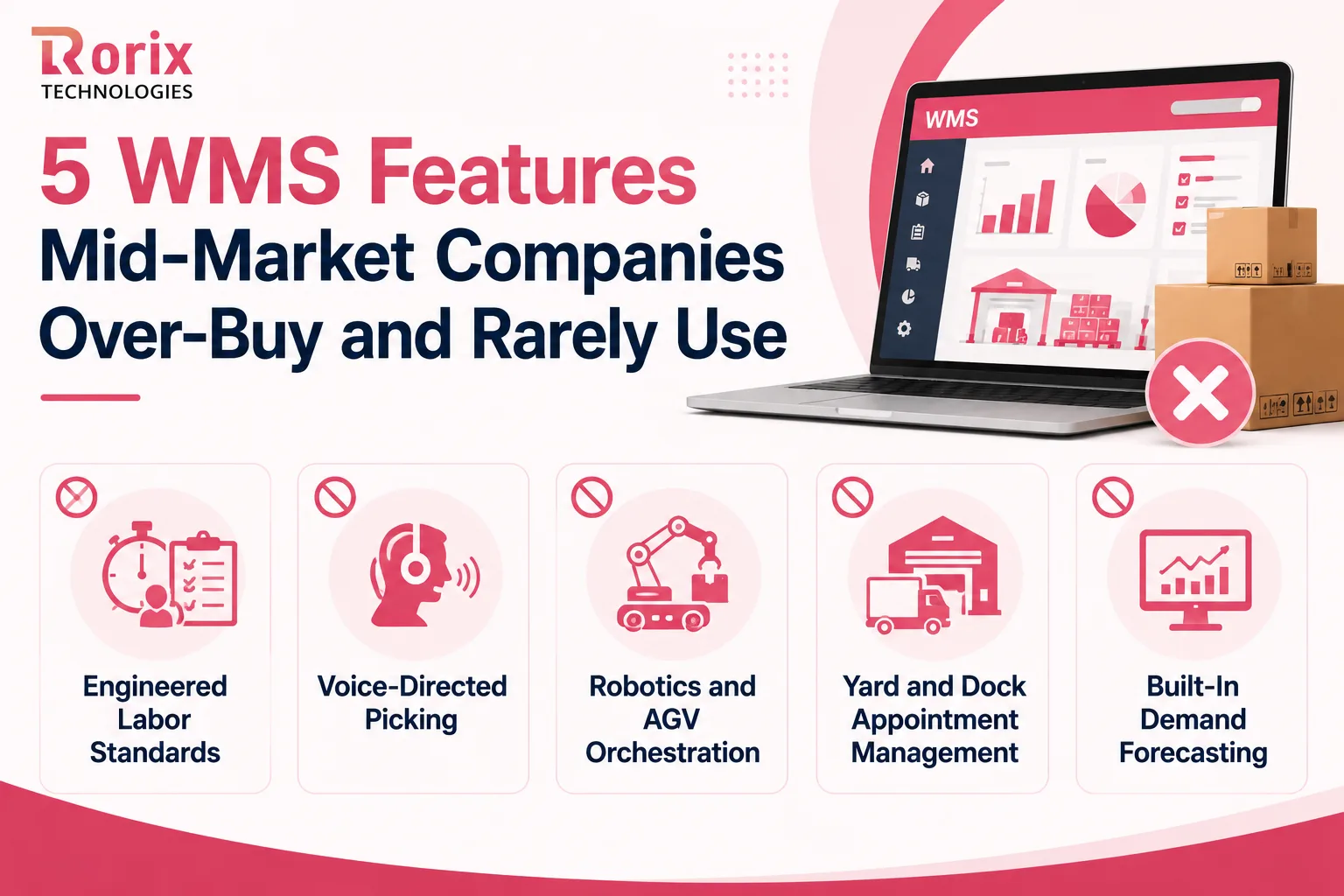
- Engineered labor standards: Sets an expected time for every task. Basic task and productivity tracking covers most mid-market floors.
- Voice-directed picking: Genuinely good for high-volume, hands-free work. At lower volumes, handheld scanners are simpler and cheaper.
- Robotics and AGV orchestration: Manages robots and automated vehicles. Skip it until you have automation, but confirm the WMS can support it later.
- Yard and dock appointment management: Earns its place when the yard is congested and dock doors are the bottleneck. Smaller sites manage appointments with far simpler tools.
- Built-in demand forecasting: Usually better handled by your ERP or planning system. Keep the WMS focused on executing warehouse work.
AI Features in a Modern WMS: What Works and What Does Not
Nearly every WMS vendor now has AI on the homepage, and warehouse buyers are being asked to price it. Zebra's Warehousing Vision Study finds 63% of warehouse leaders planning to bring AI into their operations within five years, which tells you the direction of travel but not which features are ready. The gap between those two things is where the money gets wasted.
AI Features That Can Help Today
AI already does useful work on picking routes, slotting suggestions, carton selection, and spotting inventory counts that look wrong. These run on data your warehouse already produces, which is why they start paying back in weeks rather than quarters.
AI Features That Need More Data Than You Have
Demand forecasting, workforce planning, and predictive maintenance need long, clean histories to be worth anything. If your historical data is thin or messy, these features will produce confident answers you cannot act on. Our guide to AI in warehouse management works through the readiness checks in more detail.
How to Check an AI Feature Before You Buy It
Ask what data the feature needs, how much history it requires, and how it arrives at a recommendation. A vendor who cannot answer those three questions plainly is selling a roadmap item, not a working feature.
How to Test WMS Features During a Vendor Demo
A WMS looks excellent in a standard demo because the vendor controls every variable in it. The only way to know whether it works in your warehouse is to hand it your data, your devices, and your worst day.
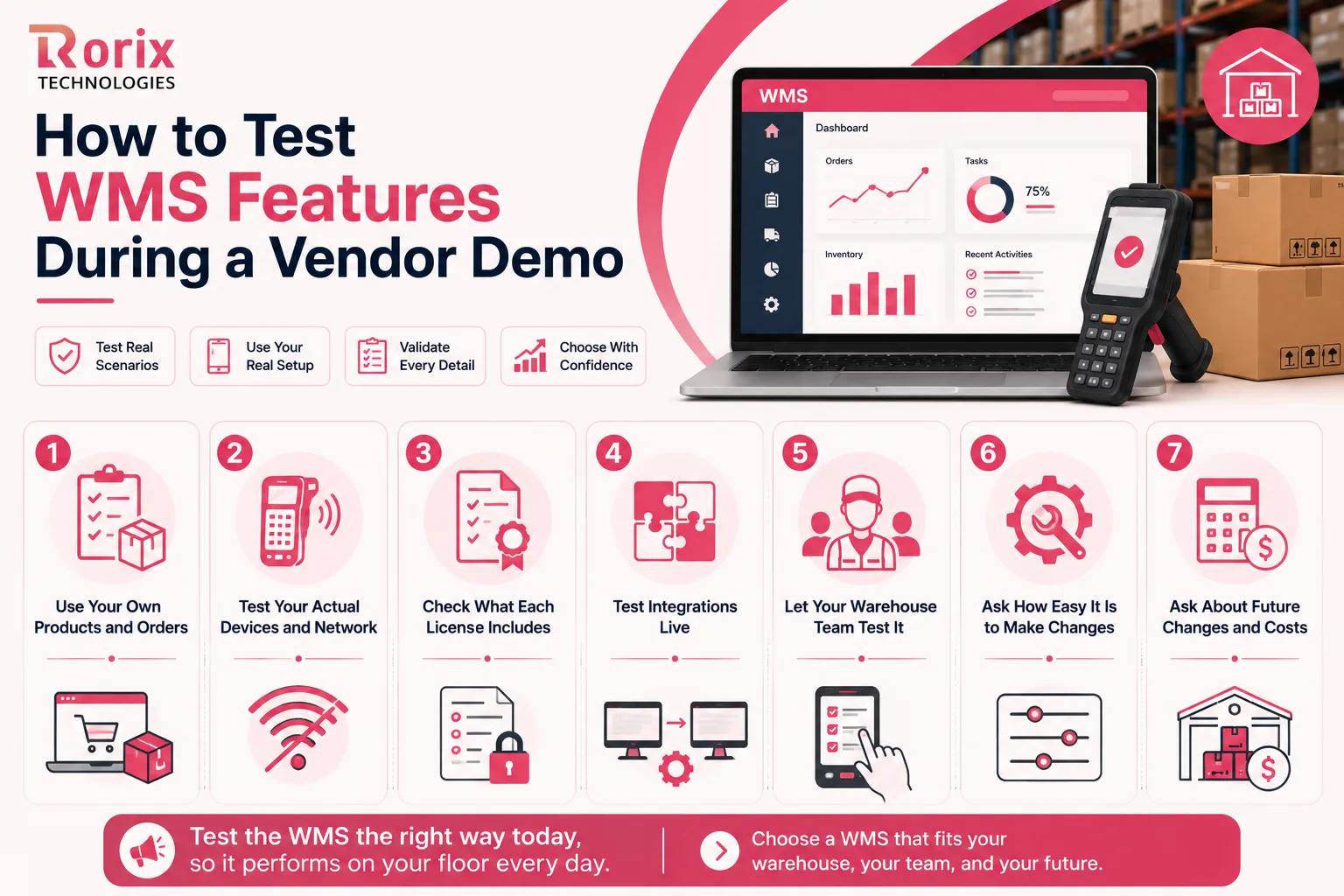
1. Use Your Own Products and Orders
Send the vendor a sample of your real SKUs and orders before the demo, and ask them to process one end to end.
Then break it. A missing item, damaged stock, a partial delivery, a customer changing the order after picking has started. How the system handles those four situations tells you more than the happy path ever will.
2. Test Your Actual Devices and Network
Do not judge a warehouse system on a laptop. Ask for the demo on the scanners or mobile devices your team will actually hold.
Test the Wi-Fi dead zone too. A system that loses a scan when the connection drops will lose them every day in the same corner of your building.
3. Check What Each License Includes
A demo often spans several pricing tiers without saying so. Ask which of the features you just watched are in your quoted plan and which need an upgrade.
Check how user licenses are counted as well, especially if you run multiple shifts or bring in seasonal staff.
4. Test Integrations Live
An integration diagram is not evidence. Ask to see a real order move from your ERP or ecommerce platform into the WMS, and inventory move back the other way.
Then ask what happens when that fails: where the error surfaces, who sees it, and how your team resends it.
5. Let Your Warehouse Team Test It
Your IT team can judge the architecture. Only a picker can tell you whether the software is usable at 6 a.m. with cold hands and a queue of orders waiting.
Give a supervisor or picker the device with no coaching. Count the taps a common task takes and watch where they hesitate. That is the feedback a scripted demo is designed to prevent.
6. Ask How Easy It Is to Make Changes
"We support that" and "you can change that yourself" are different claims. Ask who can change a workflow, how long it takes, and whether it has to go through the vendor's services team.
7. Ask About Future Changes and Costs
Ask what it takes to add a sales channel, change a picking process, or bring on another client or warehouse. Ask whether your configuration survives the vendor's next upgrade.
Those answers are the real cost of ownership. The license fee is only the part that arrives on time.
Also Read: WMS Implementation Checklist: 50 Steps to Successful Deployment
When Off-the-Shelf Features Stop Fitting and a Custom WMS Makes Sense
Most mid-market operations start on an off-the-shelf platform, and for most of them that is the right call. The decision gets harder when the feature list covers 90% of your process and misses the part that makes your business work.
| Dimension | Off-the-shelf WMS | Configured platform | Custom WMS build |
|---|---|---|---|
| Time to first go-live | Fastest path, measured in weeks | Longer, paced by vendor services | 8 to 12 weeks for a scoped build |
| Workflow fit | Your process adapts to the software | Close fit within vendor limits | Built around your actual floor |
| Feature gaps | Wait for the roadmap | Vendor change request | Built when you need it |
| Integration depth | Pre-built connectors only | Connectors plus some custom work | Any system with an interface |
| Cost shape | Ongoing per-user license | License plus services | One-time build plus support |
| Ownership | Vendor owns the code | Vendor owns the code | You own the code and the roadmap |
Treat any single timeline with caution, including ours. Independent benchmarks from Davanti WICS put a cloud WMS deployment at 8 to 12 weeks and a complex custom implementation at 6 to 12 months, with the full range running 3 to 12 months by warehouse complexity. Our 8 to 12 weeks describes a scoped first go-live on a defined feature set, not a multi-site rollout, and the distance between those numbers is mostly scope rather than speed.
Not sure which route fits your volumes and workflows? Get a project cost estimate and we will scope your requirements against both options before you commit to either.
Why Mid-Market Operators Choose Rorix for WMS Builds
Choosing features is one problem. Getting them working on a live floor, with real pickers and a real busy season, is a different one. That second problem is where most of our WMS work starts.
Rorix Technologies builds custom software for operations-heavy businesses, with warehouse management as our deepest specialization. We have delivered 27 software projects for operators in the US, UK, Canada, Australia, and New Zealand, and we hold a 5.0 rating on Clutch across 4 verified reviews.
What makes Rorix stand out?
- Engineered for the domain: We build a WMS around your zones, rules, and order profiles instead of adapting a template
- Proven operational impact: Up to 80% reduction in picking errors through real-time inventory, barcode scanning, and directed workflows
- Real integration depth: 40+ integrations on Driven, a US performance platform for pest control and field service teams, with iOS and Android shipped from a single React Native codebase
- A named team: A dedicated team of senior engineers with a named technical lead on every engagement, working on a retainer with two-week sprints and full task visibility
- Accountable past go-live: We stay on the product after launch instead of handing it back at the end of a statement of work
- Full ownership: You keep the code, the data model, and the roadmap
Want to see what your feature list costs and how long it takes? Get a free consultation and project estimate, and we will map it against your volumes.
Choose the WMS Features Your Warehouse Actually Needs
The best WMS is not the one with the most features. It is the one that solves your biggest warehouse problem and can still absorb the next one.
Start with the essentials: real-time inventory tracking, scanning, receiving and putaway, location management, picking, order management, shipping, and integration. Add returns, labor management, deeper reporting, and automation as the operation earns them.
Then test what you shortlist against your own products, orders, devices, and failure cases rather than the vendor's script. Your order volume, SKU count, site layout, and channel mix already decide which features matter. The buying process only has to avoid overruling them.
Need help choosing or building the right WMS? Talk to our experts about your warehouse requirements and the approach that fits your floor.
Frequently Asked Questions
What are the core features of WMS for mid-market companies?
They start with real-time inventory tracking, barcode and mobile scanning, and directed receiving and putaway. They continue with location management, multi-strategy picking, channel order management, and carrier management. Returns handling, traceability, labor tasks, integrations, and KPI reporting complete the list.
How many WMS features does a mid-market warehouse need on day one?
Most operations need around seven at go-live: inventory tracking, scanning, receiving and putaway, location management, picking strategies, order management, and ERP integration. Returns, labor tasks, and reporting can follow a quarter later without hurting accuracy or throughput.
Can our ERP warehouse module replace a dedicated WMS?
It can, if your order volume stays low, your workflows stay simple, and you run a single site. ERP modules track inventory as an accounting record, while a WMS directs physical work in real time. Picking strategies, mobile workflows, and carrier management usually expose that gap first, as our ERP vs WMS comparison sets out in detail.
Which WMS features have the biggest impact on picking accuracy?
Barcode scanning, directed putaway, and location-level inventory tracking do most of the work, because they remove the most manual keying and guesswork. Adding pick-path sequencing and short-pick handling usually lifts accuracy further within weeks of go-live.
Do mid-market warehouses need AI features in a WMS?
Some help immediately, particularly pick-path sequencing, slotting suggestions, and count anomaly detection, because they run on data your warehouse already produces. Forecasting and predictive labor features need long, clean data histories, so most mid-market operations should defer them.
How long does it take to get the core WMS features live?
Plan in phases rather than around a single go-live date. Davanti WICS benchmarks a cloud WMS deployment at 8 to 12 weeks and a complex custom implementation at 6 to 12 months. A scoped custom build reaches its first go-live in 8 to 12 weeks, with foundation features, core execution, and integrations overlapping rather than running end to end.
Should a mid-market company buy off-the-shelf WMS software or build a custom one?
Buy off the shelf when the platform covers your workflows and the gaps stay cosmetic. Build custom when the missing part touches allocation logic, client billing rules, or an unsupported integration, because those gaps turn into permanent spreadsheet workarounds.
What WMS features matter most for a 3PL compared with a distributor?
A 3PL needs client-level data separation and complete activity capture for billing, since unbilled handling work erodes margin quickly. A distributor prioritizes pick speed, network stock visibility, and ERP integration instead, because accuracy and throughput drive its cost per order.
Costing a WMS build?
Send us your SKU count and daily order volume. You get back a scope and a number you can take to your CFO.
Continue learning
Written by
Renish DadhaniyaFounder & Director, Rorix Technologies
Renish co-founded Rorix Technologies and drives the engineering and delivery culture across the organization. Beyond engineering, he leads the company's sales, finance, and HR operations, building the infrastructure that lets the team focus on shipping quality software. With deep hands-on expertise in architecture and team building, he ensures every project lands on time to the quality standards clients demand.
View full profileRelated articles
Best WMS for Ecommerce: Buyer's Guide (2026)
Choose the best WMS for ecommerce with a buyer's guide: a 10-step selection process, vendor questions, costs, timelines, and mistakes to avoid.
Read article
How to Choose a Warehouse Management System: Build vs Buy Decision Guide 2026
Learn how to choose a warehouse management system with our build vs buy guide, cost comparison, decision framework, and expert selection tips.
Read article
15 Top SaaS Development Companies in 2026
Compare 15 top SaaS development companies in 2026, including pricing, services, timelines, strengths, and tips to choose the right SaaS partner.
Read article