
Best WMS for Ecommerce: Buyer's Guide (2026)
Choose the best WMS for ecommerce with a buyer's guide: a 10-step selection process, vendor questions, costs, timelines, and mistakes to avoid.
On this page55 sections
One flash sale can expose every weak spot in a warehouse before lunch. Orders hit Shopify, Amazon, and your own site at the same time, and the stock count on screen stops matching the shelf.
That is usually when a team starts looking beyond spreadsheets for proper warehouse management software and searching for the best WMS for ecommerce. Then the real challenge begins, because every vendor demo looks polished and every feature list looks complete.
Key Takeaways: How to Choose the Best WMS for Ecommerce
- Start with fit, not rankings: The best WMS for ecommerce depends on your channels, sites, order profile, and fulfillment rules.
- Fix data ownership first: Decide which system owns stock, orders, costs, and tracking before you speak to any vendor.
- Test with failure: Run demos with your own orders and break one on purpose to see how the system recovers.
- Budget for total cost: Compare options over three to five years, including integrations, hardware, training, and exit costs.
- Know when to build: Daily workarounds, growing integrations, and rising per-user fees signal that a custom WMS deserves a look.
The trouble is that a single-store DTC brand, a multichannel seller, and a 3PL need very different things. Choose on features alone, and you can end up paying for software that adds work instead of removing it.
So this buyer's guide focuses on the decision itself, from shortlisting and demos to contracts and go-live.
In this guide, you'll learn:
- Best-fit WMS options by business profile
- Which system should own which data
- A 10-step WMS selection process
- 10 questions to ask every vendor
- Costs and implementation timelines
- When to move from off-the-shelf to custom
- 8 mistakes to avoid before you sign
By the end of this guide, you will have a clear process for comparing vendors and a budget you can defend. You will also know exactly how to test a system before it touches a live order.
Quick Answer: The Best WMS for Ecommerce by Business Profile
There is no single best WMS for ecommerce, only the best fit for how you sell and ship. Use the table below to find your starting point, then use the rest of this guide to validate the fit.
| Business profile | Best-fit WMS type | Why it fits |
|---|---|---|
| DTC brand, one storefront, one warehouse | Cloud (SaaS) ecommerce WMS | Fast setup, native storefront connectors, and predictable monthly costs |
| Multichannel seller with two or more warehouses | Cloud WMS with strong routing, or a custom WMS | Real-time inventory sync and allocation rules across channels and locations |
| Ecommerce 3PL | 3PL-ready WMS or a custom WMS | Multi-client inventory, workflows, and accurate billable-event tracking |
| B2B and B2C from one inventory pool | Standalone WMS or a custom WMS | Separate fulfillment rules without splitting inventory management |
| Lot-controlled catalog | WMS with lot, expiry, and FEFO tracking | Expiry-based picking that blocks the wrong stock from shipping |
| Unusual workflows or many integrations | Custom-built WMS | Control over unique workflows without relying on workarounds |
What to Confirm Before You Compare WMS Vendors
You do not need a full feature tour to start shopping for the best WMS for ecommerce, but you do need a shared baseline. Settle these three points with your team first, and every vendor conversation gets shorter and sharper.
Still deciding whether you need a WMS at all? Our guide to WMS software for ecommerce covers the warning signs and how an ecommerce WMS differs from a traditional one.
1. The Core Capabilities Every Shortlisted WMS Must Cover
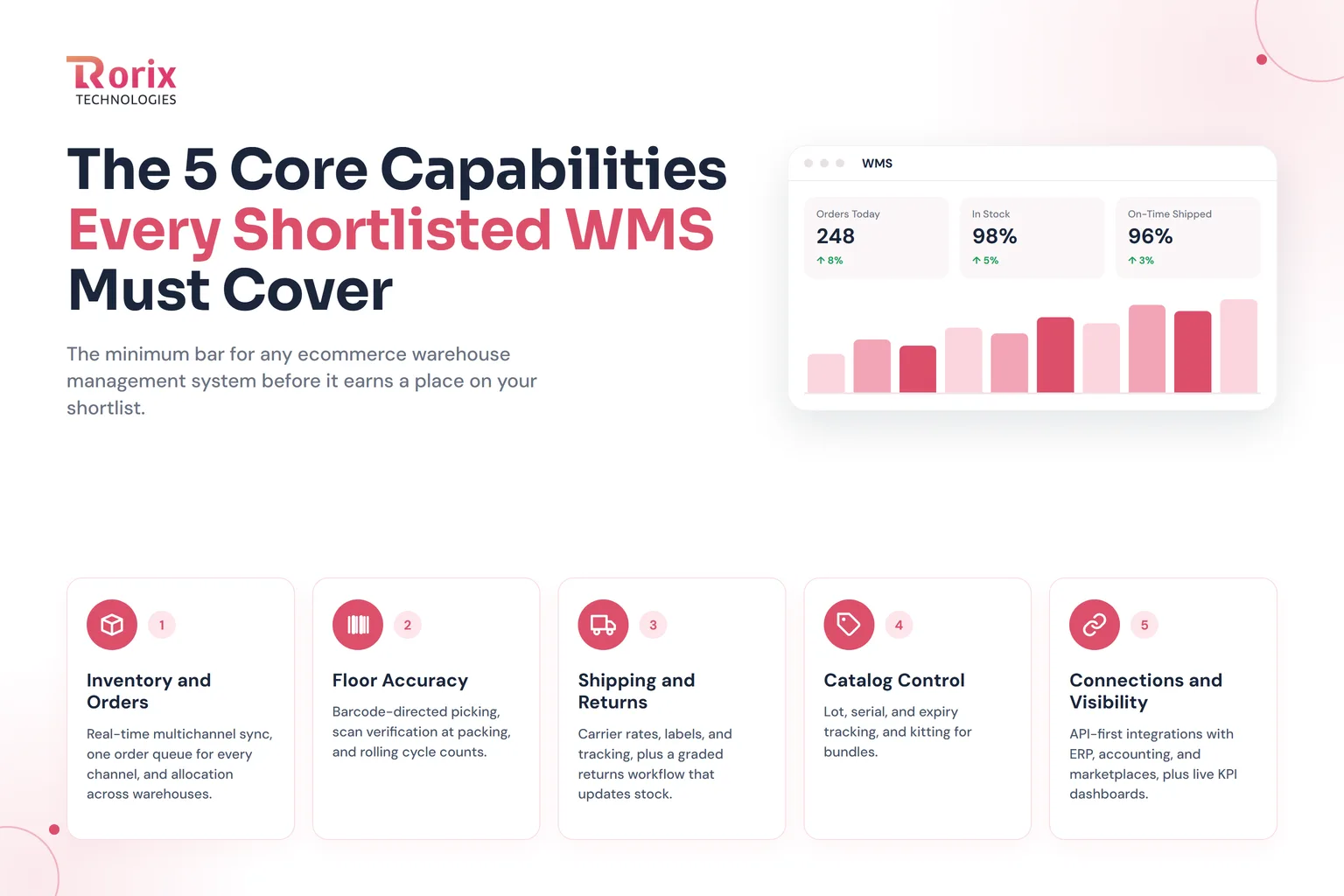
Treat these as the minimum bar for any warehouse management system for ecommerce. Any system that cannot show them working with your orders should leave the shortlist early:
- Inventory and orders: Real-time multichannel inventory sync, one order queue for every channel, and allocation across warehouses.
- Floor accuracy: Barcode-directed picking, scan verification at packing, and rolling cycle counts.
- Shipping and returns: Carrier rates, labels, and tracking, plus a graded returns workflow that updates stock.
- Catalog control: Lot, serial, and expiry tracking, and kitting for bundles.
- Connections and visibility: API-first integrations with ERP, accounting, and marketplaces, plus live KPI dashboards.
Our guide to WMS software for ecommerce walks through each feature in detail and shows how the integrations should behave.
2. The Four WMS Options at a Glance
Every shortlist draws from four types of ecommerce warehouse management software. This quick view shows when each one fits and what to watch.
| Option | Fits when | Watch out for |
|---|---|---|
| Cloud (SaaS) WMS | Your workflows are standard and speed matters most | Per-user or per-order fees and limited workflow changes |
| ERP warehouse module | Ecommerce is one channel among several | Weak marketplace sync and basic picking logic |
| On-premise WMS | You need full on-site control of data and uptime | Hardware, upgrades, and the IT team to run them |
| Custom-built WMS | Your rules, integrations, or clients outgrow packaged systems | Higher upfront investment and a longer build |
For the deployment question alone, see our cloud vs on-premise WMS comparison.
3. WMS vs OMS vs ERP vs TMS: Which System Owns What
Many selection problems start with blurry boundaries between systems. Two systems calculating stock is exactly how the last unit gets sold twice, so give every data item one owner.
| System | What it owns | Example decision |
|---|---|---|
| WMS | Locations, movements, picking, packing, and scan checks | Which bin to pick from and whether the parcel matches the order |
| OMS | Orders across channels and reservations | Which warehouse fulfills an order |
| ERP | Purchasing, accounting, and stock valuation | What a unit costs and when to pay the supplier |
| TMS | Carriers, freight, and routes | Which carrier ships the parcel |
Some ecommerce WMS platforms include basic order management, so responsibilities can overlap in practice. For a closer look at the warehouse and transport split, read our breakdown of the WMS vs TMS differences.
Best WMS for Ecommerce by Business Model
The best WMS for ecommerce depends more on how you sell than on how many orders you ship. Here is how the choice shifts across five common business models.
1. DTC Brands on a Single Storefront
If you sell mainly through one storefront from one warehouse, speed to value matters most. A cloud WMS with a maintained native connector, scan-based picking, and built-in carrier labels covers most needs without custom integration work.
2. Multichannel and Multi-Warehouse Brands
Selling through your own site, Amazon, Walmart, and TikTok Shop from several locations changes the priority list. Real-time sync, allocation rules, and split shipments decide the fit, which is the core of dedicated ecommerce fulfillment software.
3. Ecommerce 3PLs and Fulfillment Providers
A 3PL needs strict client separation, per-client workflows, and billing that captures every storage, pick, pack, and value-added event automatically. Missed billable events leak margin quietly, so billing depth often matters more than raw picking speed.
4. B2B and B2C (Omnichannel) Operations
Wholesale orders arrive by EDI in full cases with retailer labeling rules, while web orders ship as single items the same day. Your WMS must run both flows from one inventory pool, with separate rules per order type and no double counting.
5. Lot-Controlled Catalogs (Food, Beauty, Supplements)
Perishable and regulated products need lot capture, expiry dates, and FEFO rules that block the wrong pick. In these categories, the best WMS for ecommerce also traces recalls fast, as our guide to the warehouse management system for the food industry explains.
Now that you've seen which setup fits your business model, let's take a look at how to choose the right system, step by step.
How to Choose the Best WMS for Ecommerce: A 10-Step Process
A polished demo can hide real warehouse problems. The safest way to find the best WMS for ecommerce is to test each option against your actual workflow, growth plans, and budget.
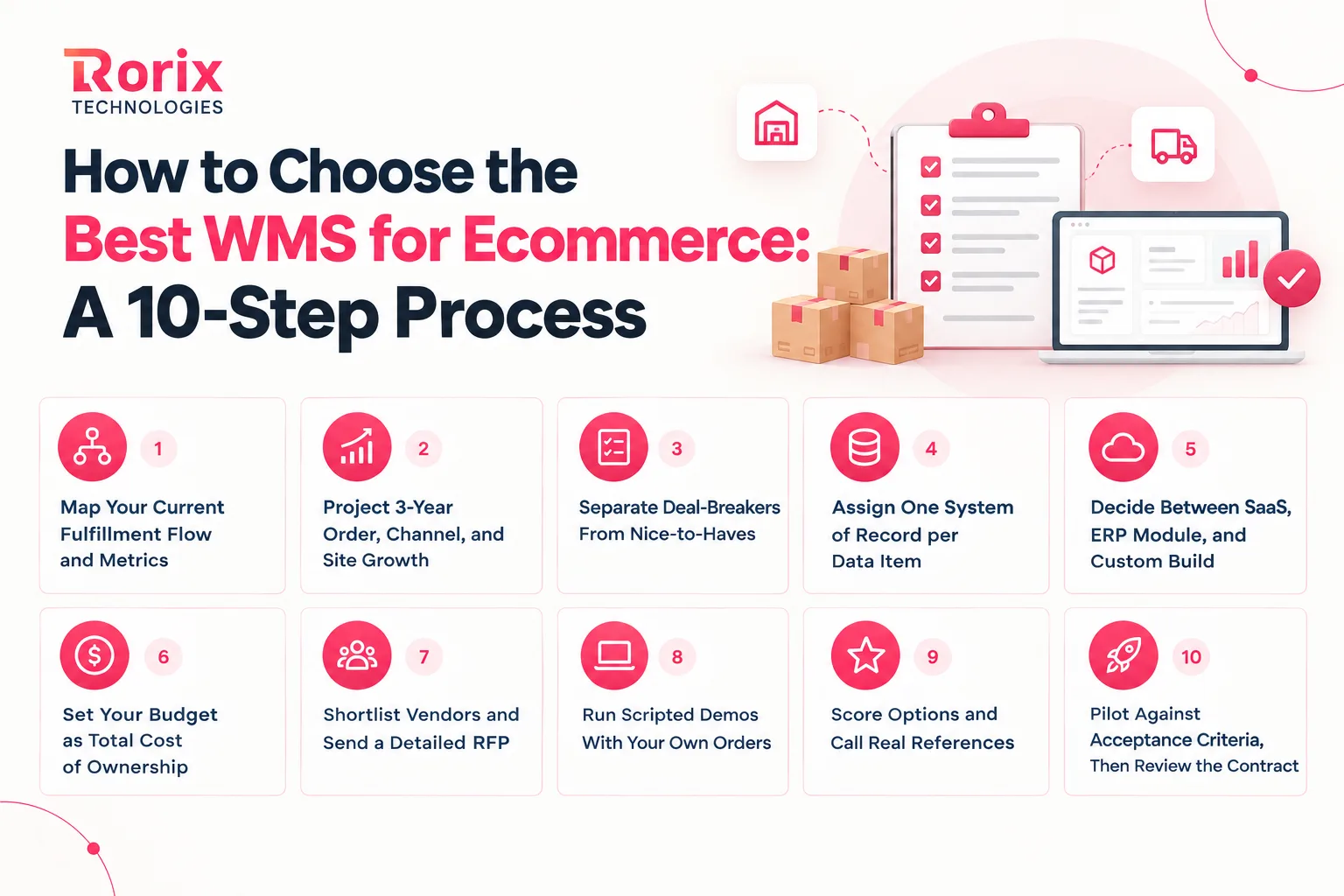
Step 1: Map Your Current Fulfillment Flow and Metrics
Start on the warehouse floor, not in a vendor catalog. Walk one order from the moment it lands to the moment it leaves the dock. Write down every handoff, screen, and manual step along the way.
Then capture your baseline numbers. Record daily orders, peak-day orders, lines per order, SKU count, pick rate, order accuracy, and returns volume. Later, you can measure every vendor promise against these real figures.
Before you move on, ask your floor leads to review the map. They know the workarounds that never made it into a process document, and those hidden steps often decide which system fits.
Step 2: Project 3-Year Order, Channel, and Site Growth
Now look ahead, because the system you buy today has to run the business you plan to become. Estimate your order volume for the next three years, and include your peak season multiplier in each estimate.
Next, list the channels and locations you expect to add. A new marketplace, a wholesale program, or a second warehouse each brings new requirements, and planning for them now costs far less than replatforming later.
Step 3: Separate Deal-Breakers From Nice-to-Haves
With your map and growth plan in hand, sort every requirement into two columns. Deal-breakers are the things you cannot operate without, such as real-time sync with your main channel or FEFO picking for dated stock.
Nice-to-haves would help but will not stop an order going out the door. Keep your warehouse staff in this conversation, because something that looks optional from an office can be essential on the floor.
Step 4: Assign One System of Record per Data Item
Before you talk to vendors, decide which system owns each piece of data. Stock levels, reservations, bin locations, unit costs, and tracking numbers each need exactly one owner, with every other system reading from it.
Also name the person who fixes a failed sync. When a connection breaks at 2 a.m., someone must know it is their job to spot it and restart the flow before customers notice.
Step 5: Decide Between SaaS, ERP Module, and Custom Build
Use your deal-breakers to narrow the field by system type before you compare individual products. If a SaaS platform meets every deal-breaker out of the box, it is usually your fastest route to the best WMS for ecommerce.
If your deal-breakers depend on unusual rules, heavy integrations, or multi-client billing, add a custom build to the shortlist. Comparing both paths early stops you from paying for customizations that cost more than the right system.
Step 6: Set Your Budget as Total Cost of Ownership
Build your budget over three to five years, not just the first invoice. Include subscription or license fees, implementation, integrations, hardware, training, support, and the time your own team will spend on the project.
Add the cost of leaving as well. Data export, migration, and notice periods all belong in the budget. The cost section later in this guide breaks down typical ranges for each option.
Step 7: Shortlist Vendors and Send a Detailed RFP
Now research the market and pick four or five candidates that match your system type and budget. Read case studies from businesses with a similar size and channel mix, not just the headline logos.
Send each one a request for proposal with your process map, volumes, deal-breakers, integration list, and growth plan. Ask for pricing, implementation method, support terms, and references in the same format, so the answers compare cleanly.
Step 8: Run Scripted Demos With Your Own Orders
Pick two or three finalists and send each one a demo script in advance. Supply real SKUs, two warehouses, a partial order, a bundle, and a return, then ask them to run the whole flow from storefront to tracking.
Then make an order fail on purpose during the demo. Watch closely how the system handles these moments:
- Wrong barcode at picking: The system should stop the pick with a clear alert.
- Extra unit at packing: The bench should reject the parcel until the quantity matches.
- Carrier API failure: The order should show a visible error and a simple retry option.
- Reserved stock removed: The system should reallocate the order or flag it for a person to act on.
While the demo runs, also time how long a stock change takes to reach each channel. If the operator cannot find the stuck order and fix it on screen, the system has failed your test.
Step 9: Score Options and Call Real References
Score each finalist from one to ten on every criterion, then weight the scores by what matters most to you. Core operations and integrations usually deserve the heaviest weight, followed by scalability, support, and cost.
Then call references who went live recently with a similar operation. Ask what broke during implementation, how fast support responded, and whether they would pick the same system again.
Step 10: Pilot Against Acceptance Criteria, Then Review the Contract
Before a full rollout, run a pilot with one warehouse, one channel, and a representative set of products. Agree on acceptance criteria upfront, such as zero wrong-item passes at packing and tracking that reaches the channel every time.
Measure time per line, logged errors, and blocked orders at 30 and 60 days. Finally, ask your legal team to review data ownership, export format, renewal terms, and notice periods before you sign anything long term.
Also Read: WMS Implementation Checklist: 50 Steps Plus a Plan Template
10 Questions to Ask Every WMS Vendor Before You Sign
Sales teams handle soft questions well, so ask ones that force a live answer as you search for the best WMS for ecommerce. These ten questions separate systems that work on your floor from systems that only work in a slide deck.
- Can you run my sample orders in a live environment? Ask the vendor to run your real workflows instead of a scripted or recorded demo.
- How often does inventory sync with each of my channels? You want event-driven updates measured in seconds, not an hourly batch job.
- What happens when your system or a carrier API goes down during peak? Look for queuing, error visibility, and automatic recovery, not just an uptime promise.
- Can I see your API documentation today? Current, accessible documentation makes every future WMS integration easier to plan and maintain.
- What does a workflow change cost after go-live? Find out whether a change is a setting, a paid project, or simply not supported.
- How does pricing change as orders, users, and sites grow? Ask for a quote at your expected third-year volumes, not just today's usage.
- Who owns my data, and how do I export it? Confirm that orders, inventory, and key identifiers export in a usable format.
- Who will run my implementation? Ask who is assigned to your project and how many other implementations they manage at once.
- What is your support response time during peak season? Get response times written into the contract rather than relying on sales promises.
- Can I speak with three customers who went live recently? Recent references show how the vendor performs during implementation and after go-live.
How Much Does an Ecommerce WMS Cost?
Even the best WMS for ecommerce has a price that moves with your choices. System type, order volume, site count, and integrations drive most of the ecommerce WMS cost. Our guide on how much a warehouse management system costs covers pricing models in more depth.
1. Ecommerce WMS Cost by Option
The cloud and ERP rows below are typical market ranges, not Rorix pricing, and the on-premise row uses the figures in Descartes' WMS pricing guide. The custom-built row is Rorix's published WMS pricing, so you can compare a build against a license on the same page.
| Option | Upfront cost | Ongoing cost | Main cost driver |
|---|---|---|---|
| Cloud (SaaS) WMS (market range) | $10,000 to $75,000 implementation | $500 to $5,000+ per month | Users, sites, and order volume |
| ERP warehouse module (market range) | Configuration by your ERP partner | ERP license plus partner support | Customization depth |
| On-premise WMS (Descartes figures) | $2,500 to $200,000 per facility for a perpetual license, plus $3,500 to $40,000 implementation | 10% to 20% of the license a year in maintenance, plus in-house IT | Licenses, hardware, and upgrades |
| Custom-built WMS (Rorix published range) | $30,000 to $180,000+ one-time build | Hosting and support, no per-user license | Workflow depth and integration count |
Want a number for your own warehouse? Share your SKU count, daily orders, and channels, and get a free consultation and project estimate based on your operation.
2. Hidden Costs That Increase Total Cost
The software quote is only part of the investment. Also plan for integration maintenance, scanners and other hardware, data cleanup, migration, and training. Customization requests, usage-based fees, and data export if you ever switch add more.
3. How to Estimate Payback and ROI
Start with the money you already lose to mispicks, returns, reships, overtime, manual reconciliation, stockouts, and canceled orders. Then compare the expected yearly savings with your three-to-five-year total cost to see how quickly the system pays for itself.
Also Read: How to Calculate WMS ROI: Complete Guide
How Long Does Ecommerce WMS Implementation Take?
Even the best WMS for ecommerce needs time to settle in. Implementation time depends far more on your data, integrations, and scope than on the software itself. Use these ranges as planning estimates rather than fixed deadlines.
| Option | Typical timeline | What sets the pace |
|---|---|---|
| Cloud WMS, single site, standard flows | 2 to 8 weeks | Clean data and a native storefront connector |
| Cloud WMS, multiple sites or channels | 3 to 5 months | Allocation rules and integration testing |
| ERP warehouse module | 6 to 18 months, tied to the ERP roadmap | ERP scope and partner capacity |
| On-premise WMS | 6 to 12 months | Hardware, installation, and configuration |
| Custom WMS, single site | 3 to 4 months, with go-live at 8 to 12 weeks | Workflow depth and ERP integration |
| Custom WMS, multi-site | 5 to 6+ months | Number of sites, modules, and integrations |
Two issues usually add the most time. Dirty item and location data force cleanup before configuration can start, and scope changes after kickoff push every milestone back.
On the other hand, you can shorten the timeline by cleaning your item master early, freezing the initial scope, and keeping key decision-makers involved. Plan the launch for a quieter period, never the weeks before a major sales event.
Now that you've seen what an ecommerce WMS costs and how long it takes, let's take a look at when a packaged system stops fitting.
When Off-the-Shelf Stops Fitting: 5 Signs You Need a Custom Ecommerce WMS
Off-the-shelf platforms work well until the warehouse starts bending its processes around software limits. At that point, a custom WMS can become the best WMS for ecommerce in your specific case, and these five signs show when.
1. Workarounds and Spreadsheets Run Beside Your WMS
If your team still exports data to complete tasks the WMS cannot handle, the platform no longer fits the workflow. Each workaround adds labor, slows fulfillment, and creates one more place for inventory or order errors to hide.
2. Your Integration Count Keeps Growing
New marketplaces, ERP changes, and 3PL partners can turn integrations into constant maintenance. When fixing connectors takes more engineering effort than improving warehouse operations, a WMS built around your stack starts to make financial sense.
3. Per-User and Per-Order Fees Outpace Revenue
Subscription costs can climb fast as you add users, warehouses, and orders. Compare your projected third-year fees with the cost of building and maintaining a system you own outright before you decide.
4. Your Fulfillment Rules Do Not Fit the Platform
Subscription boxes, made-to-order products, custom kitting, and retailer-specific packing often need workflows that standard configurations cannot support. If every change becomes a paid request or a flat no, the software is limiting the operation.
5. Multi-Brand or Multi-Client Logic Breaks the Configuration
Multi-brand businesses and 3PLs need separate inventory, workflows, reporting, and billing for each account. If the platform cannot keep those boundaries clean, manual reporting and reconciliation quickly become part of the daily workload.
Also Read: How to Evaluate a Warehouse Management Software Development Company
8 Mistakes to Avoid When Choosing an Ecommerce WMS
Most regret about ecommerce warehouse management software starts before anyone signs the contract. Avoid these eight mistakes, and you remove the most common reasons projects run late, overspend, or get replaced within a few years.
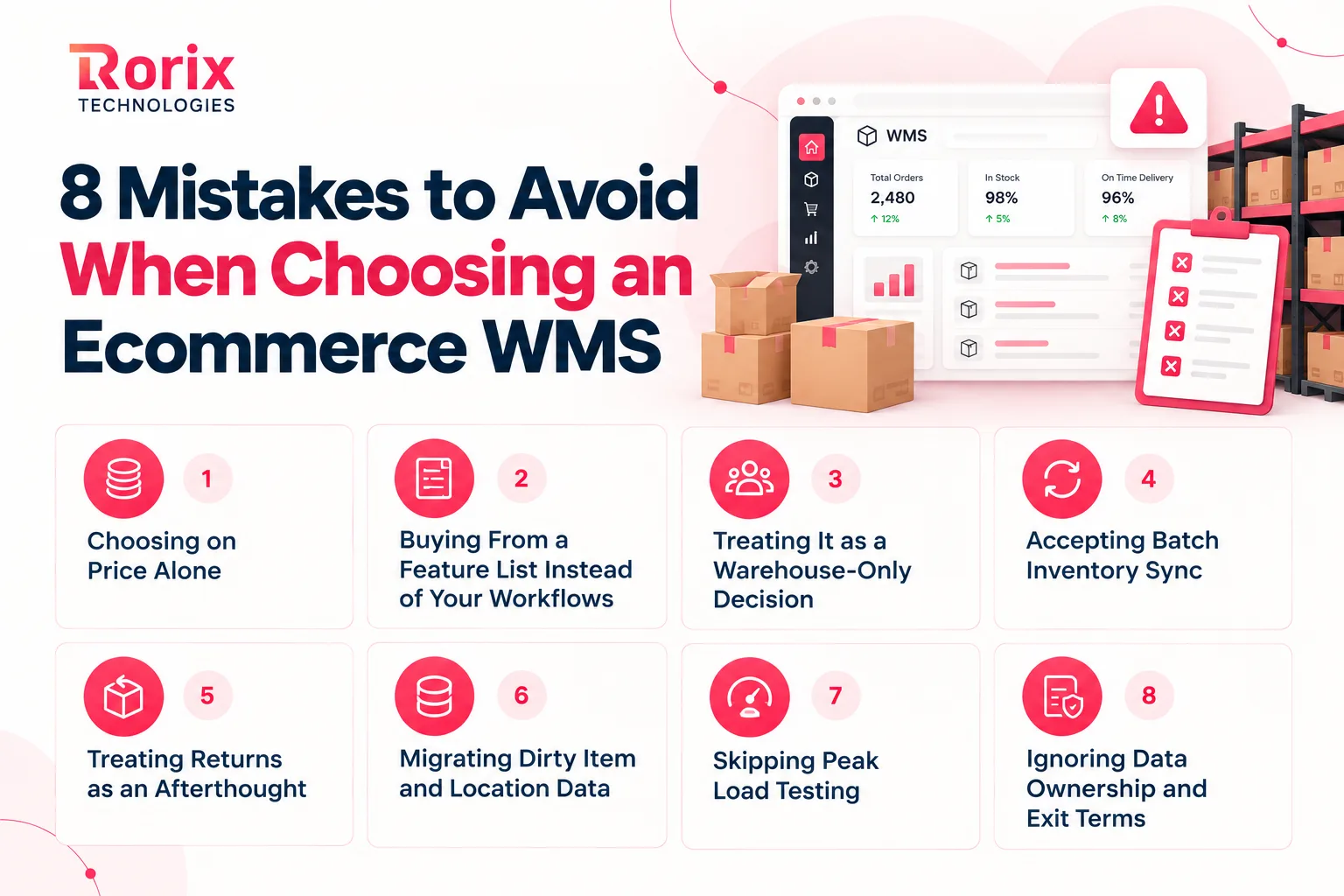
Mistake 1. Choosing on Price Alone
The lowest quote often hides thin integrations, missing automation, or costly customization down the road. Judge each option on its total cost over several years and on the errors and labor it removes, not on the first invoice.
Mistake 2. Buying From a Feature List Instead of Your Workflows
Two systems can tick the same boxes and behave very differently in a real order. Test vendors against your own process map and sample orders, because features only matter when they fit the way your floor actually runs.
Mistake 3. Treating It as a Warehouse-Only Decision
Your ecommerce, finance, customer service, and IT teams all depend on the WMS every day. Bring them in early alongside floor supervisors, since a system the warehouse loves can still break the storefront or the month-end close.
Mistake 4. Accepting Batch Inventory Sync
Hourly sync can look acceptable during planning and then fail at the first flash sale. Insist on event-driven updates for every channel, as our guide to real-time inventory with WebSocket and pub-sub architecture explains.
Mistake 5. Treating Returns as an Afterthought
Many teams design the happy path from order to shipment and bolt returns on later. In ecommerce, returns are a daily inbound flow, so grading, restock rules, and refund triggers belong in your requirements from day one.
Mistake 6. Migrating Dirty Item and Location Data
Duplicate SKUs, wrong dimensions, and stale bin locations turn any new system into a source of fresh errors. Clean and validate your item master well before go-live, and cycle count your high-value stock first.
Mistake 7. Skipping Peak Load Testing
A system that runs smoothly at 50 orders an hour may stall at 500 during a sale. Load test your integrations and picking flows at peak-level volumes before launch, because failures in a busy week are expensive and very public.
Mistake 8. Ignoring Data Ownership and Exit Terms
Read the exit clause as carefully as the pricing page. Confirm who owns your data, how you export it, how long notice periods run, and whether renewal prices can rise automatically without your approval.
Why Rorix for Custom Ecommerce WMS Development
When your shortlist points to a custom build, the next question is who builds it. Rorix Technologies builds custom software for operations-heavy businesses, with warehouse management as a core specialization.
We have delivered 27 projects across the US, UK, Canada, Australia, and New Zealand. We also hold a 5.0 Clutch rating from 4 verified reviews.
- Built for your workflows: We design the WMS around your receiving, picking, inventory, and fulfillment processes.
- Proven results: WorkCenter Central, the platform we built for distributor Lorecs, cut manual errors by 80% and sped up order processing by 50%. Read the distributor platform case study.
- Code ownership: You own the source code, with no per-user or per-site license fees.
- Dedicated team: Senior engineers with a named technical lead work in 2-week sprints with full task visibility.
- Post-launch support: We keep improving the system through hypercare, new integrations, and warehouse expansion.
Need a WMS built around your operation? Book a free consultation and map out your custom build.
Choosing an Ecommerce WMS You Will Not Outgrow
The best WMS for ecommerce is the one that fits how you sell today and how you plan to grow. A clear process, honest demos, and a total-cost budget matter far more than any vendor ranking.
So map your flow, test vendors with your own orders, and read the exit terms before you sign. If packaged software keeps forcing workarounds, a custom WMS deserves a place on your shortlist.
We hope this guide helped you understand how to choose the best WMS for ecommerce with confidence. Now it's your turn to walk your floor, list your deal-breakers, and put every option through the same test.
If you want a second opinion on your shortlist, connect with our experts to discuss your channels, workflows, and custom ecommerce WMS requirements.
Frequently Asked Questions
What is the best WMS for ecommerce?
The best WMS for ecommerce is the one that passes your deal-breaker tests using your own orders. Cloud platforms often suit standard operations, while complex multichannel or 3PL workflows usually get better value from a custom build.
What is the best WMS for a Shopify store?
Look for a WMS with a maintained Shopify integration, real-time inventory sync by location, and automatic tracking updates. Test it with a paid order, a partial shipment, and a return before you choose.
Do small ecommerce businesses need a WMS?
Yes, once spreadsheets start causing oversells, picking errors, or daily reconciliation work. Multichannel brands often need one earlier, because shared inventory makes manual tracking break down fast.
How much does an ecommerce WMS cost?
Cloud WMS platforms typically cost $500 to $5,000+ per month, plus $10,000 to $75,000 for implementation. A custom WMS from Rorix runs $30,000 to $180,000+ as a one-time build, depending on sites and integrations.
How long does it take to implement a WMS for ecommerce?
A single-site cloud WMS can take 2 to 8 weeks, and multi-site rollouts take 3 to 5 months. A custom WMS takes 3 to 4 months for a single site, with go-live at 8 to 12 weeks. Multi-site builds take 5 to 6+ months.
Can an ERP warehouse module replace a dedicated ecommerce WMS?
It can work at moderate volumes if it supports your ecommerce deal-breakers. Test picking, returns, inventory sync, and peak-order volumes before you rely on it instead of a dedicated WMS.
Is a cloud WMS or a custom-built WMS better for ecommerce?
A cloud WMS wins on speed and upfront cost for standard workflows. A custom WMS makes more sense when your workflows, integrations, or client billing go beyond packaged software and license fees keep rising.
Should I use a 3PL instead of running my own WMS?
A 3PL suits brands that would rather outsource warehouse operations entirely. Running your own WMS gives you direct control over inventory, fulfillment, packaging, and the customer experience.
Costing a WMS build?
Send us your SKU count and daily order volume. You get back a scope and a number you can take to your CFO.
Continue learning
Written by
Renish DadhaniyaFounder & Director, Rorix Technologies
Renish co-founded Rorix Technologies and drives the engineering and delivery culture across the organization. Beyond engineering, he leads the company's sales, finance, and HR operations, building the infrastructure that lets the team focus on shipping quality software. With deep hands-on expertise in architecture and team building, he ensures every project lands on time to the quality standards clients demand.
View full profileRelated articles
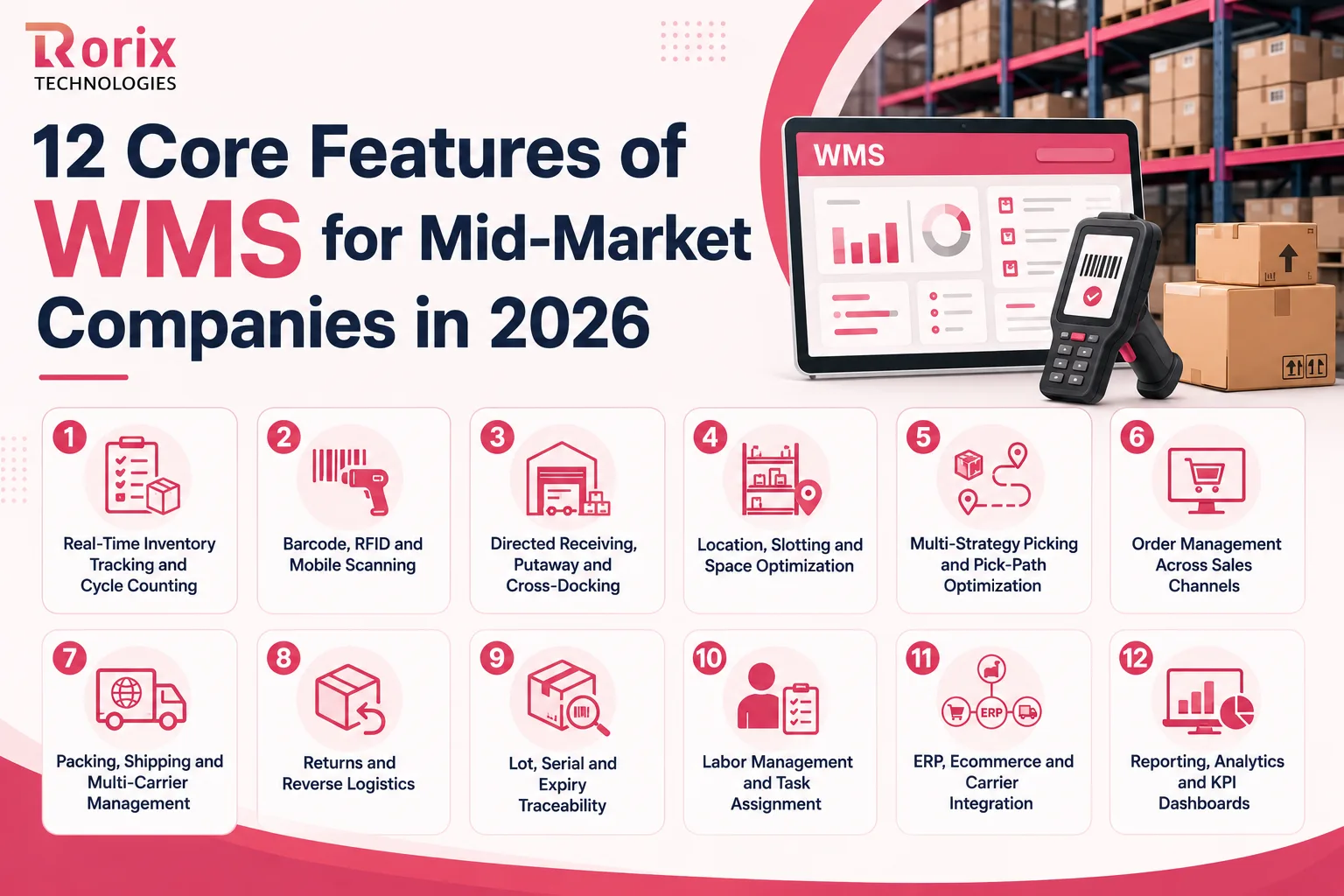
12 Core Features of WMS for Mid-Market Companies in 2026
Which WMS features does a mid-market warehouse need first? Compare all 12, see which seven belong on day one, and how to test each one in a demo.
Read article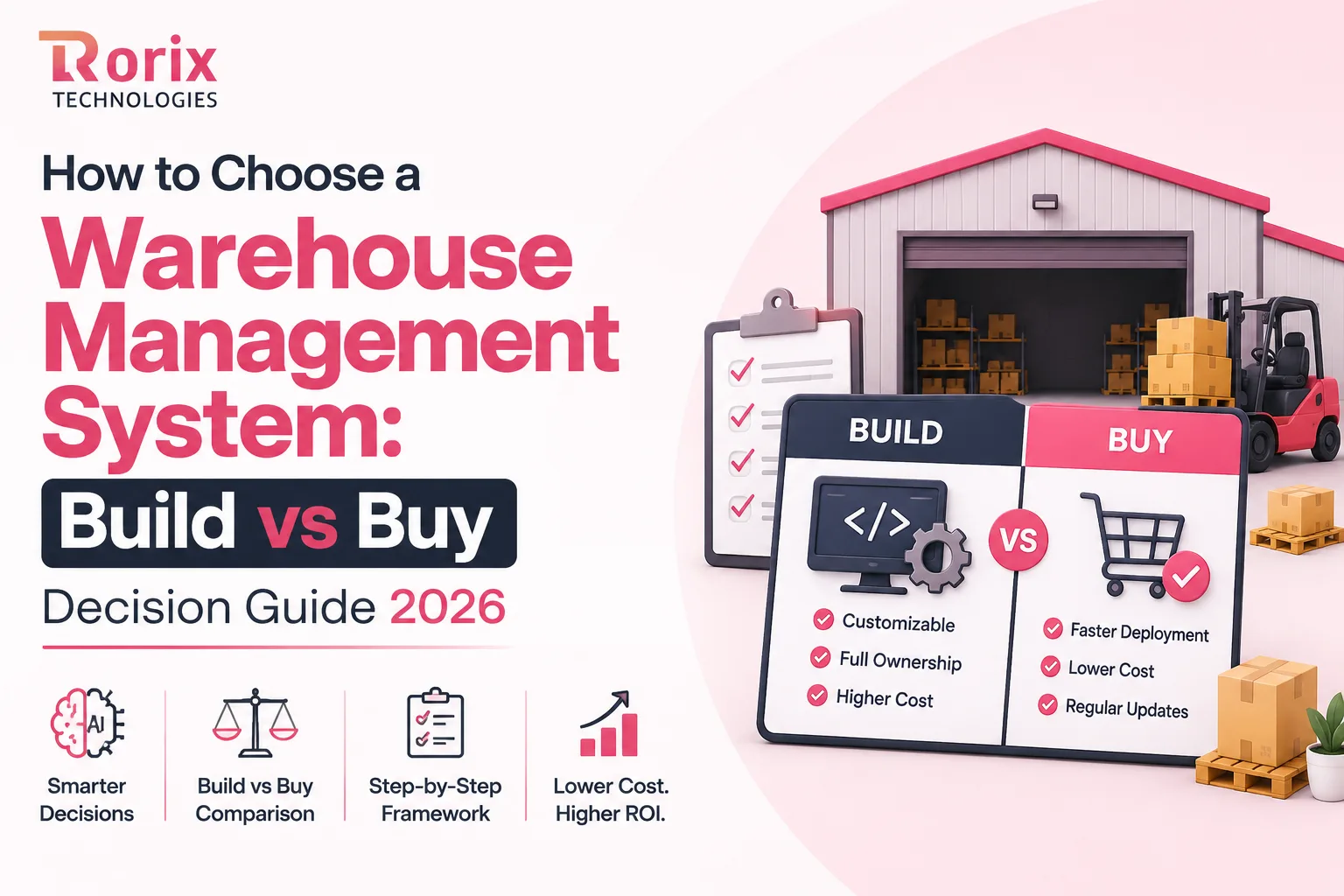
How to Choose a Warehouse Management System: Build vs Buy Decision Guide 2026
Learn how to choose a warehouse management system with our build vs buy guide, cost comparison, decision framework, and expert selection tips.
Read article
15 Top SaaS Development Companies in 2026
Compare 15 top SaaS development companies in 2026, including pricing, services, timelines, strengths, and tips to choose the right SaaS partner.
Read article