
WMS vs TMS: Key Differences and Which One You Need In 2026
Confused about WMS vs TMS? Learn how they differ, how they work together, which one to roll out first, and how to choose the right system in 2026.
On this page42 sections
A WMS helps you manage goods inside the warehouse. A TMS helps you move those goods to the customer. The two systems meet at exactly one point, ship confirmation, and differ almost everywhere else: users, data, hardware, pricing, and risk.
The problem usually surfaces like this. A shipment is packed and ready to leave the warehouse. But no carrier has been booked, the shipping cost is unclear, and the delivery time is still unknown.
This is a common problem for growing businesses. The warehouse team may have finished its work, but the transportation team still has to figure out how to move the goods.
A Warehouse Management System (WMS) manages what happens inside the warehouse. It helps teams receive goods, store them in the right place, find inventory, pick orders, pack shipments, and keep stock records accurate.
A TMS, or Transportation Management System, manages what happens after the goods are ready to leave. It helps businesses choose carriers, compare shipping rates, plan loads and routes, track shipments, and control transportation costs.
In this guide, you will learn:
- What a WMS does
- What a TMS does
- The main differences between WMS and TMS
- How the two systems work together
- When you need a WMS, a TMS, or both
- What drives the cost of each system
By the end, you will have a clear idea of which system your business needs and which one you should invest in first.
Key Takeaways: WMS vs TMS and Which Comes First
- A WMS controls storage and handling inside the four walls, a TMS plans and executes movement across the transport network, and the two systems meet at exactly one point, ship confirmation.
- The two systems differ on 14 buying criteria, including daily users, data model, response speed, hardware, pricing model, and rollout risk, which is why they cannot be collapsed into one purchase.
- Independent benchmarks from Davanti WICS put a cloud WMS deployment at 8 to 12 weeks and a complex custom implementation at 6 to 12 months, while transport rollouts are paced by carrier onboarding and rate loading rather than a physical cutover.
- Roll out first whichever failure costs you more today: disagreeing cycle counts and picking errors point to a WMS, while unaudited carrier invoices and surprise accessorial charges point to a TMS.
- Rorix builds custom WMS platforms with real-time inventory, barcode scanning, and automated workflows that cut picking errors by up to 80%.
What Is a Warehouse Management System (WMS)?
Every warehouse runs on thousands of small decisions a day: where to put an incoming pallet, which order to pick next, whether the number on the screen matches the shelf. A Warehouse Management System (WMS) is the software that makes those calls, so your team does not have to work them out one at a time.
It helps your team receive goods, store them in the right place, find products quickly, pick and pack orders, and keep inventory records accurate. It can also connect with scanners, robots, and other warehouse equipment to make daily work faster and more accurate.
Core WMS Capabilities
A good WMS usually includes these key features:
- Receiving and putaway: Checks incoming goods against the order and tells workers where to store them.
- Inventory control: Tracks stock levels, storage locations, batches, serial numbers, and expiry dates.
- Picking, packing, and shipping: Creates picking tasks, helps workers find products faster, checks orders, and prepares shipping documents.
- Labor and task management: Assigns tasks to workers, balances workloads, and tracks productivity.
- Replenishment and cycle counting: Alerts workers when stock needs to be refilled and helps keep inventory records accurate.
- Returns processing: Helps teams receive, inspect, and restock returned products.
- Barcode and RFID integration: Connects scanners and other devices to the WMS so stock information stays updated.
- Reporting and analytics: Provides useful data on inventory accuracy, picking speed, order volume, and overall warehouse performance.
What Is a Transportation Management System (TMS)?
The moment a packed order crosses the dock door, the questions change: which carrier takes it, at what rate, on which route, and when will it actually arrive. A Transportation Management System (TMS) is the software that answers them.
It helps you choose the right carrier, compare shipping costs, plan routes, track deliveries, and manage freight invoices, from the moment goods leave the warehouse until they reach the customer.
Core TMS Capabilities
A good TMS usually includes these key features:
- Carrier management and rate shopping: Compares shipping rates from different carriers to help you choose the best option.
- Load planning and tendering: Combines shipments into efficient loads and sends them to the selected carrier.
- Route optimization: Plans better delivery routes to reduce travel time, fuel costs, and unnecessary miles.
- Shipment visibility: Tracks shipments in one place and alerts your team when there is a delay or other problem.
- Freight audit and payment: Checks carrier invoices against agreed rates and helps identify incorrect charges before payment.
- Mode and network planning: Helps choose the right shipping method, such as parcel, LTL, full truckload, or intermodal.
- Compliance and documentation: Helps prepare important shipping documents, customs paperwork, and other required records.
- Transport analytics: Shows data such as shipping costs, delivery performance, and carrier performance to help you make better decisions.
Side-by-Side Comparison: WMS and TMS at a Glance
Definitions only get you so far, because buying decisions are made on specifics. These are the 14 criteria that actually influence the choice.
| Criterion | WMS | TMS |
|---|---|---|
| Primary job | Control storage and handling | Plan and execute movement |
| Zone of control | Inside the four walls | Across the transport network |
| Question it answers | Where is it and who picks it | Who carries it and what does it cost |
| Daily users | Warehouse managers, supervisors, pickers | Transport planners, dispatch, freight analysts |
| Objects tracked | SKU, bin, lot, pallet, task | Load, lane, carrier, rate, consignment |
| Trigger point | Order release from ERP or OMS | Ship confirmation from the WMS |
| Response speed | Seconds, scan by scan | Minutes to hours, plan by plan |
| Hardware it talks to | Scanners, mobile terminals, conveyors, robots | Telematics, carrier APIs, EDI networks |
| Main integrations | ERP, OMS, automation, TMS | ERP, carriers, customs, WMS |
| Headline savings | Labor hours, picking errors, carrying cost | Freight spend, mode mix, accessorial charges |
| Top KPIs | Inventory accuracy, picks per hour, order accuracy | Freight cost per unit, on-time delivery, load fill |
| Pricing model | Per user, per site, or one-time custom build | Per shipment, per load, or freight spend tier |
| Typical rollout | Weeks for cloud, months for custom | Gated by carrier onboarding, not floor cutover |
| Best fit | Operations losing money inside the building | Operations losing money after the dock door |
On rollout planning, independent benchmarks from Davanti WICS put a cloud WMS deployment at 8 to 12 weeks and a complex custom implementation at 6 to 12 months. Transport rollouts are paced by carrier onboarding and rate loading rather than a physical cutover.
WMS vs TMS: 10 Key Differences That Change How You Operate
The table gives you the shape of the decision. These 10 differences explain why the two systems cannot be collapsed into one purchase.
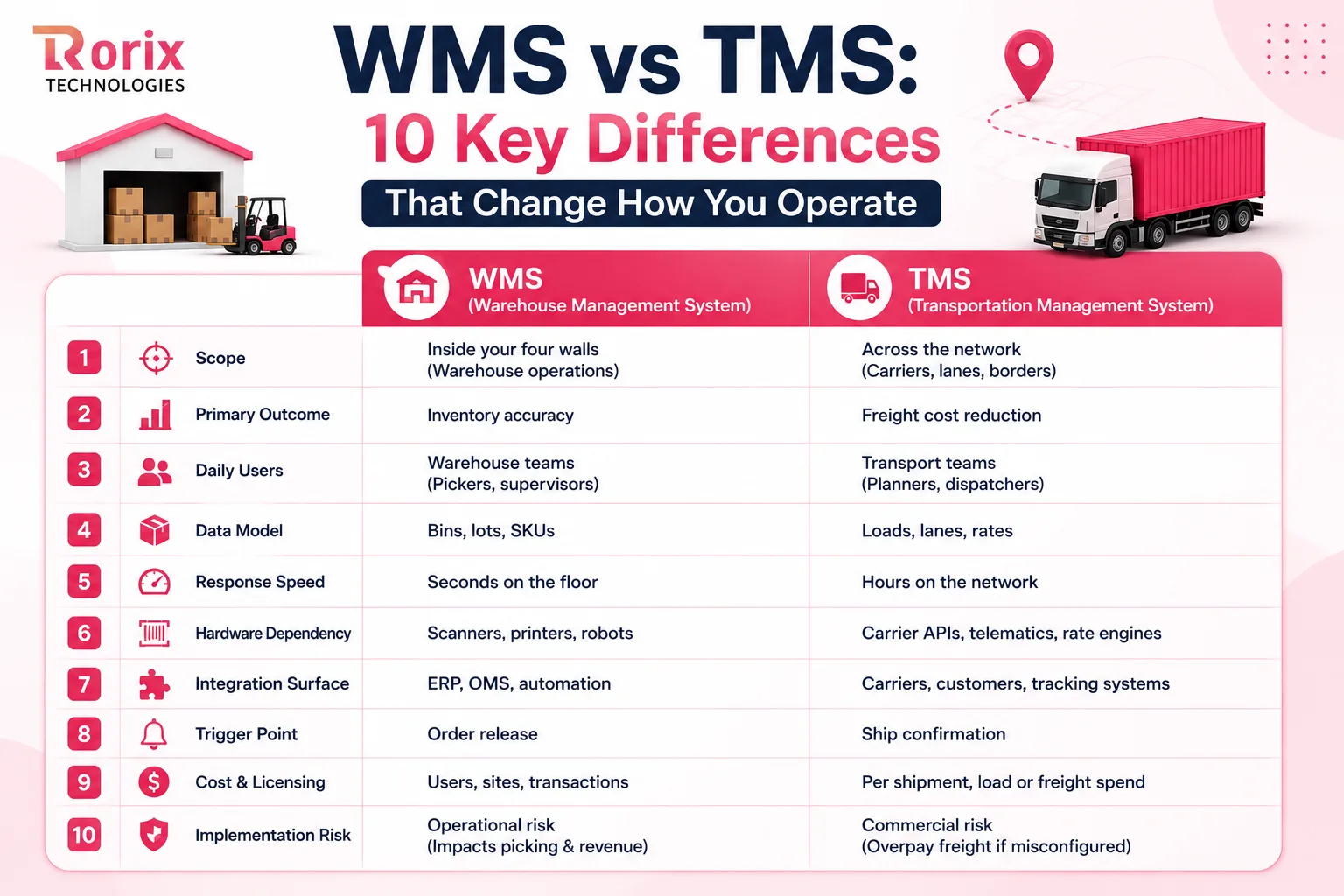
1. Scope: Inside the Four Walls vs Across the Network
A WMS draws a hard boundary at your building. Everything inside that boundary is under its instruction, from the receiving door to the staging lane.
The TMS starts where that boundary ends and stretches outward across carriers, lanes, borders, and customer sites. Its map is a network, not a floor plan.
2. Primary Outcome: Inventory Accuracy vs Freight Spend
Warehouse systems earn their keep by removing errors. Better putaway, guided picks, and scan validation are what pull recorded stock back in line with what is physically on the shelf.
Transport systems earn their keep on the invoice. Rate comparison, consolidation, and mode selection strip cost out of every shipment you tender.
3. Daily Users: Floor Teams vs Transport Planners
Open a WMS, and you find supervisors balancing waves and pickers working from handheld screens. It is a shift-level tool used by people wearing safety vests.
A TMS sits with planners, dispatchers, and freight analysts at a desk. They work in load boards and carrier scorecards rather than aisles and bins.
4. Data Model: Bins, Lots and SKUs vs Loads, Lanes and Rates
The WMS data model is built around physical position. Every record answers a question about what exists, where it sits, and what condition it is in.
Transport data is built around commercial movement instead. A shipment record carries origin, destination, weight, class, service level, and negotiated price.
5. Response Speed: Seconds on the Floor vs Hours on the Network
Warehouse work runs at scan speed. When a picker confirms a unit, the inventory position must change immediately, or the next task is wrong.
Freight planning tolerates a slower clock. A load can be built, rated, and tendered across a planning window without breaking anything downstream.
6. Hardware Dependency: Scanners and Automation vs Telematics and Carrier APIs
A warehouse management system lives or dies on device integration. Handhelds, ring scanners, print and apply, conveyors, and mobile robots all need clean interfaces.
The TMS depends on external connections instead of shop floor hardware. Carrier APIs, EDI feeds, GPS telematics, and rate engines are its equivalent of a scanner.
7. Integration Surface: ERP and Automation vs Carriers and Customers
Most WMS integration work points inward toward the ERP, the OMS, and the automation layer. The traffic is high and internal.
For transport platforms, the heavy lifting points outward. Carrier onboarding, tracking feeds, and customer notification channels dominate the integration backlog.
8. Trigger Point: Order Release vs Ship Confirmation
The warehouse wakes up when an order is released for fulfillment. Everything it does flows from that single event.
Transport execution is triggered later, at the moment a load is confirmed ready. Fire that trigger too early and carriers arrive at an empty dock.
9. Cost Structure and Licensing Model
WMS pricing usually scales with users, sites, and transaction volume, or arrives as a one-time custom build. Hardware and device counts add a second layer.
Transport platforms are more often priced against freight activity. Vendors charge per shipment, per load, or against banded tiers of annual freight spend.
10. Implementation Effort and Rollout Risk
A WMS rollout touches physical operations, so the risk is operational. A bad cutover stops picking, and stopped picking stops revenue.
Transport rollouts carry commercial risk rather than floor risk. Misconfigured rates or carrier rules quietly overpay invoices for months before anyone notices.
Also Read: WMS Implementation Checklist: 50 Steps to Successful Deployment
Where a WMS and a TMS Overlap, and Where They Only Appear To
Vendors on both sides claim ground that belongs to the other, and telling real overlap from marketing overlap saves a lot of wasted license spend. Genuine overlap is narrow, covering label generation and basic tracking only.
| Feature that looks shared | What the WMS version does | What the TMS version does |
|---|---|---|
| Rate shopping | Compares a handful of preloaded parcel rates | Compares contracted, spot, and multimodal rates live |
| Shipment tracking | Confirms the load left your dock | Follows the consignment to proof of delivery |
| Consolidation | Batches orders into picking waves | Combines orders into cost-optimized loads and routes |
| Carrier compliance | Prints the label the carrier requires | Manages routing guides, contracts, and chargeback rules |
| Freight cost visibility | Shows an estimated cost at pack | Reconciles the actual invoice against the agreed rate |
| Analytics | Reports labor, accuracy, and throughput | Reports cost per unit shipped and carrier performance |
How a WMS and a TMS Work Together
Getting the choice right is only half the job. The value shows up in the handoff, which is where most stacks quietly fail.
5 Steps Between Order Release and Delivery
Follow these in sequence, because every handoff depends on the one before it.
-
The order is released. Your ERP or order management system validates customer, credit, and stock position, then releases the order with a required ship date.
-
The WMS turns the order into work. It allocates units and sequences pick tasks by zone, so the shortest path covers the most lines.
-
Picking and packing capture the truth. Every unit is scanned, and packing records actual weight, dimensions, and carton count. Those values are what the transport side needs to rate anything correctly, as our guide to ecommerce fulfillment optimization explains.
-
The TMS rates, labels, and tenders. It selects the carrier and service level, returns the label, and books a dock appointment.
-
Tracking and costs close the loop. Milestones stream back, exceptions are flagged, and the audited invoice posts to your ERP with proof of delivery.
What Data Crosses the Line in Each Direction
Almost every article says these systems should be integrated. Very few say what actually moves between them, which is what decides whether yours survives peak.
| Event | Direction | What breaks when it is missing |
|---|---|---|
| Shipment ready | WMS to TMS | Rates are calculated on estimates and corrected by invoice |
| Rate and label response | TMS to WMS | Packers wait at the station and throughput drops |
| Appointment confirmation | TMS to WMS | Freight is staged early and blocks dock space |
| Load change or split | WMS to TMS | Carrier bills for a load that no longer matches |
| Delivery status | TMS to WMS and ERP | Customer service quotes dates nobody can meet |
| Freight actuals | TMS to ERP | Margin per order is wrong at month end |
What Breaks When the Handoff Is Missing
Disconnected stacks rarely fail loudly. They leak quietly until a busy week turns every small gap into a customer-facing problem.
- Manual re-keying: Staff retypes weights and addresses into a carrier portal, so typing errors become shipping errors.
- Rate estimates that never match invoices: Freight is quoted on guessed weight, then corrected weeks later at your expense.
- Carrier selection by habit: Teams default to one carrier because comparing options manually takes too long.
- Peak amplification: Every gap scales with volume, which is why fragmented stacks fail hardest in busy weeks.
Also Read: WMS Integration Best Practices: Complete Guide
Do You Need a WMS First or a TMS First?
There is no universal answer, and any vendor offering one is selling. The right call depends on where you lose the most money right now.
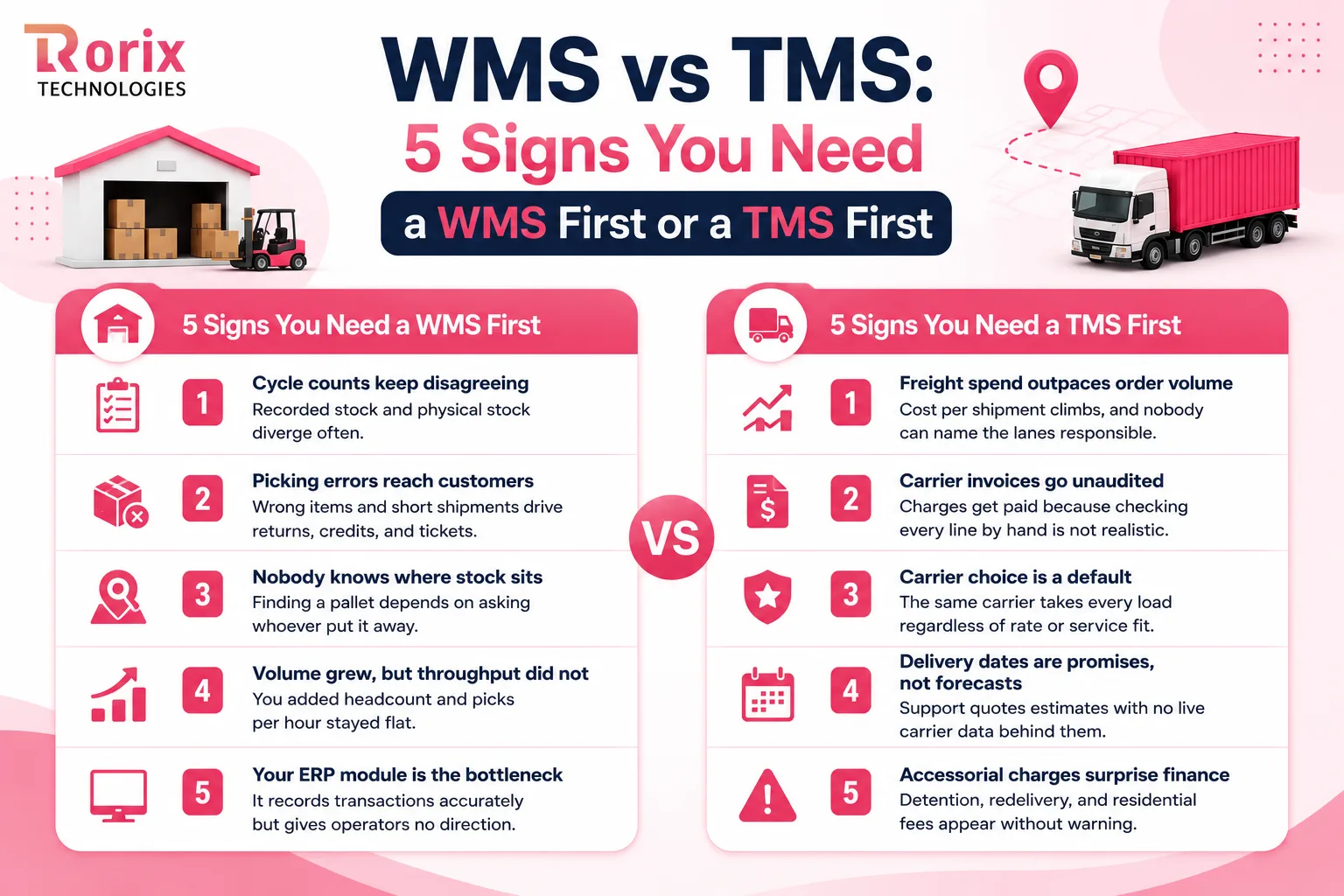
5 Signs You Need a WMS First
If several of these describe your week, the warehouse side of the decision is your expensive problem.
- Cycle counts keep disagreeing: Recorded stock and physical stock diverge often enough that people stopped trusting the number.
- Picking errors reach customers: Wrong items and short shipments drive returns, credits, and support tickets.
- Nobody knows where stock sits: Finding a pallet depends on asking whoever put it away.
- Volume grew, but throughput did not: You added headcount and picks per hour stayed flat.
- Your ERP module is the bottleneck: It records transactions accurately but gives operators no direction.
5 Signs You Need a TMS First
When the warehouse runs cleanly, but freight is chaos, transport is where your margin disappears.
- Freight spend outpaces order volume: Cost per shipment climbs, and nobody can name the lanes responsible.
- Carrier invoices go unaudited: Charges get paid because checking every line by hand is not realistic.
- Carrier choice is a default: The same carrier takes every load regardless of rate or service fit.
- Delivery dates are promises, not forecasts: Support quotes estimates with no live carrier data behind them.
- Accessorial charges surprise finance: Detention, redelivery, and residential fees appear without warning.
When You Need Both, and What to Roll Out First
Once you run multiple locations, channels, and carriers, both become necessary. Sequence them by cost of failure, not by the loudest complaint.
| Operation profile | WMS | TMS | Roll out first |
|---|---|---|---|
| Single warehouse, single channel | Yes if SKU count is high | Optional | WMS |
| Omnichannel retail brand | Yes | Yes | WMS, then TMS |
| Third party logistics provider | Yes | Yes | WMS, then TMS |
| B2B distributor, national delivery | Basic level | Yes | TMS |
| Cold chain or pharma operation | Yes, with lot and FEFO control | Yes, with temperature visibility | WMS |
| Quick commerce or dark store network | Yes | Yes, last mile focused | Both, in parallel |
What Drives the Cost of a WMS and a TMS
Cost is where most comparisons go vague, and where a single dollar answer would mislead you anyway, because the two systems price against different drivers. A WMS scales with people, sites, and devices. A TMS scales with freight activity.
| Cost line | What drives it for a WMS | What drives it for a TMS |
|---|---|---|
| Subscription software | User count, site count, and transaction volume | Shipment volume, carrier count, and freight spend tier |
| Custom build | Workflow depth, automation interfaces, and site variation | Carrier network complexity and rating logic |
| Implementation and configuration | Physical operations, data migration, and floor training | Rate loading, routing guides, and carrier rules |
| Integration work | Priced per connected system: ERP, OMS, automation | Priced per carrier group: APIs, EDI, telematics |
| Hardware | Scanners, printers, and mobile terminals add a real second budget | Minimal, mostly telematics |
| Training and change management | Floor teams across every shift | A smaller desk-based planning team |
| Annual support and maintenance | Scales with license or build value | Scales with license value and carrier churn |
For the pricing models behind these drivers: Descartes' WMS pricing guide documents per-user cloud subscriptions and per-facility perpetual licenses on the warehouse side, and Software Connect's TMS roundup lists both flat-rate and per-user subscription models priced by fleet size and shipment volume on the transport side.
Also Read: How to Calculate WMS ROI: Complete Guide
Where ERP, OMS, WES and LMS Fit Around Your WMS and TMS
The buying decision rarely arrives alone, and clean boundaries stop you buying the same capability twice.
| System | What it owns | What it hands off |
|---|---|---|
| ERP | Finance, master data, procurement, order to cash | Released orders to the OMS or WMS |
| OMS | Multi-channel order capture, availability, node routing | Fulfillment directives to the WMS |
| WMS | Inventory, storage, picking, packing, labor | Ship-ready loads to the TMS |
| WES and WCS | Real-time orchestration of automation hardware | Task completion signals back to the WMS |
| LMS | Workforce scheduling, standards, productivity | Labor data to the WMS and payroll |
| TMS | Carrier selection, freight cost, transit visibility | Delivery status and freight actuals to the ERP |
The two boundaries that cause the most confusion each have their own full guide: ERP vs WMS for the system-of-record line, and WES vs WMS for the automation line.
5 Mistakes Operations Teams Make When Choosing Between a WMS and a TMS
Every one of these mistakes is invisible at selection time and expensive at go-live. No vendor demo will warn you about any of them.
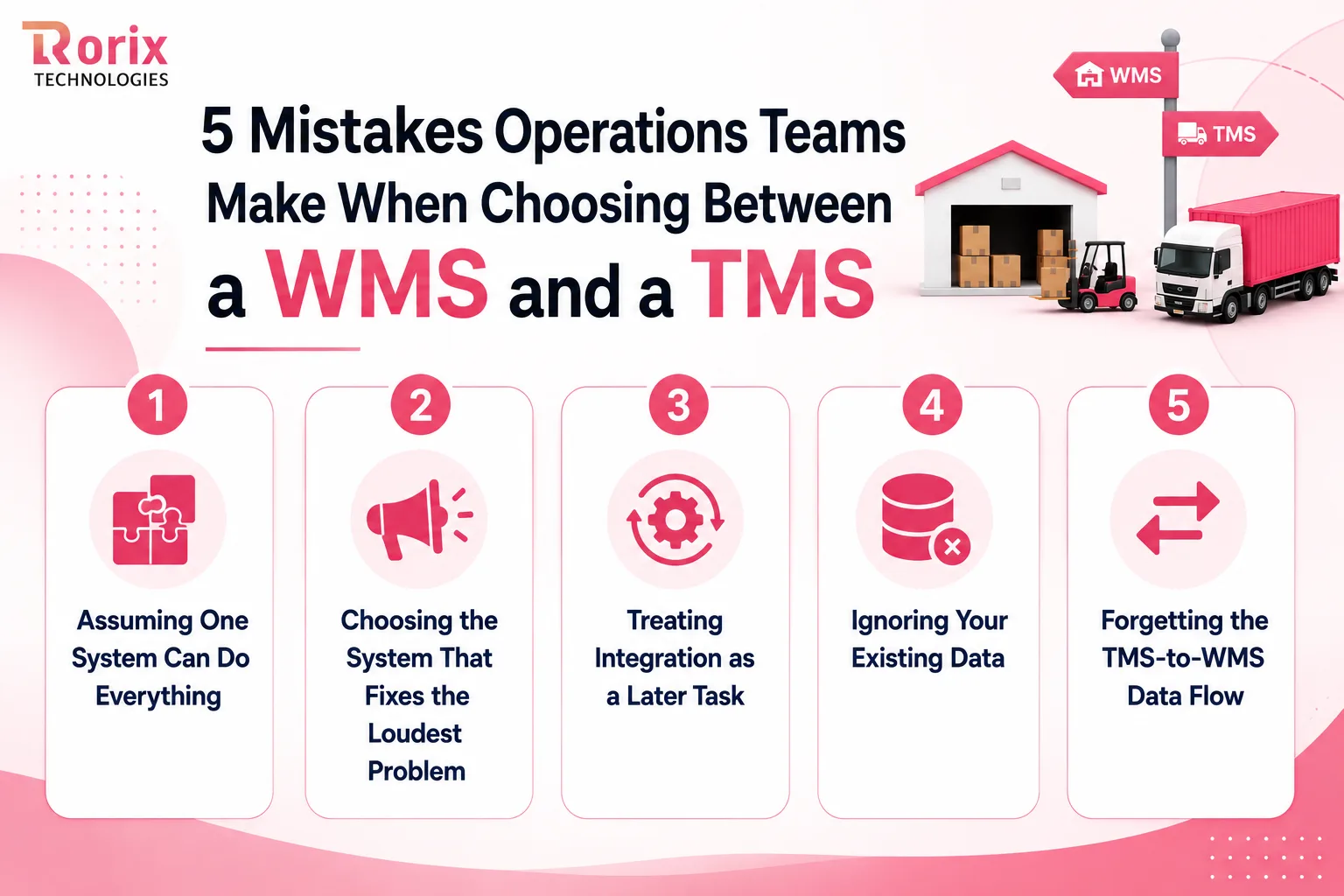
1. Assuming One System Can Do Everything
Some teams buy a WMS with basic shipping features and assume they no longer need a TMS. A WMS may print labels and show basic shipping rates, but it usually does not handle carrier contracts, freight invoices, or complex route planning.
2. Choosing the System That Fixes the Loudest Problem
The biggest complaint is not always the highest cost. Before choosing a system, look at how much each problem is costing your business. Even a small picking or shipping error can become expensive when it happens thousands of times.
3. Treating Integration as a Later Task
Do not leave WMS and TMS integration until after the main system is live. If the systems cannot share information properly, your team may end up entering data manually. Plan the integration during the buying process and include it in the project scope.
4. Ignoring Your Existing Data
A new WMS or TMS cannot fix bad data on its own. Wrong product weights, package sizes, storage locations, or carrier details can lead to incorrect shipping costs and warehouse errors. Clean your data before the new system goes live.
5. Forgetting the TMS-to-WMS Data Flow
Teams often focus on sending information from the WMS to the TMS but forget that information also needs to come back. Details such as carrier information, tracking numbers, rates, and pickup times should return to the WMS. Without this information, warehouse teams and customer service staff may not know what is happening with a shipment.
Also Read: 12 Top Warehouse Management Software Development Companies in 2026
Why Rorix Technologies for Custom WMS and Integration Work
Rorix Technologies builds custom software for operations that generic platforms cannot handle. We have delivered 27 projects with a 5.0 rating on Clutch across 4 verified reviews, serving clients in the US, UK, Canada, Australia, and New Zealand.
- Domain-built warehouse systems: Custom WMS platforms with real-time inventory, barcode scanning, and automated workflows that cut picking errors by up to 80%.
- Proven integration depth: Driven's field-service performance platform carries 40+ vendor integrations, the same discipline a clean handoff demands.
- A dedicated team of senior engineers on a retainer model: We stay accountable well past go-live, with 2-week sprints and full task visibility.
- In-house team, not a vendor: Clients describe the engagement as having their own engineering team.
- Full ownership: You keep the source code, the data, and the roadmap.
Book a free consultation call with our experts, and we will map your handoff before you commit to either system.
Buy the System That Solves Your Biggest Problem First
WMS and TMS solve different parts of the same supply chain problem.
A WMS helps you manage inventory, picking, packing, and other warehouse activities. A TMS helps you manage carriers, shipping costs, routes, and deliveries.
If your main problems are inside the warehouse, start with a WMS. If high freight costs, carrier issues, or delivery delays are hurting your business, a TMS may be the better first step. As your operation grows, you may need both.
The key is not to buy more software than you need. Choose the system that solves your biggest problem, connect it properly with your existing systems, and expand as your needs grow.
Ready to build a WMS or connect your warehouse and transportation systems? Talk to our experts to plan the right solution for your business.
Frequently Asked Questions
What is the main difference between a WMS and a TMS?
A WMS manages storage and handling inside your warehouse, covering receiving, putaway, picking, packing, and labor. A TMS manages the movement of those goods afterward, covering carrier selection, freight rates, routing, and delivery tracking. The handoff point between them is ship confirmation.
Can a WMS replace a TMS?
No, although many WMS platforms include shipping features that create the impression they can. Those features generate labels and compare a few preloaded rates, which is useful at low volume. They cannot manage carrier contracts, audit invoices, or plan multimodal routes.
Do I need both a WMS and a TMS?
You need both once you run multiple fulfillment locations, multiple carriers, or meaningful daily volume. Single-site operations shipping through one carrier usually get further with a WMS alone. Add the second system when the cost of the gap becomes measurable.
Which should I implement first, a WMS or a TMS?
Start with whichever failure costs you more today. Inventory errors, slow picking, and stock write-offs point to a WMS first. Rising freight spend and missed delivery dates point to a TMS instead.
How much do a WMS and a TMS cost?
For a WMS, the price is driven by how many users, sites, and devices the system has to cover, and by whether you subscribe to a platform or commission a custom build. For a TMS, it scales with shipment volume, carrier count, and freight spend. Implementation, integration, hardware, and training usually add a comparable amount on top of the software itself, so budget from your own volumes rather than from any published figure.
Costing a WMS build?
Send us your SKU count and daily order volume. You get back a scope and a number you can take to your CFO.
Continue learning
Written by
Renish DadhaniyaFounder & Director, Rorix Technologies
Renish co-founded Rorix Technologies and drives the engineering and delivery culture across the organization. Beyond engineering, he leads the company's sales, finance, and HR operations, building the infrastructure that lets the team focus on shipping quality software. With deep hands-on expertise in architecture and team building, he ensures every project lands on time to the quality standards clients demand.
View full profileRelated articles
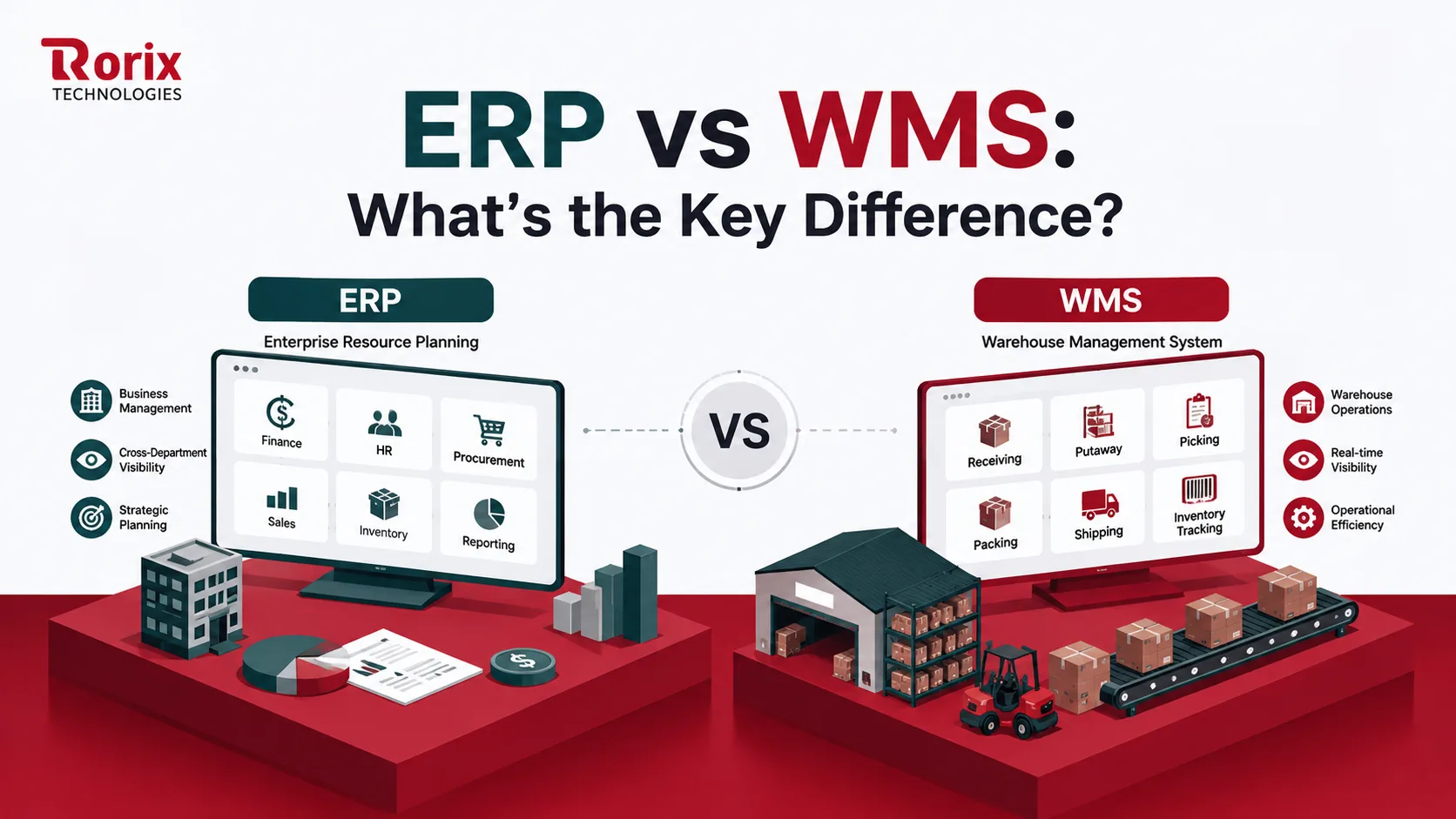
ERP vs WMS: What's the Key Difference?
Confused about ERP vs WMS? Discover the real differences, when to use each, how they integrate, what each costs, and whether your operation needs both systems.
Read article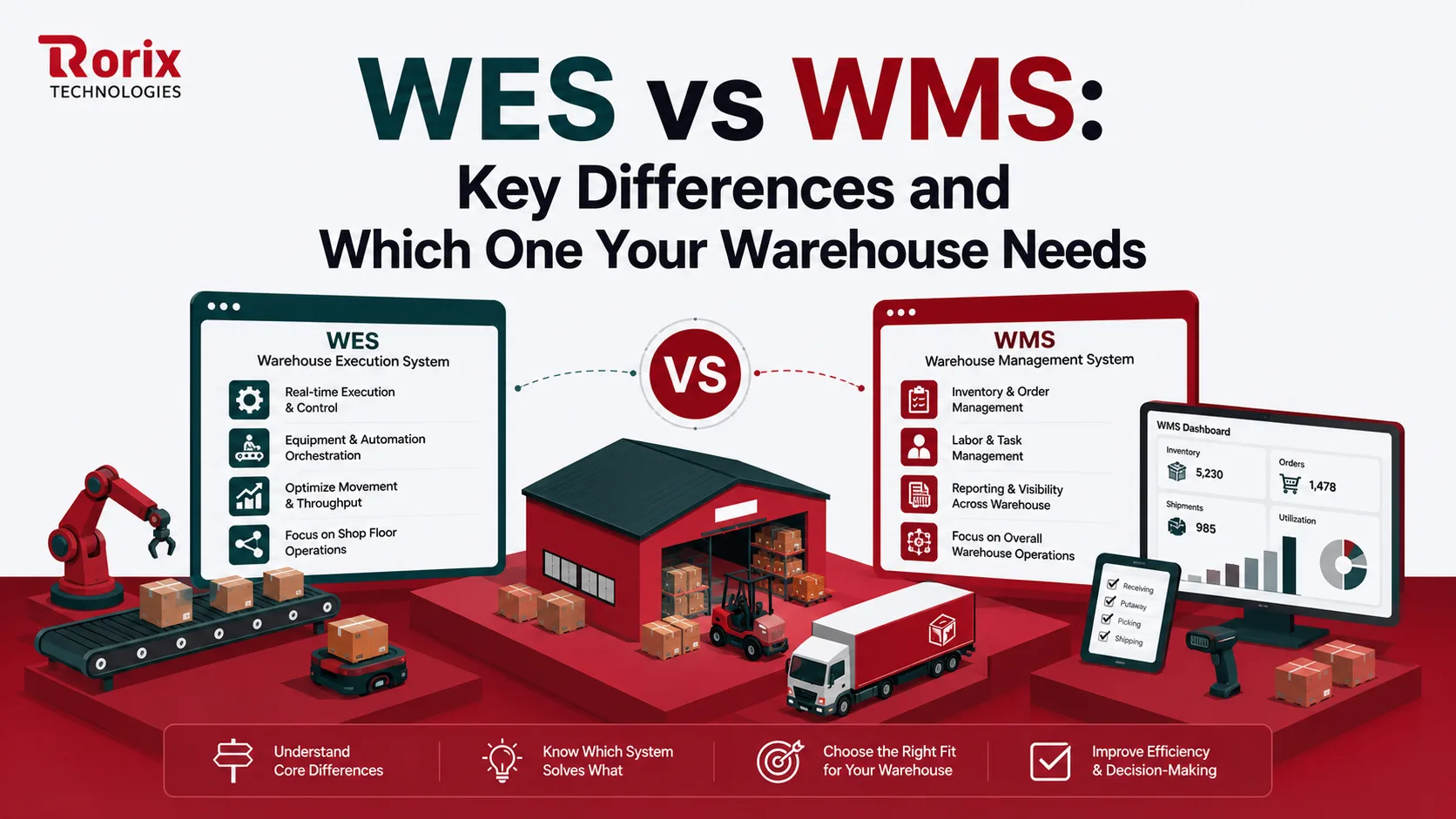
WES vs WMS: Key Differences and Which One Your Warehouse Needs
Confused about WES vs WMS? The key differences, when each system fits, how they work together, and how to choose the right one for your warehouse.
Read article
15 Top SaaS Development Companies in 2026
Compare 15 top SaaS development companies in 2026, including pricing, services, timelines, strengths, and tips to choose the right SaaS partner.
Read article