
WMS Software for Ecommerce: Features, Integrations, and How to Build the Right Fit
WMS software for ecommerce: the must-have features, the integrations that matter, and how to build a right-fit system for your store as it scales.
On this page67 sections
Your website says an item is in stock. Your warehouse says otherwise.
That single mismatch can lead to canceled orders, delayed deliveries, refunds, and frustrated customers. As order volumes grow and you start selling across multiple channels, these small inventory mistakes quickly become expensive operational problems.
This is where custom WMS software for ecommerce makes the difference.
A warehouse management system gives you real-time inventory visibility, automates warehouse operations, and keeps every order moving smoothly from receiving to shipping. Instead of relying on spreadsheets and manual updates, your team works with accurate, live data at every stage of fulfillment.
Selling through Shopify, Magento, Amazon or several marketplaces at once, the right WMS helps you fulfill orders faster, reduce picking errors, control inventory, and scale your operations without adding unnecessary complexity.
In this guide, you'll learn:
- What WMS software for ecommerce is and how it differs from a standard ecommerce platform
- The essential features and integrations every ecommerce business should look for
- How a WMS manages inventory and orders from receiving to delivery
- The different types of WMS and when a custom solution is the better choice
- How to choose, budget, and build the right warehouse management system for your business
By the end, you'll know exactly what to look for in an ecommerce WMS and whether an off-the-shelf platform or a custom-built solution is the right fit for your business.
What Is WMS Software for Ecommerce?
WMS software for ecommerce is a warehouse management system that helps you manage inventory and fulfill online orders more efficiently. It tracks stock in real time and guides every warehouse task, from receiving products to picking, packing, and shipping them to customers.
Unlike traditional warehouses that handle large bulk shipments, ecommerce warehouses process hundreds or even thousands of individual orders every day. To keep up with that pace, businesses need accurate inventory, faster order processing, and smooth warehouse operations.
Think of a WMS as the system that runs your warehouse. Your ecommerce store receives the order, and the WMS makes sure the right product is picked, packed, and shipped to the right customer on time.
Key Takeaways: What an Ecommerce WMS Must Do
- WMS software for ecommerce tracks stock in real time and guides every warehouse task from receiving to picking, packing, and shipping, built for warehouses that process hundreds or even thousands of individual orders every day.
- The National Retail Federation forecasts that 19.3% of online sales will be returned in 2025, nearly one in five orders, which is why returns and reverse logistics belong on the must-have feature list rather than as an afterthought.
- Descartes' WMS pricing guide puts cloud subscriptions at $100 to $500 per user per month and on-premise licenses between $2,500 and $200,000 per facility.
- Rorix has cut picking errors by 80% with real-time inventory tracking, barcode scanning, and automated workflows.
- Off-the-shelf WMS suits standard, lower-volume operations on a subscription, while a custom WMS is engineered for your exact process, grows on your terms, and leaves you owning the code and the roadmap.
Types of WMS for Ecommerce
WMS software comes in several shapes, and the right one depends on your size, complexity, and growth plans. Here are the main types and where each fits best:
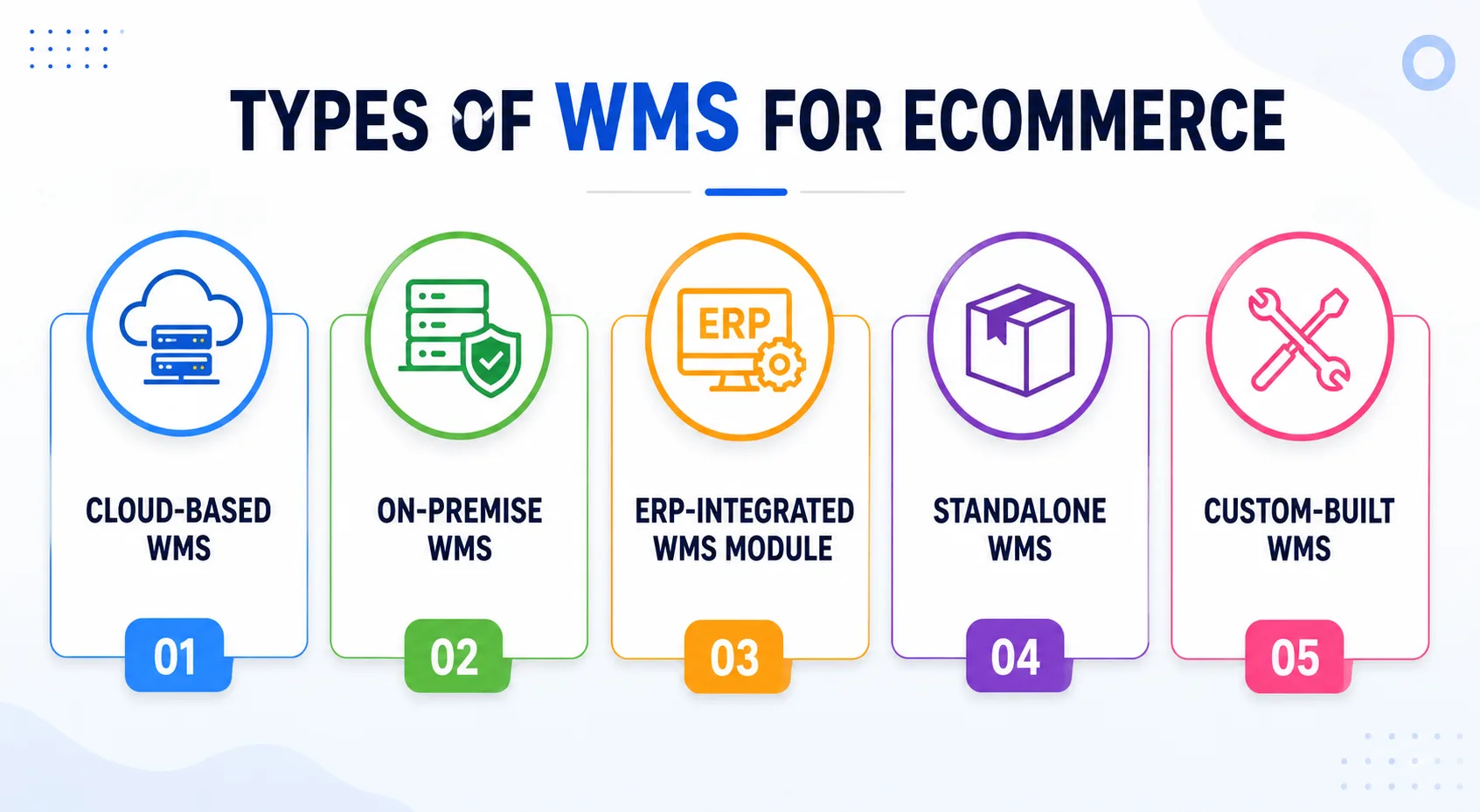
1. Cloud-Based WMS
Hosted online and accessed through a browser, a cloud-based WMS is the popular choice for growing stores. It carries lower upfront cost, scales easily, and gives you live data from anywhere. The trade-off is that it depends on a stable internet connection to run smoothly.
2. On-Premise WMS
Installed on your own servers, an on-premise system gives you maximum control and in-house security. That control suits large operations with strict data rules and dedicated IT teams. The cost is a high initial investment and ongoing maintenance you own entirely.
3. ERP-Integrated WMS Module
This type lives inside a broader ERP suite alongside finance and procurement. It offers a holistic view across departments and streamlines data across the business. For smaller stores, though, it can be heavier and more complex than the warehouse actually needs. If you are weighing an ERP module against dedicated warehouse software, our ERP vs WMS guide breaks down where each fits.
4. Standalone WMS
A standalone system focuses purely on warehouse operations and nothing else. It is often cost-effective and can be tuned closely to your specific processes. The catch is that connecting it to your ecommerce platform and ERP may take extra integration work.
5. Custom-Built WMS
A custom warehouse management system is engineered around your exact workflow rather than a template. It fits complex, high-volume, or unusual operations that off-the-shelf tools handle poorly. You trade a larger upfront build for a system that scales with you and never forces a compromise.
How WMS Software for Ecommerce Differs From a Traditional WMS
| Factor | Traditional WMS | WMS Software for Ecommerce |
|---|---|---|
| Order size | Large, bulk shipments | Many small, single-customer orders |
| Order volume | Lower and predictable | High and spiky, with peak-season surges |
| Destination | Retailers and distribution centers | Direct to the customer's doorstep |
| Channels | Usually one | Many, across web, apps, and marketplaces |
| Inventory needs | Periodic accuracy | Live, SKU-level accuracy at all times |
| Speed pressure | Scheduled | Same-day and next-day expectations |
In short,
- A traditional WMS was built for bulk. It handles pallets moving to retailers and distribution centers, where orders are fewer, larger, and predictable.
- An ecommerce WMS is built for the opposite shape of demand, where hundreds or thousands of small, fast orders ship directly to individual customers.
7 Signs Your Ecommerce Business Needs WMS Software
If you're facing these challenges, it's a clear sign that spreadsheets and manual warehouse processes are no longer enough.
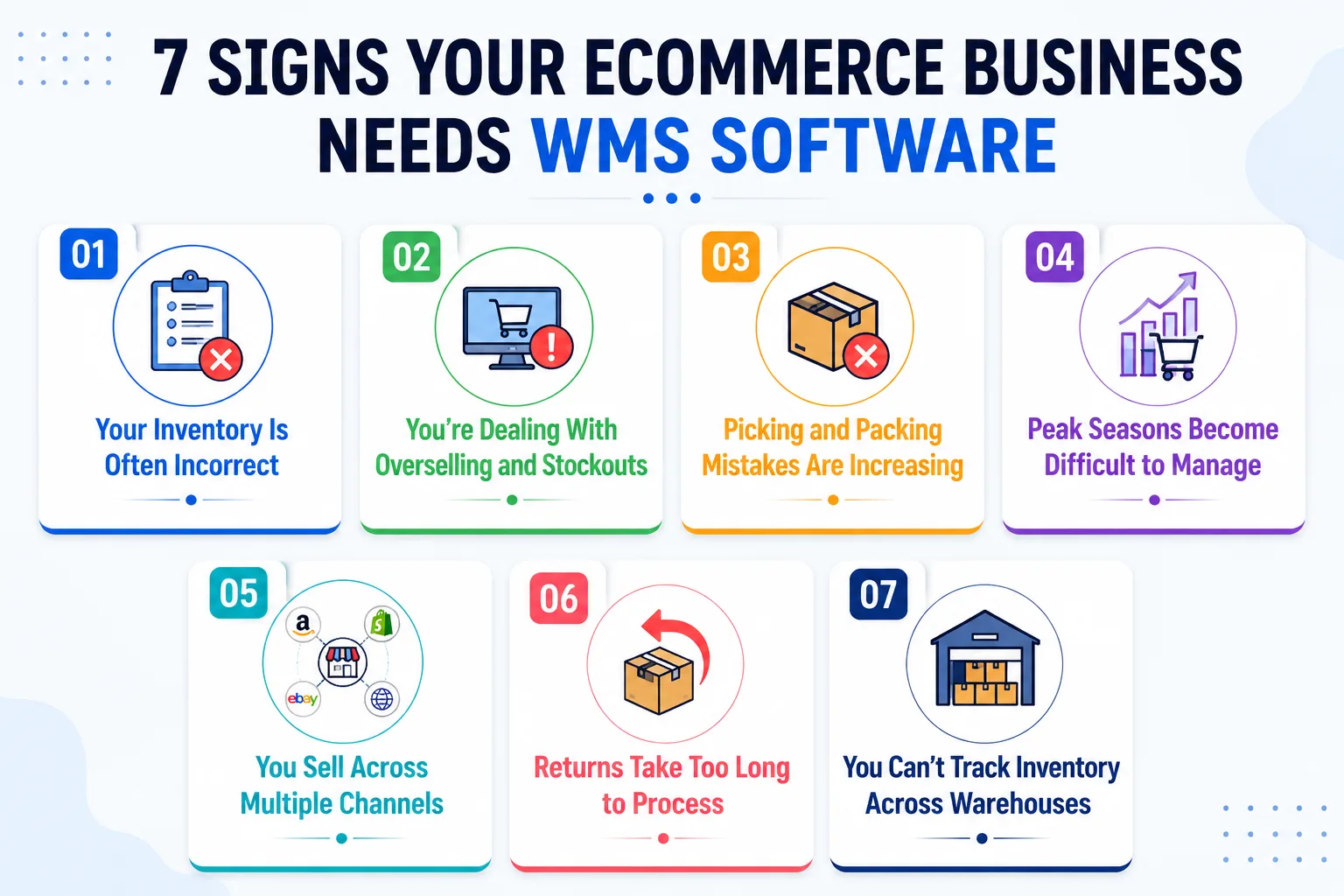
Sign 1. Your Inventory Is Often Incorrect
If your stock count doesn't match what's actually on the shelf, you'll face delays, canceled orders, and unhappy customers. A WMS keeps inventory accurate in real time.
Sign 2. You're Dealing With Overselling and Stockouts
Selling the same item twice or running out of stock unexpectedly usually means your sales channels aren't synced. A WMS updates inventory across all channels instantly.
Sign 3. Picking and Packing Mistakes Are Increasing
Wrong items, missing products, and packing errors become more common as order volume grows. Barcode scanning and guided picking help reduce these mistakes.
Sign 4. Peak Seasons Become Difficult to Manage
If your warehouse struggles during holiday sales or promotional events, your current process isn't built to scale. A WMS helps your team process more orders with greater speed and accuracy.
Sign 5. You Sell Across Multiple Channels
Managing inventory across Shopify, Amazon, your website, and other marketplaces manually leads to errors. A WMS brings every order and inventory update into one system.
Sign 6. Returns Take Too Long to Process
Slow returns delay restocking and tie up valuable inventory. And returns are not a niche problem: the National Retail Federation forecasts that 19.3% of online sales will be returned in 2025, nearly one in five orders. A WMS streamlines the entire returns process and updates stock as soon as products are ready to sell again.
Sign 7. You Can't Track Inventory Across Warehouses
If you manage multiple warehouse locations but can't quickly see where inventory is stored, fulfillment becomes slower and more expensive. A WMS gives you complete visibility across all locations.
Also Read: WMS Implementation Checklist: 50 Steps to Successful Deployment
12 Must-Have Features of WMS Software for Ecommerce
Not every system is built the same, so the feature list is where you separate a real fit from a near miss. These are the warehouse management software features that matter most for online retail.
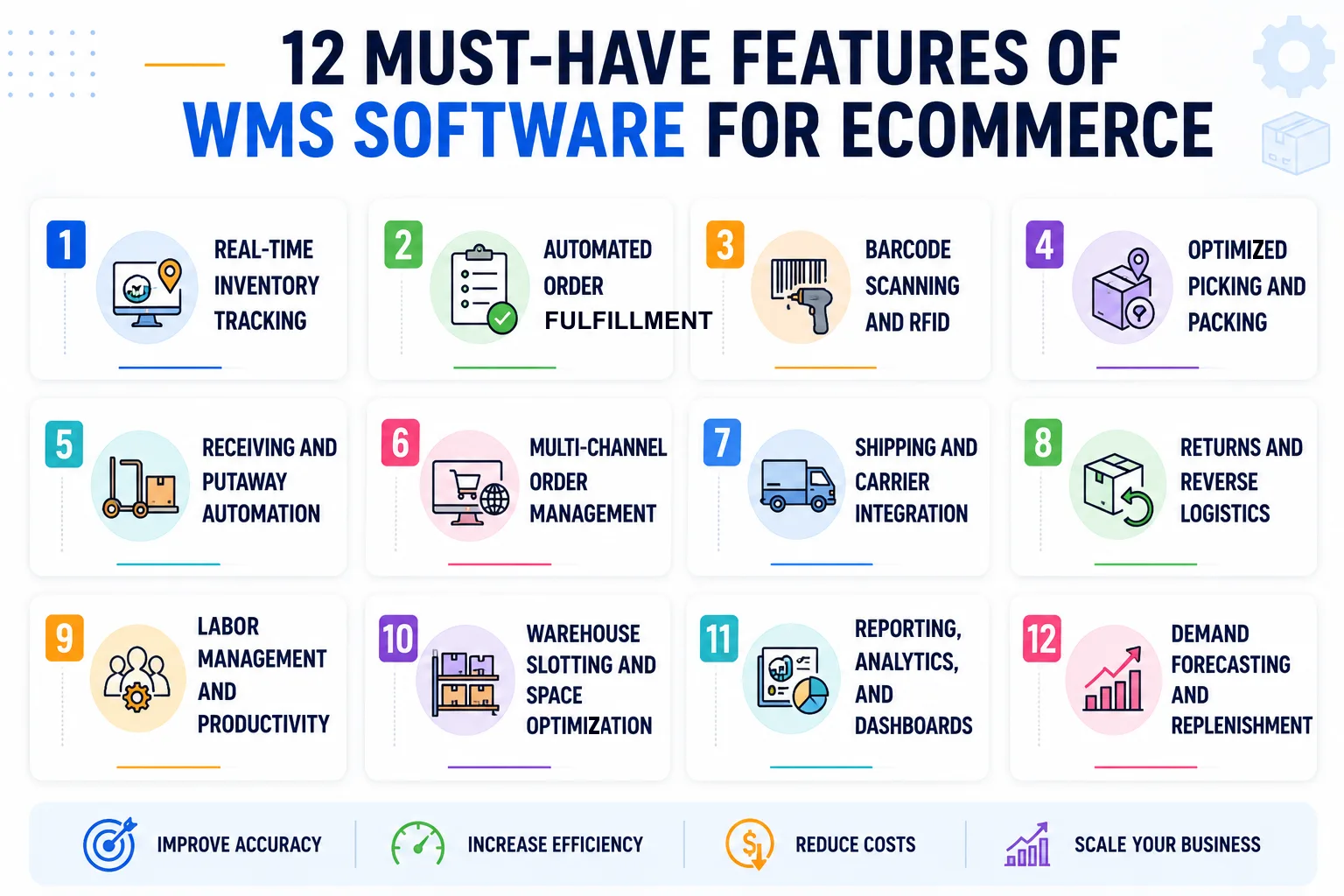
1. Real-Time Inventory Tracking
This is the backbone of the whole system. Good real-time inventory tracking shows live stock levels across every location and channel, so the number your team sees is the number on the shelf. It prevents overselling, flags low stock before you run out, and keeps your storefront honest.
2. Automated Order Fulfillment
The software should move an order from received to shipped with as little manual touch as possible. It routes each order, generates pick lists, and triggers packing and shipping in the right sequence. That automation is what lets a small team handle a large and growing order count.
3. Barcode Scanning and RFID
Scanning replaces memory and manual entry, which is where most human error creeps in. Every scan confirms the right item at the right step, from receiving to dispatch. Barcode scanning and RFID speed up counts, cut mistakes, and give you a clean audit trail for every unit.
4. Optimized Picking and Packing
Smart picking calculates the shortest route through the warehouse, so pickers walk less and ship more. Support for batch, zone, and wave picking lets you match the method to your order profile. On the packing side, the system suggests the right box, which trims material waste and shipping cost.
5. Receiving and Putaway Automation
Good fulfillment starts the moment goods arrive at the dock. The system verifies incoming quantities, records lot and expiry data where needed, and directs each item to the best storage slot. That organized start reduces unloading time and makes everything easier to find later.
6. Multi-Channel Order Management
Your buyers shop across your site, marketplaces, and apps, and your WMS must treat them as one stream. Multichannel order management aggregates every order into a single queue with consistent rules. This is what stops channel-hopping customers from creating channel-hopping errors.
7. Shipping and Carrier Integration
The right system connects directly to your carriers to print labels and compare live rates. It picks the most cost-effective service for each parcel and pushes tracking back to the customer automatically. That link removes manual label work and shaves real money off every shipment.
8. Returns and Reverse Logistics
Returns need the same rigor as outbound orders, not an afterthought. The software should log each return, guide inspection, and decide whether an item is restocked, refurbished, or written off. Handled well, reverse logistics recovers value fast and keeps customers loyal through an easy process.
9. Labor Management and Productivity
You cannot improve what you cannot measure, and labor is often your highest variable cost. The system assigns tasks by skill and availability, then tracks how quickly and accurately each one gets done. Those insights help you staff smarter and reward your strongest performers.
10. Warehouse Slotting and Space Optimization
Where you place stock decides how far your team walks all day. Dynamic slotting moves fast-moving items into easy-reach locations and adjusts as demand shifts. Better layout means faster picks, more capacity in the same footprint, and lower handling cost.
11. Reporting, Analytics, and Dashboards
Numbers turn a warehouse into a business you can steer. Strong reporting tracks order accuracy, inventory turnover, and cycle time, so you can spot weak points early. With clear dashboards, you make decisions from evidence instead of gut feel.
12. Demand Forecasting and Replenishment
The best systems look forward, not just backward. By reading historical sales and seasonal trends, they predict what you will need and trigger replenishment before you run short. That foresight keeps bestsellers in stock and frees up cash tied in slow-moving inventory.
Integrations That Make an Ecommerce WMS Work
A WMS works best when it connects with the other software and tools your business uses every day. These integrations keep data updated automatically, reduce manual work, and help your warehouse run more efficiently.
1. Ecommerce Platforms and Marketplaces
Your WMS should connect with platforms like Shopify, WooCommerce, Magento, and BigCommerce, as well as marketplaces like Amazon and eBay. It automatically imports new orders, updates inventory, and sends tracking details back to customers.
2. ERP and Accounting Systems
Connecting your WMS with your ERP and accounting software keeps inventory, purchasing, and financial records in sync. It also reduces manual data entry and helps maintain accurate business records.
3. Shipping Carriers
A WMS can connect directly with shipping carriers to generate shipping labels, compare delivery rates, and share tracking information automatically. This saves time and helps reduce shipping costs.
4. Order Management and Inventory Systems
When connected to your order and inventory management systems, your WMS keeps inventory levels updated across all sales channels. This helps prevent overselling and ensures every order is fulfilled accurately.
5. Payment, Tax, and Compliance Tools
If you sell internationally or operate in regulated industries, these integrations help manage taxes, maintain product records, and support compliance with industry regulations.
6. Warehouse Hardware and Automation
A WMS also connects with warehouse equipment such as barcode scanners, mobile devices, RFID scanners, conveyors, and automated systems. These integrations improve accuracy, speed up warehouse operations, and make it easier to scale as your business grows.
8 Major Benefits of WMS Software for Ecommerce
Features and integrations are the how, and benefits are the why. Here is what the system actually delivers to your operation and your bottom line.
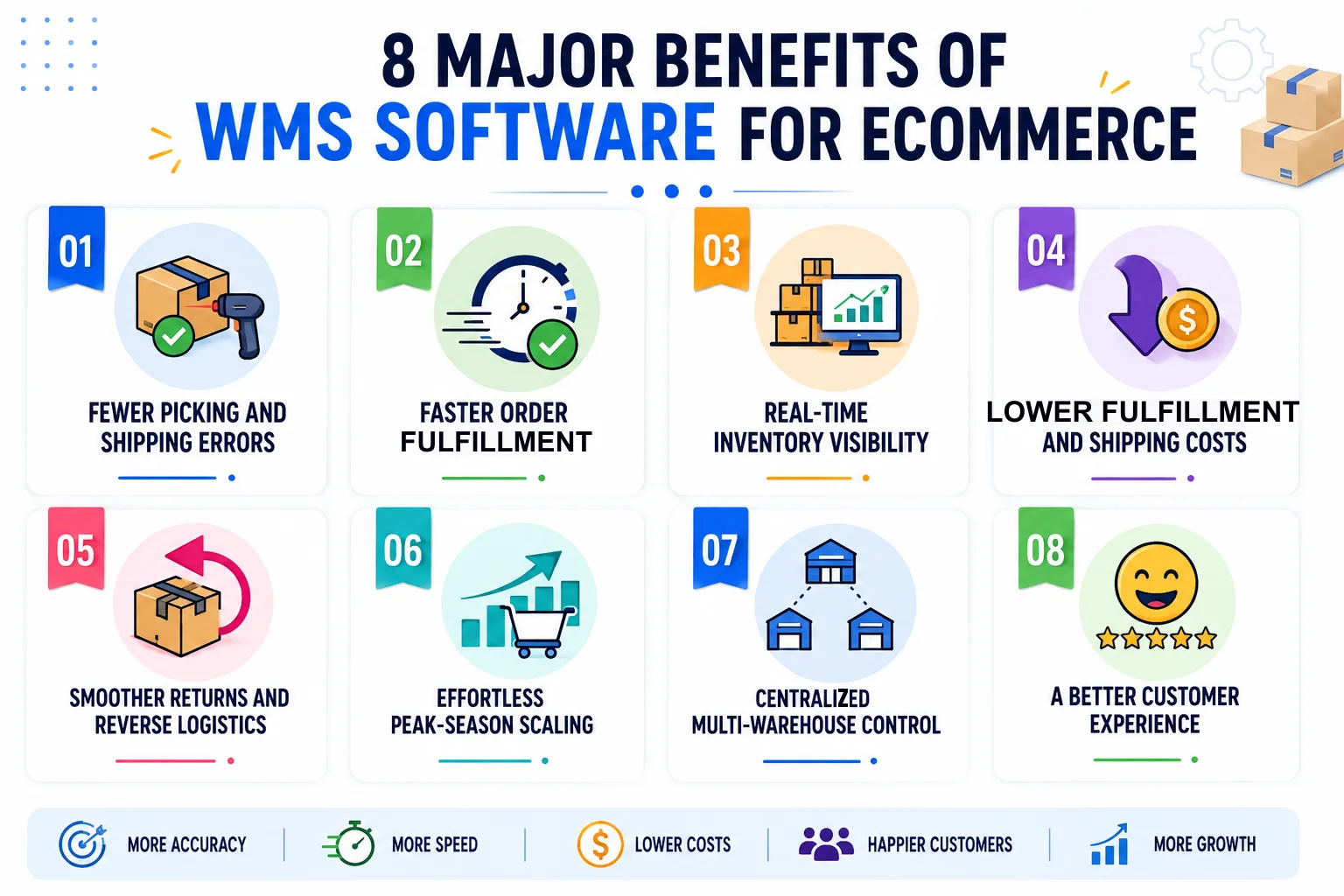
1. Fewer Picking and Shipping Errors
Automation and scanning catch mistakes before a parcel leaves the door. That accuracy is not a vanity metric, since Rorix has cut picking errors by 80% with real-time inventory tracking, barcode scanning, and automated workflows. Fewer errors mean fewer returns, lower costs, and customers who trust you.
2. Faster Order Fulfillment
When picking routes are optimized and packing is guided, orders move out the door quicker. Speed is now a competitive edge, because shoppers expect same-day and next-day dispatch as standard. A faster warehouse keeps you ahead of slower rivals without extra headcount.
3. Real-Time Inventory Visibility
One accurate stock figure, visible everywhere, removes a huge source of daily stress. You stop overselling, you reorder at the right moment, and you make decisions from live data. That visibility is the single biggest reason most stores adopt a WMS.
4. Lower Fulfillment and Shipping Costs
Efficiency shows up directly in your margins. Smarter slotting cuts labor, better packing cuts material waste, and carrier rate shopping cuts postage. Each saving is small in one order and significant across thousands.
5. Smoother Returns and Reverse Logistics
A defined returns workflow turns a painful process into a fast one. Items get inspected, restocked, or resolved quickly, which recovers value and clears space. Customers notice an easy return, and it often brings them back for the next purchase.
6. Effortless Peak-Season Scaling
The right system treats a holiday spike as a busy day, not a crisis. It optimizes labor, batches orders, and keeps stock flowing when volume triples. That headroom lets you say yes to growth instead of fearing it.
7. Centralized Multi-Warehouse Control
If you run several locations, one system gives you a single view of all of them. Orders route to the nearest stock, which shortens delivery and trims shipping cost. Managing many warehouses stops feeling like managing many problems.
8. A Better Customer Experience
Every benefit above adds up to one outcome that matters most. Orders arrive correct, on time, and with clear tracking, which builds trust with every parcel. Satisfied customers buy again, and repeat buyers are the foundation of a healthy store.
Also Read: Real-Time Inventory: WebSocket and Pub-Sub Architecture
Custom vs Off-the-Shelf WMS for Ecommerce: Which Fits Your Operation?
This is the decision most growing stores wrestle with, so it deserves a clear comparison. Off-the-shelf software is ready to use, while a custom build is shaped to your operation. The table below lays out the trade-offs side by side. When you are ready to compare vendors, our buyer's guide to the best WMS for ecommerce covers the selection process, demo tests, and contract checks.
| Criterion | Off-the-Shelf WMS | Custom WMS |
|---|---|---|
| Setup speed | Fast, ready out of the box | Longer, built to your workflow |
| Upfront cost | Lower, subscription-based | Higher, a one-time build investment |
| Workflow fit | Standard features for common needs | Engineered for your exact process |
| Scalability | Limited by the vendor's roadmap | Grows with your business on your terms |
| Integrations | Pre-built connectors, sometimes rigid | Any system you need, built to fit |
| Ownership | You rent the platform | You own the code and the roadmap |
| Best for | Standard, lower-volume operations | Complex, high-growth, or unusual workflows |
How to Build a Right-Fit Ecommerce WMS
If off-the-shelf software cannot support your warehouse processes, building a custom WMS is the right choice. Follow these steps to build a system that fits your business today and scales with it tomorrow.
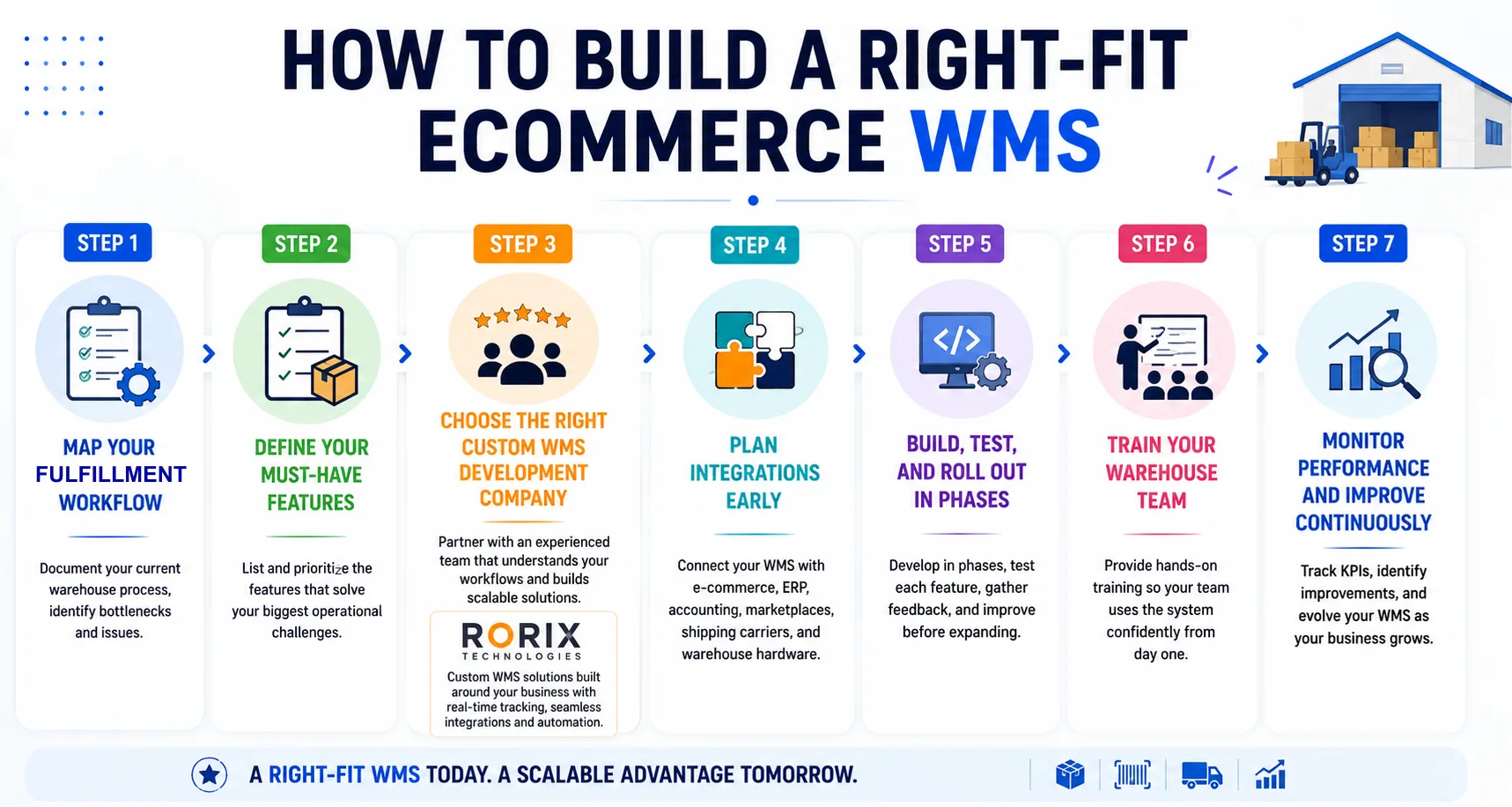
Step 1. Map Your Fulfillment Workflow
Start by documenting how your warehouse operates today, from receiving inventory to shipping orders. Identify bottlenecks, manual tasks, and recurring issues. This becomes the foundation for your custom WMS.
Step 2. Define Your Must-Have Features
List the features your warehouse needs most, such as real-time inventory tracking, barcode scanning, automated picking, multi-channel order management, shipping integrations, and reporting. Start with the features that solve your biggest operational challenges.
Step 3. Choose the Right Custom WMS Development Company
The success of your project depends heavily on the development partner you choose. Look for a company with proven experience in warehouse management systems, e-commerce fulfillment, and enterprise software development. They should understand your workflows, recommend the right architecture, and build a scalable solution around your business. For the full evaluation framework, see our guide to choosing a custom software development company.
At Rorix Technologies, we build custom WMS solutions around how each client's warehouse actually runs, with real-time inventory tracking, e-commerce integrations, barcode scanning, and automation designed around actual business workflows.
Step 4. Plan Integrations Early
Your WMS has to exchange data reliably with your e-commerce platform, ERP, accounting software, marketplaces, shipping carriers, and warehouse hardware. Planning these integrations from the beginning avoids delays and costly changes later.
Step 5. Build, Test, and Roll Out in Phases
Instead of launching everything at once, develop and release the system in phases. Test each feature with real warehouse operations, gather feedback, and make improvements before expanding. This approach reduces risk and ensures a smoother implementation.
Step 6. Train Your Warehouse Team
Even the best software delivers results only when your team knows how to use it. Provide hands-on training for warehouse staff, supervisors, and managers so everyone follows the same processes from day one.
Step 7. Monitor Performance and Improve Continuously
After launch, track KPIs such as inventory accuracy, picking speed, order fulfillment time, and shipping errors. Continue improving the system as your business grows by adding new features, integrations, and automation where needed. A long-term technology partner like Rorix can help your WMS evolve alongside your operations.
What It Costs to Build an Ecommerce WMS
Cost is the question every founder asks, and the honest answer is that it depends on scope. There is no single price, but there is a clear pattern based on how deep you go with features, integrations, and scale. The table below sets rough expectations.
| WMS Type | Typical Cost Model | What Drives It |
|---|---|---|
| Off-the-shelf (cloud) | Monthly or annual subscription | User count, order volume, feature tier |
| Off-the-shelf plus setup | Subscription plus one-time onboarding | Data migration and integration work |
| Custom build (focused) | One-time build, mid-range | Core features and a few key integrations |
| Custom build (advanced) | One-time build, higher range | Multi-warehouse, deep integrations, automation |
As a market reference, Descartes' WMS pricing guide puts cloud subscriptions at $100 to $500 per user per month and on-premise licenses between $2,500 and $200,000 per facility. For the full line-item breakdown of what sits behind those numbers, see our WMS cost guide.
Why Rorix for Custom WMS and Ecommerce Fulfillment Software
Rorix Technologies builds custom software engineered for the domain, not adapted from a template, with 27 projects delivered, a 5.0 rating on Clutch, and a dedicated team that works like your in-house team rather than a vendor.
- Domain-specialized WMS: We build warehouse management systems around your real fulfillment workflow.
- Proven results: We have cut picking errors by 80% with real-time inventory, barcode scanning, and automated workflows.
- Accountable delivery: A retainer model, two-week sprints, and full visibility keep you close to the build.
- Integration depth: We connect ecommerce platforms, ERP, carriers, and hardware into one system.
More on how we approach e-commerce fulfillment systems. Book a free consultation, and we will scope your ecommerce WMS built around your operation.
The Right Ecommerce WMS Ships Fast, Accurate, and at Scale
The right ecommerce WMS is what turns a warehouse full of moving parts into a system that ships fast, ships accurately, and scales without chaos. It brings together real-time inventory, guided picking, deep integrations, and a returns loop that actually works. Together, these remove the friction that quietly drains growing stores.
The choice between off-the-shelf and a custom build comes down to how complex your operation is and how far you plan to grow. Map your fulfillment, weigh your options against the features and costs above, and pick the path that fits your store.
When you are ready, connect with our experts to scope a custom WMS built around how you actually operate.
Frequently Asked Questions
What is WMS software for ecommerce?
It is a system that manages your warehouse from the moment stock arrives to the moment an order ships. It tracks inventory in real time, automates picking, packing, and shipping, and keeps stock accurate across every sales channel you use.
How is an ecommerce WMS different from an ecommerce platform?
Your ecommerce platform runs the storefront where customers browse and pay. Your WMS runs the warehouse that fulfills those orders. The platform captures the sale, and the WMS makes sure the right item is picked, packed, and shipped correctly.
What features matter most in WMS software for ecommerce?
The core features are real-time inventory tracking, automated order fulfillment, barcode scanning, and multichannel order management. Strong shipping integration, a clear returns workflow, and reporting round out the essentials that keep online fulfillment accurate and fast.
Which integrations does an ecommerce WMS need?
At minimum, it should connect to your ecommerce platforms and marketplaces, your ERP or accounting tools, and your shipping carriers. These links keep stock accurate, automate labels and rates, and push tracking back to your customers without manual work.
Should I buy an off-the-shelf WMS or build a custom one?
Off-the-shelf suits standard workflows and moderate volumes, and it gets you live quickly on a subscription. A custom warehouse management system fits complex, high-volume, or unusual operations. It gives you exact workflow fit and room to scale, in exchange for a larger upfront build.
How much does it cost to build an ecommerce WMS?
Cost depends on scope, so there is no fixed figure. It is driven by the number of warehouses, the complexity of features, the integrations required, and data migration effort. Off-the-shelf runs on subscription, while a custom build is a one-time investment that varies widely.
How long does it take to implement WMS software for ecommerce?
Off-the-shelf tools can be live in weeks once data and integrations are ready. A custom build takes longer, though a focused first version can ship quickly and expand from there. Rolling out in short sprints keeps timelines predictable and risk low.
Can WMS software help during peak season?
Yes, and it is one of the biggest reasons stores adopt it. The system absorbs order spikes by optimizing picking routes, batching orders, and directing labor where it is needed. That headroom lets you handle holiday volume without errors piling up.
Fulfillment breaking at volume?
We build the picking and returns layer for retailers who have outgrown the tools built into their cart. Send us your channel list and daily order count.
Continue learning
Written by
Renish DadhaniyaFounder & Director, Rorix Technologies
Renish co-founded Rorix Technologies and drives the engineering and delivery culture across the organization. Beyond engineering, he leads the company's sales, finance, and HR operations, building the infrastructure that lets the team focus on shipping quality software. With deep hands-on expertise in architecture and team building, he ensures every project lands on time to the quality standards clients demand.
View full profileRelated articles
Best WMS for Ecommerce: Buyer's Guide (2026)
Choose the best WMS for ecommerce with a buyer's guide: a 10-step selection process, vendor questions, costs, timelines, and mistakes to avoid.
Read article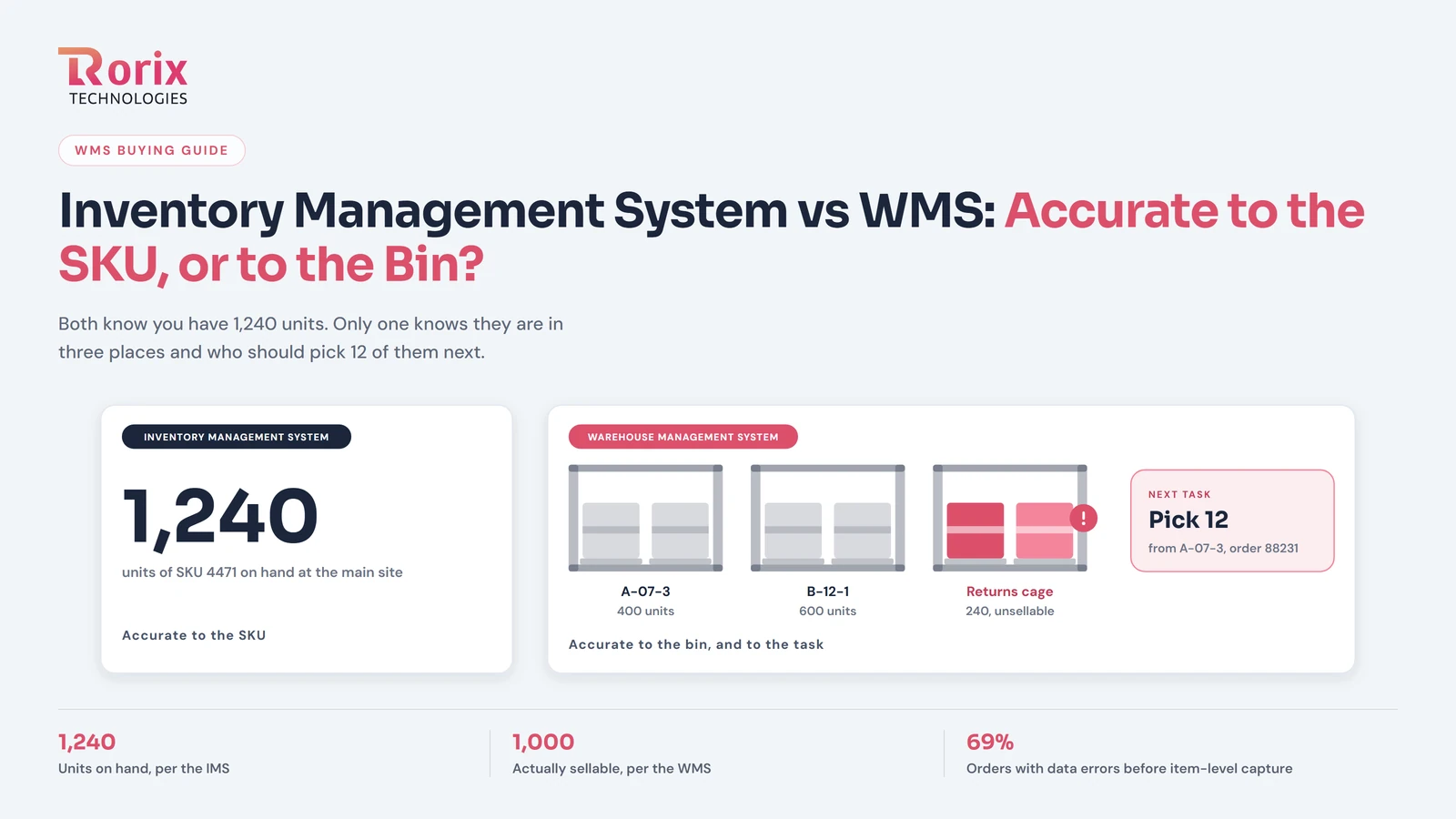
Inventory Management System vs WMS: Accurate to the SKU, or Accurate to the Bin?
Inventory management system vs WMS: an IMS knows how many you have by SKU, a WMS knows where each unit sits and who picks it next. How to tell which you need.
Read article
E-commerce Fulfillment Optimization Guide: 2X Your Speed (2026)
Complete guide to e-commerce fulfillment optimization. Learn pick-pack strategies, automation, multi-channel integration, and reduce fulfillment time by 50%.
Read article