
What Is Operational Software? The Layer That Runs the Work
Operational software executes the work itself: it assigns tasks, enforces rules, and validates as work happens. How it differs from record-keeping tools.
On this page22 sections
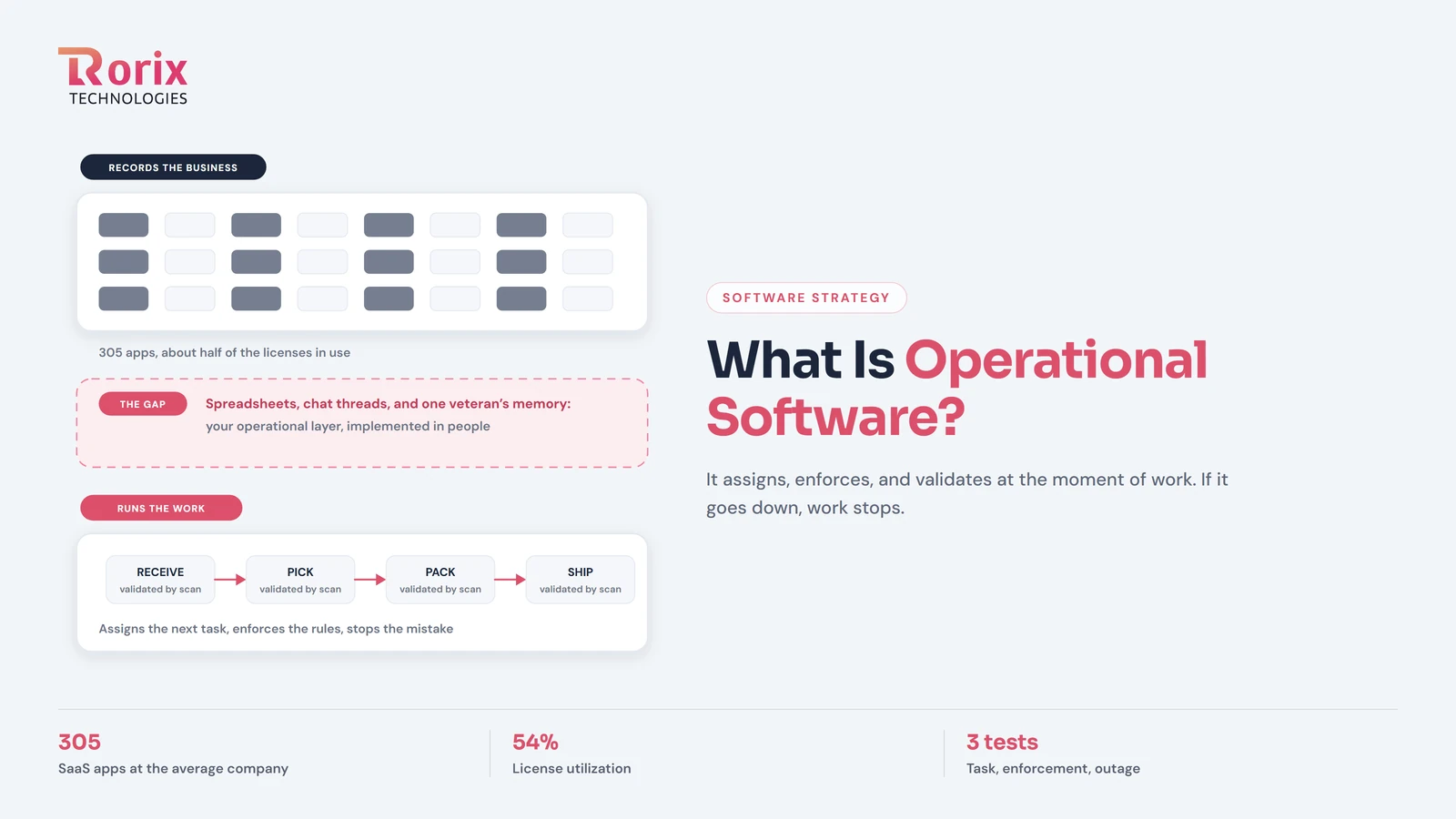
Operational software is the software that does the work: it assigns the next task, enforces the rules at the moment of action, and validates the result as it happens. That makes it a different kind of thing from the software most companies actually own, which records that work happened after somebody did it somewhere else.
The distinction matters because of a paradox sitting in most companies' budgets. The average company now manages 305 SaaS applications with license utilization around 54%, per Zylo's 2026 SaaS Management Index. Nobody lacks software. Yet in those same companies, the actual work, who picks what, who approves what, what happens next when a truck arrives or an employee resigns, still runs on chat messages, whiteboards, and spreadsheets. The 305 applications are overwhelmingly record-keepers and communication tools. The operational layer, the one that runs your particular work, is the one that was never bought, because nobody sells it off the shelf.
This guide defines that layer, gives you three tests to tell it apart from administrative software, and covers how companies actually acquire it.
In this guide, you'll learn:
- The definition of operational software, and the line between operating and recording
- 3 tests that classify any system in one demo
- Why 305 apps still leave the real work running on workarounds
- What operational software looks like across warehouse, HR, and order operations
- A 5-step path to getting an operational layer that fits how you actually work
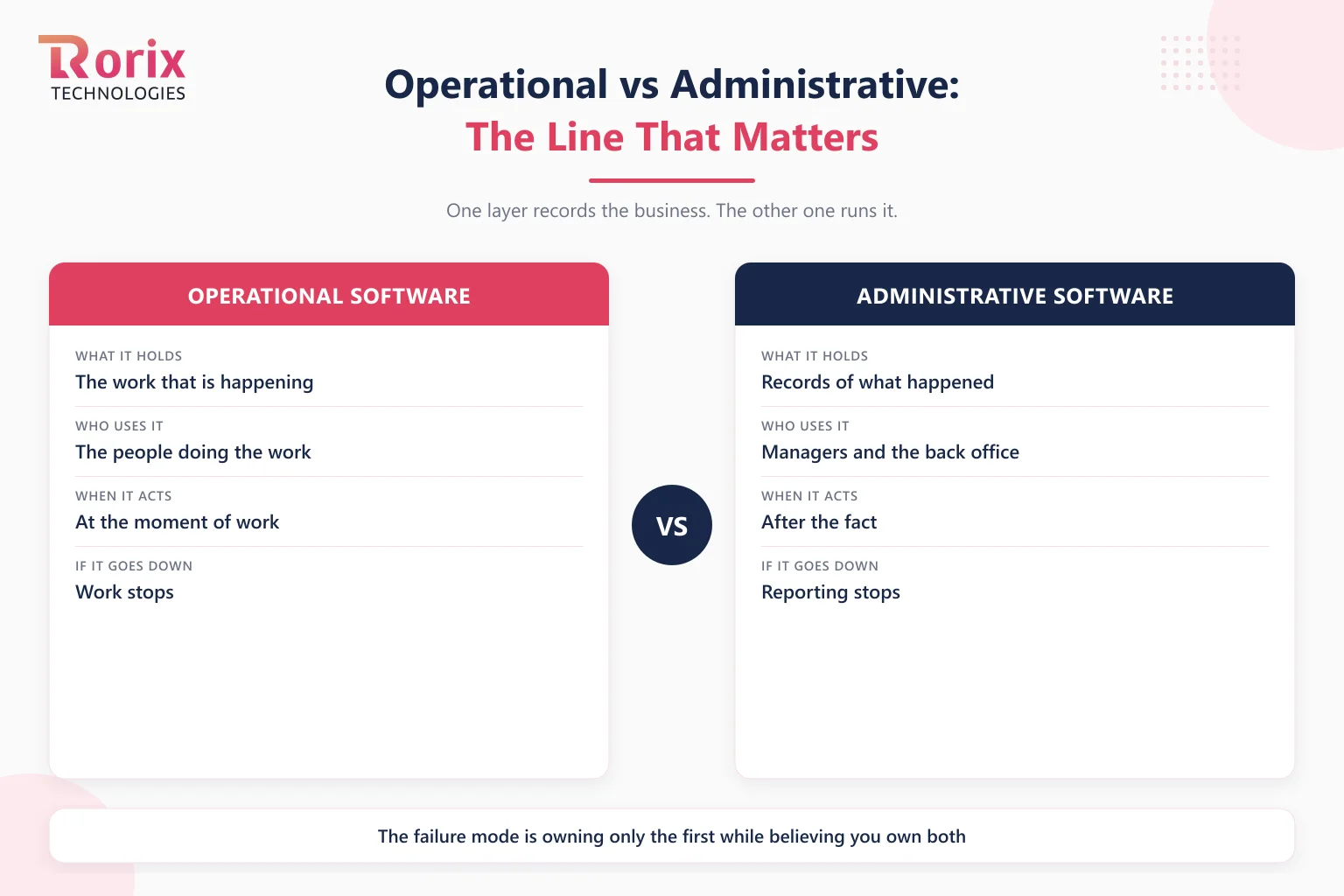
Quick Answer: Operational vs Administrative Software
| Question | Administrative software | Operational software |
|---|---|---|
| What it holds | Records of what happened | The work that is happening |
| Who uses it | Managers, finance, back office | The people doing the work |
| When it acts | After the fact | At the moment of work |
| If it goes down | Reporting stops | Work stops |
| Typical examples | Accounting, CRM as a rolodex, BI dashboards | WMS, dispatch, scheduling, production tracking |
| Where it comes from | Bought off the shelf | Configured, bought vertical, or built |
Both layers are necessary. The failure mode is owning only the first while believing you own both.
Key Takeaways: Operational Software Runs the Work Itself
- Operational software does the work: it assigns the next task, enforces the rules at the moment of action, and validates the result as it happens, while administrative software records that work after the fact.
- The average company manages 305 SaaS applications with license utilization around 54%, per Zylo's 2026 SaaS Management Index, yet the workflows that differentiate the business still run on chat messages, whiteboards, and spreadsheets.
- Three tests classify any system in one demo: does it assign the next piece of work, can it stop a mistake at the moment of work, and would work stop or only visibility stop if it went down this morning.
- Custom operational software runs $20,000 to $90,000 for simple builds, $90,000 to $250,000 for mid-complexity systems, and $250,000 to $500,000+ for complex platforms, plus 15% to 25% of the build cost per year for hosting, security, and continued development.
- Rorix builds operational software as its whole practice, with 27 projects delivered, a 5.0 rating on Clutch, and a retainer model with 2-week sprints, because an operational layer is never finished, only current.
The Line That Matters: Recording the Business vs Running It
Administrative systems are systems of record: accounting knows what you earned, the ERP knows what you own, the CRM knows who you talked to. They are essential, standardized across industries, and rightly bought rather than built, a boundary our ERP vs WMS comparison draws in detail for one pair of systems.
Operational software lives one level closer to the work. It decides which order gets picked next and validates the pick by scan. It routes the service ticket to the right crew with the right parts. It runs the onboarding checklist so the new hire has accounts on day one. The distinction from our inventory system vs WMS guide generalizes to the whole category: administrative software is accurate about the business, operational software directs the next action inside it.
The reason the operational layer is so often missing is not negligence. It is that operations are where companies differ most, and mass-market software can only sell what everyone shares. The more your workflow is your advantage, the less likely anyone sells it.
3 Tests That Classify Any System in One Demo
- The task test. Does the system assign the next piece of work, or does it wait for someone to report what they did? A system that never says "do this next" is a record-keeper wearing an operations label.
- The enforcement test. Can it stop a mistake at the moment of work, a wrong-item scan, an unapproved discount, a missing safety check, or does the mistake surface later in a report? Validation after the fact is auditing, not operating.
- The outage test. If the system went down this morning, would work stop, or would only visibility stop? Whatever the floor cannot run without is your operational layer, and in many companies that test embarrassingly returns a spreadsheet and a group chat.
Why 305 Applications Still Leave the Work on Workarounds
Sprawl and absence are the same phenomenon seen from two sides. Companies accumulate horizontal tools, one per team, one per problem, each generic enough to sell to everyone, and Zylo's utilization figure says nearly half of the licenses sit unused. Meanwhile the workflows that actually differentiate the business fall through the gaps between those tools, and people bridge the gaps by hand.
The bridges are the tell. Every export-and-paste, every "check the sheet before you promise stock," every rule that lives in a veteran's head is operational software that exists, but is implemented in people. Companies at this stage usually face one of two projects: consolidating a fragmented patchwork into fewer, deeper systems, or graduating from files entirely, the subject of our guide to the signs a business has outgrown spreadsheets.
What Operational Software Looks Like by Function
The category is easiest to see in its instances, and each one has its own deep guide on this site.
- Warehouse and fulfillment: a WMS directing receiving, putaway, picking, and dispatch with scan validation at every touch. The core features of a mid-market WMS map this instance completely.
- Orders across channels: order management that owns one count and routes every channel through it, so marketplaces, the storefront, and retail stop overselling each other.
- People operations: an HRMS running onboarding, leave, and approvals as workflows rather than emails, the territory of our HRMS guides.
- Field, production, and everything vertical: dispatch boards, job tracking, quality gates, the systems that rarely have a famous vendor because the workflows are too specific to mass-produce.
Where Operational Software Comes From
Three sources, in rising order of fit. Configuration: some record-keeping platforms can be configured into light operational duty, and where that covers you, it is the cheapest answer. Vertical purchase: industries with standardized operations have real vertical vendors, and buying wins where your workflow matches their assumption, the calculus of our build vs buy framework. Custom build: where the workflow is the differentiator, the operational layer gets built, which is the entire subject of our custom WMS build guide in one vertical and generalizes across them: build the workflows that are yours, buy the commodities at the edges.
How to Get an Operational Layer in 5 Steps
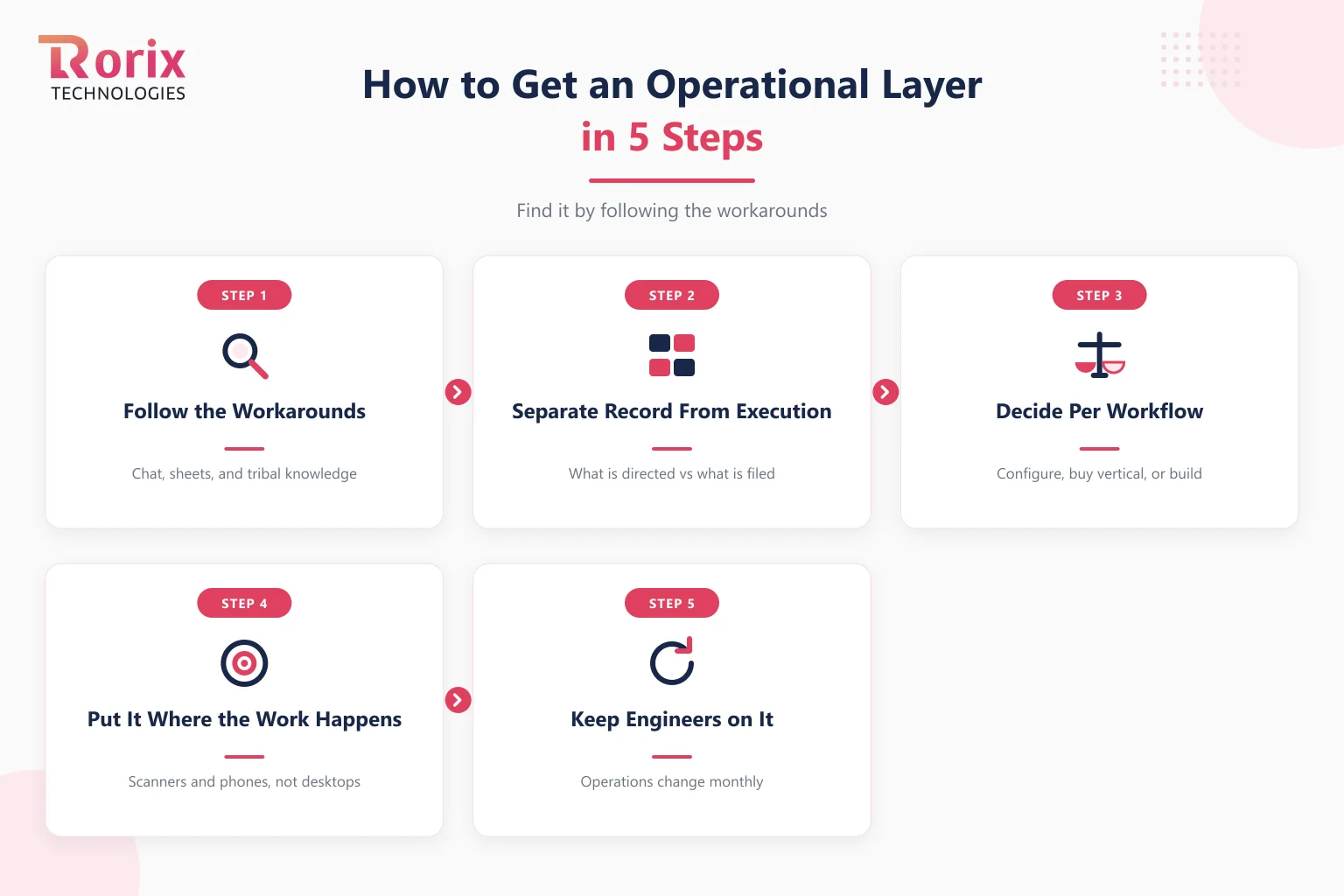
Step 1. Follow the Workarounds
Map where chat threads, spreadsheets, and tribal knowledge currently run the work. Workarounds cluster exactly where the operational layer is missing, which makes them the most honest requirements document you own.
Step 2. Separate the Record From the Execution
For each workflow, name what must be recorded (usually already handled by the ERP or accounting) and what must be directed and validated (usually handled by nobody). The second list is the build-or-buy list; the first list stays where it is.
Step 3. Decide Per Workflow: Configure, Buy Vertical, or Build
Run each workflow through the differentiation question: does this make us different, or just make us run? Commodity workflows get configured or bought. The two or three that win you business justify custom development, and only those.
Step 4. Put the System Where the Work Happens
Operational software lives on the floor, in the van, at the counter: on scanners and phones, not behind a desktop login. A system the worker has to walk away from work to use will lose to the workaround it replaced.
Step 5. Keep Engineers on It
Operations change monthly: a new client, a new channel, a new rule. An operational layer frozen at go-live decays back into workarounds within a year, which is why we run retainers with 2-week sprints rather than ship-and-leave projects. Whoever builds your operational layer, the engineers should stay.
How Rorix Builds Operational Software
Operational software is Rorix's whole practice: warehouse and inventory platforms, HR systems, order and fulfillment flows, built as custom software around the workflows that make each client different. 27 projects delivered, a 5.0 rating on Clutch, a dedicated team of senior engineers, and a retainer model with 2-week sprints, because an operational layer is never finished, only current. If your work runs on workarounds, talk to our engineers: bring the group chat and the spreadsheet, they are the spec.
The Layer You Cannot Buy Is the One That Runs You
Most companies own hundreds of applications and still operate by hand, because the software market sells what everyone shares and operations are where nobody is alike. Operational software is the missing layer: it assigns, enforces, and validates at the moment of work. Find it by following the workarounds, buy it where your workflow is common, and build it where your workflow is the business.
Frequently Asked Questions
What is operational software?
Operational software is software that executes your core work: it assigns the next task, enforces business rules at the moment of action, and validates results as they happen. It stands apart from administrative software, which records what happened after the fact. A WMS directing pickers, a dispatch board routing crews, and an HRMS running onboarding are all operational software.
What is the difference between operational software and an ERP?
An ERP is the administrative spine: the system of record for finance, purchasing, and what the company owns. Operational software runs the physical and procedural work the ERP only records, directing tasks and validating them in real time. Most companies need both, connected by an integration layer, with each staying the authority on its own facts.
What are examples of operational software?
Warehouse management systems, order management systems, dispatch and field-service platforms, production and quality tracking, scheduling systems, and HRMS workflow modules. The shared trait: the people doing the work use it while working, and if it goes down, work stops rather than just reporting.
Why do companies with hundreds of apps still lack operational software?
Because mass-market software sells what every company shares, and operations are where companies differ most. Zylo's 2026 index puts the average company at 305 SaaS applications with roughly half of licenses unused, yet differentiated workflows still fall between the tools and get bridged by spreadsheets and chat. Sprawl and the missing operational layer are the same problem.
Should operational software be bought or custom built?
Per workflow, not per company. Configure or buy where your process matches what vendors assume; build where the workflow is your competitive advantage or where per-seat pricing compounds against your growth. Most companies end with a bought administrative spine, one or two vertical purchases, and a custom operational core around the work that makes them different.
How much does custom operational software cost?
Simple builds run $20,000 to $90,000, mid-complexity systems $90,000 to $250,000, and complex platforms $250,000 to $500,000+, with 15% to 25% of the build cost per year for hosting, security, and continued development. The scope that matters is workflow count and integration depth, not company size.
Costing a custom build?
A dedicated team of senior engineers with a named technical lead on every engagement. Send us the problem and you get back a scope and a price.
Continue learning
Written by
Renish DadhaniyaFounder & Director, Rorix Technologies
Renish co-founded Rorix Technologies and drives the engineering and delivery culture across the organization. Beyond engineering, he leads the company's sales, finance, and HR operations, building the infrastructure that lets the team focus on shipping quality software. With deep hands-on expertise in architecture and team building, he ensures every project lands on time to the quality standards clients demand.
View full profileRelated articles
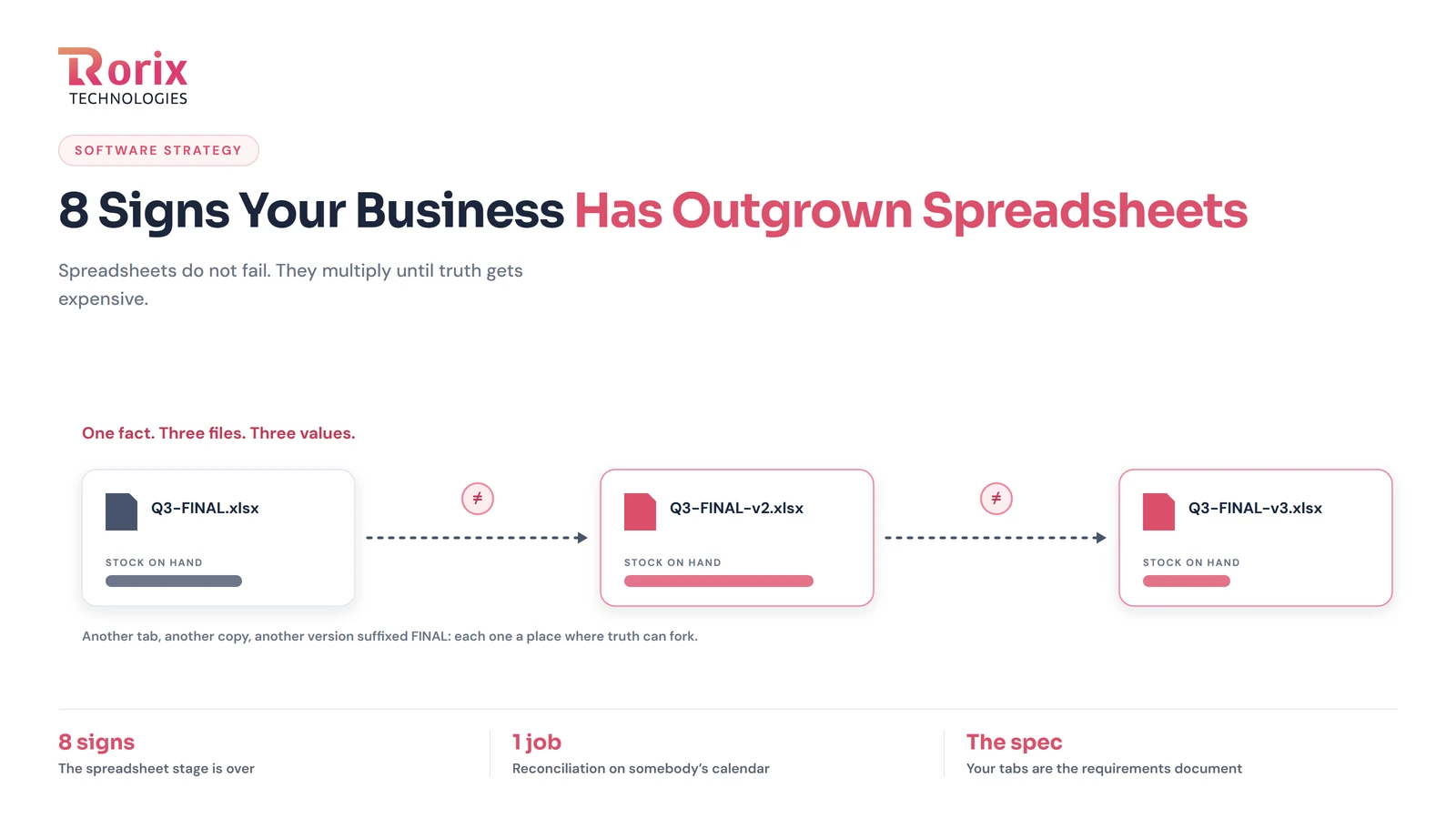
8 Signs Your Business Has Outgrown Spreadsheets
The signs a business has outgrown spreadsheets: reconciliation as a job, version conflicts, one person who cannot take vacation, and what to move to first.
Read article
Bespoke Software Development for Startups: Everything You Need to Know (2026)
Learn how bespoke software development for startups works, including costs, tech stacks, IP ownership, and how to choose the right development partner.
Read article
How to Build a Custom Warehouse Management System: 2026 Guide
Learn how to build a custom warehouse management system: build phases, core modules, tech stack, integrations, indicative cost ranges, and realistic timelines.
Read article