
WMS Requirements Template: How to Write the Document That Picks Your System
A WMS requirements template that works like a test: the 8 sections to include, how to write requirements vendors can demo, and the scoring that follows.
On this page22 sections
Most WMS selections are won by the best demo, not the best fit. The mechanism is simple: the buyer arrives with a feature wishlist copied from brochures, the vendor responds by demonstrating whatever their product does best, and everyone leaves impressed by a system that was never tested against the floor it has to run.
A requirements document exists to flip that. Done properly, it is a test you design before you see any answers: your workflows, your volumes, your integrations, and your exceptions, written so specifically that a vendor either demonstrates them or fails to. The pressure to skip this step is real, with 73% of warehouse decision-makers accelerating modernization timelines in Zebra's Warehousing Vision Study, and it is exactly under time pressure that brochure-driven buying happens. Our WMS engineering team uses the same document when scoping a build, because the questions that expose a weak vendor are the questions that scope a good system.
The discipline of this guide fits in one sentence: a requirement you cannot demo is an opinion. Here is the document that turns opinions into tests.
In this guide, you'll learn:
- The 8 sections every WMS requirements document needs
- How to write a requirement a vendor can pass or fail, with before-and-after examples
- The day-one versus phase-two prioritization that keeps scope honest
- How to run demos and scoring off the document instead of alongside it
- The 5-step process for building the document from your own floor
Quick Answer: What a WMS Requirements Document Contains
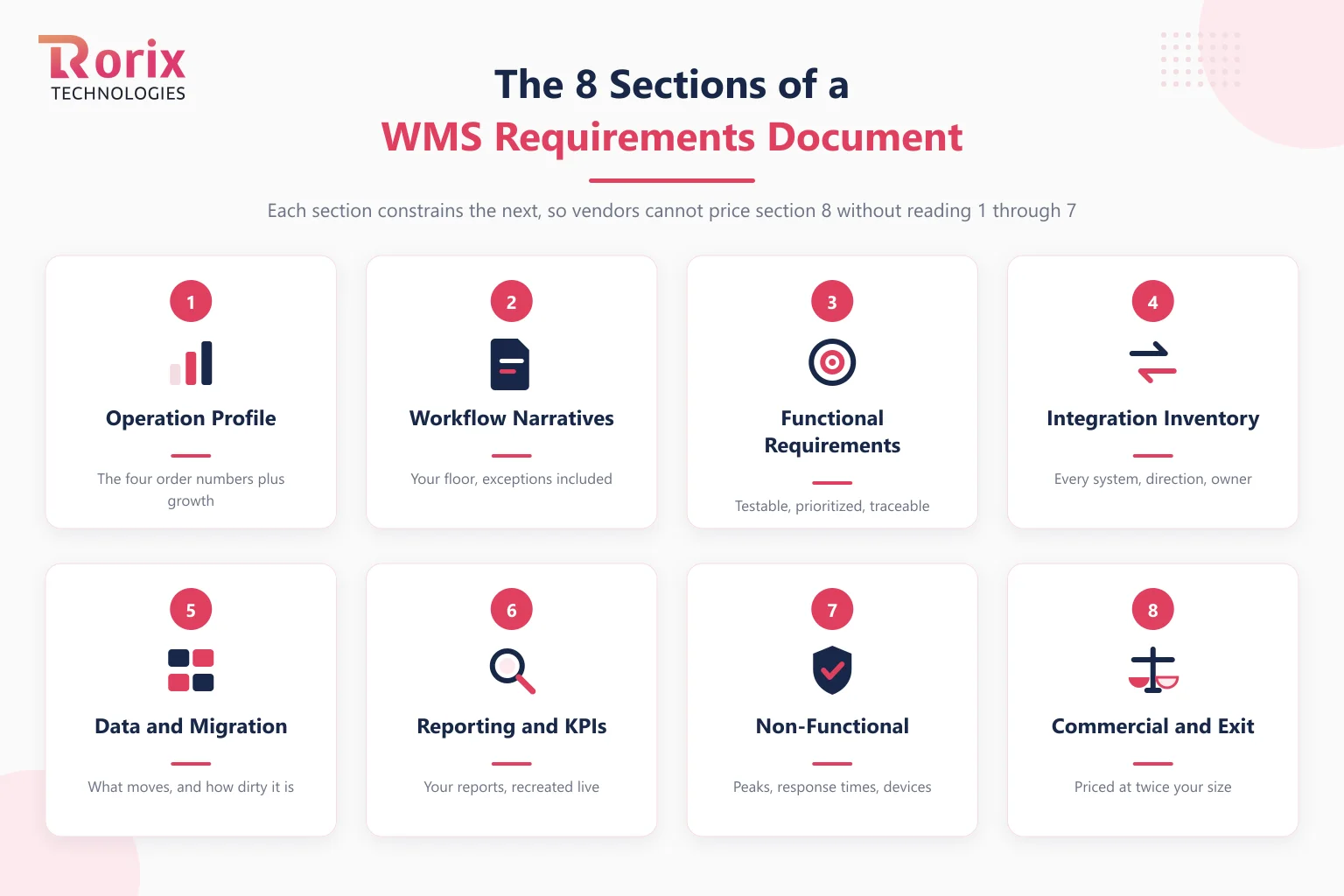
| Section | What it pins down |
|---|---|
| 1. Operation profile | Sites, sq ft, SKU count, lines per order, units per line, orders per day, SKU spread, growth plan |
| 2. Workflow narratives | Receive to ship as your floor actually runs it, exceptions included |
| 3. Functional requirements | Testable statements, each with a priority and a pass condition |
| 4. Integration inventory | Every connected system, direction, frequency, and data owner |
| 5. Data and migration | SKUs, locations, open orders, history, and the cleanup they need |
| 6. Reporting and KPIs | The numbers you run on, and the views each role needs |
| 7. Non-functional requirements | Peak volumes, response times, devices, uptime, security |
| 8. Commercial and exit | Pricing at twice your size, code and data ownership, exit terms |
Eight sections, in that order, because each one constrains the next: vendors cannot price section 8 honestly until they have read sections 1 through 7.
Key Takeaways: A Requirement You Cannot Demo Is an Opinion
- A WMS requirements document has 8 sections, from an operation profile through commercial and exit terms, ordered so that each one constrains the next and vendors cannot price the last honestly until they have read the first seven.
- Every functional requirement is written as a test with three parts: a situation drawn from your floor with your data attached, the behavior the system must perform, and the demonstration that counts as a pass.
- Zebra's Warehousing Vision Study found 73% of warehouse decision-makers accelerating modernization timelines, and it is exactly under that time pressure that brochure-driven buying happens.
- Independent implementation benchmarks put cloud WMS deployments at 8 to 12 weeks and complex custom implementations at 6 to 12 months, so a vendor promising dramatically faster on a floor with your exceptions deserves the hardest questions.
- Priorities are frozen before the first demo as day one, phase two, or not yet, and a vendor who fails any day-one test is out regardless of phase-two brilliance.
Write Requirements as Tests, Not Wishes
The difference between a requirements document that selects systems and one that decorates a procurement file is the sentence structure of the requirements themselves. A wish names a feature. A test names a situation, a behavior, and the evidence that satisfies it.
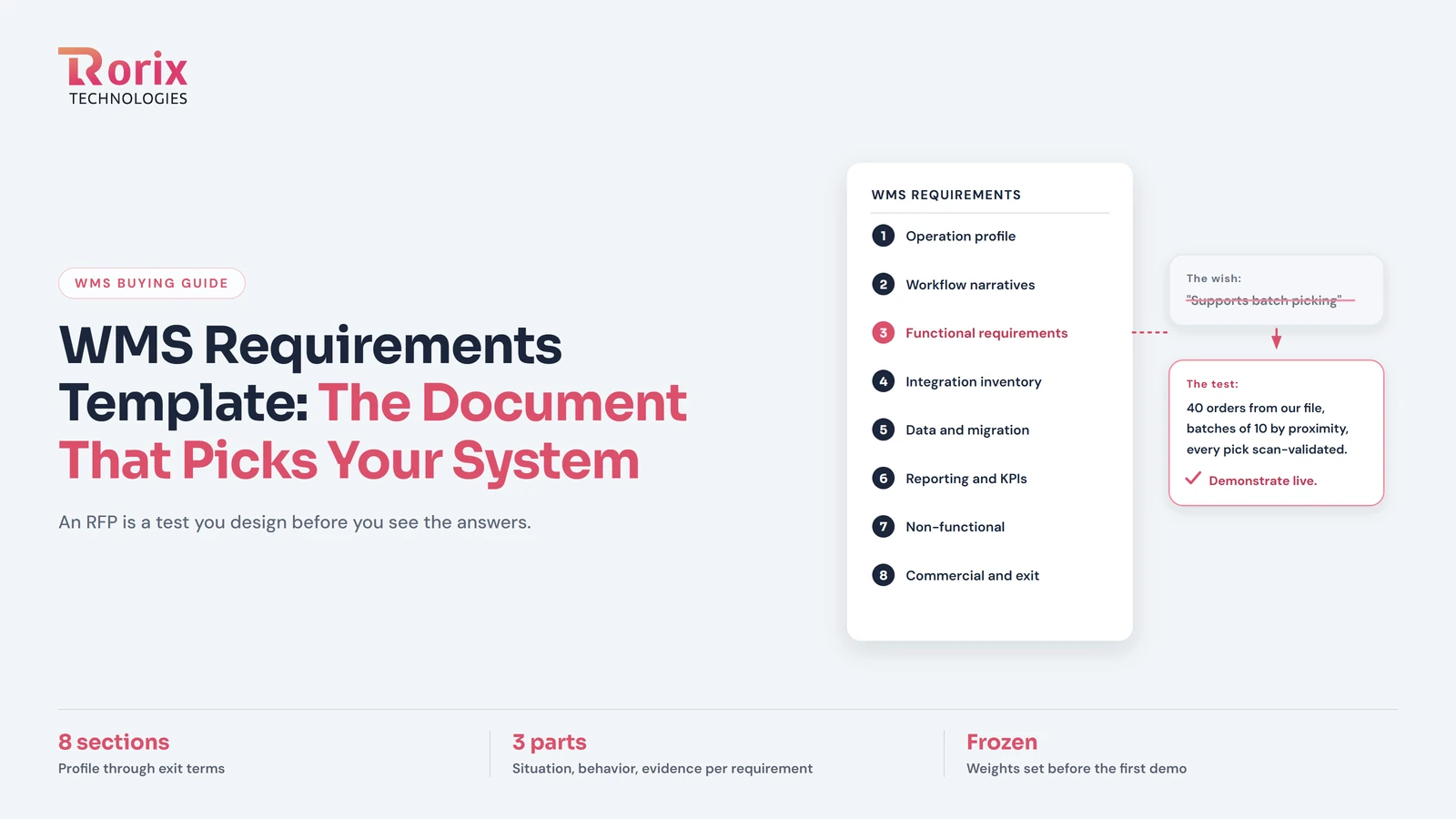
Wish: "System must support batch picking." Test: "Given 40 single-line orders for the same zone from our attached SKU file, the system builds batches of up to 10 orders by location proximity and validates every pick and put by scan. Demonstrate live."
Wish: "Real-time inventory visibility." Test: "A floor scan is visible on the dashboard in under a second, and stock movements post to connected sales channels on their sync interval. Demonstrate with a handheld on your demo floor."
Wish: "Flexible reporting." Test: "Recreate our attached daily accuracy-and-throughput report from your demo data without exporting to a spreadsheet."
Every requirement carries three parts: the situation (drawn from your floor, with your data attached), the behavior, and the demonstration that counts as a pass. Write fifty of these and the demo stops being theater, because you scripted it.
The 8 Sections, and What Each One Protects You From
1. Operation profile. The four order-profile numbers that decide half your requirements, lines per order, units per line, orders per day, and SKU spread, the same four that drive picking method selection, plus sites, square footage, and the two-year growth plan. This section protects you from being sold an enterprise suite for a mid-market floor, or the reverse.
2. Workflow narratives. Each flow from truck to dispatch written as your floor actually runs it, including the exceptions: the client with special labeling, the QC hold, the Friday carrier cutoff scramble. Vendors quote the happy path; the exceptions are where systems fail, so the exceptions go in the document.
3. Functional requirements. The tests, written as above, each tagged with a priority (next section) and traced back to the narrative it serves. Requirements that trace to no workflow are brochure residue; delete them.
4. Integration inventory. Every system the WMS must talk to, with direction, frequency, format, and the owner on your side, the groundwork our integration best practices guide covers in depth. This section protects you from the connector that exists on the logo wall but not in production.
5. Data and migration. What has to move: SKU master, locations, open orders, and how much history, plus an honest statement of how dirty the data is, because dirty data is the number one implementation delay. If you are leaving an existing system, the legacy WMS migration guide covers what this section must anticipate.
6. Reporting and KPIs. The numbers you actually run on, with the role views each audience needs; our warehouse KPIs guide defines the seven worth wiring to decisions. Attach your current reports and require them recreated, which protects you from the vendor report pack that answers someone else's questions.
7. Non-functional requirements. Peak-day volumes with headroom, scan-to-screen response times, the handhelds and printers you own, uptime expectations, and access control. Cheap to state now, expensive to discover missing during your first peak.
8. Commercial and exit. Pricing modeled at twice your current users, sites, and orders, so growth does not become a penalty clause; who owns the code, the data, and the export path; and what leaving costs. Our buying guide's vendor questions pair with this section, and its exit-terms advice applies verbatim: get every answer in writing.
Prioritize Like an Operator: Day One, Phase Two, Not Yet
Borrow the vocabulary from our core WMS features guide: every functional requirement is day one, phase two, or not yet. Day one is what go-live cannot happen without, which is your core loop and its validations. Phase two is what the operation feels the absence of within two quarters, typically returns, deeper analytics, and secondary integrations. Not yet is everything whose absence costs nothing this year.
The discipline matters for scoring: a vendor who fails a day-one test is out regardless of their phase-two brilliance, and a vendor priced on your not-yet list is charging you for decoration. Priorities set before the demos are a commitment; priorities set after are a rationalization.
Run the Demos and the Scoring Off the Document
Send the document to shortlisted vendors and require written responses against each requirement: pass, configuration, custom development, or roadmap, with the demonstration to follow. Then script every demo from your own tests, with your SKU file loaded and your scenarios run live, and score against weights you committed to before the first meeting, using the scored-shortlist mechanics from our vendor selection guide.
Hold the timeline expectations steady too: independent implementation benchmarks put cloud deployments at 8 to 12 weeks and complex custom implementations at 6 to 12 months, so any response promising dramatically faster on a floor with your exceptions deserves the hardest questions, not the highest score.
How to Build the Document in 5 Steps
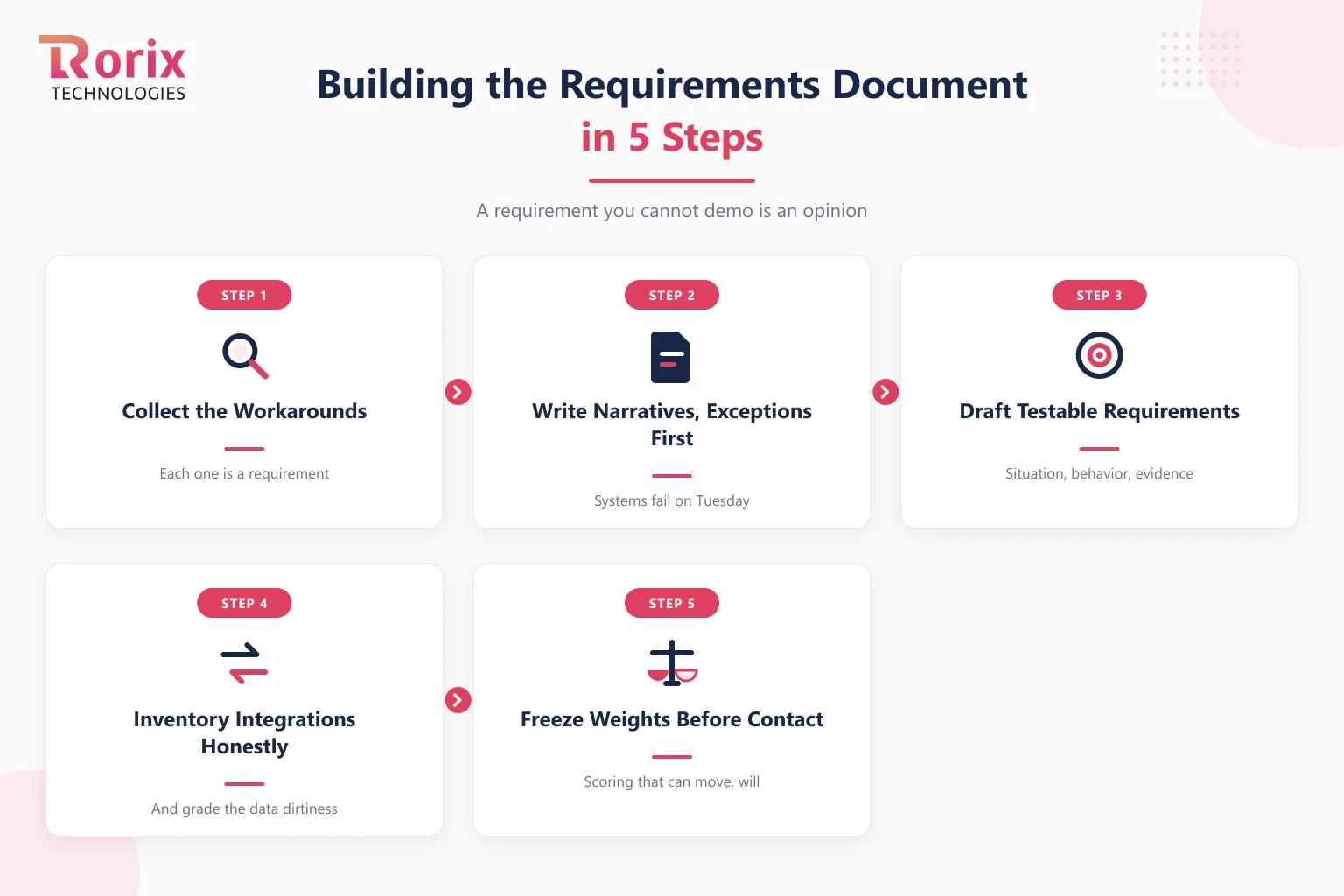
Step 1. Walk the Floor and Collect the Workarounds
Every spreadsheet, whiteboard, and message thread on the floor is a requirement the current system failed. Walk each flow physically and write down what actually happens, not what the process document claims. The workaround list is the truest requirements source you have.
Step 2. Write the Workflow Narratives, Exceptions First
Draft each flow from truck to dispatch, then interrogate the exceptions: what happens when the count is wrong, the label will not print, the order changes after release. Narratives without exceptions produce systems that work until Tuesday.
Step 3. Draft Testable Requirements With the Floor in the Room
Convert narratives into situation-behavior-evidence tests, with supervisors checking every one against reality. Tag each with day one, phase two, or not yet while the floor is still in the room, because priority set by the people who do the work survives contact with vendors.
Step 4. Inventory Integrations and Data Honestly
List every connected system with its direction and frequency, and grade your data dirtiness without flattery. The two sections vendors most need and buyers most fudge are these; honesty here is what makes the eventual quote real.
Step 5. Freeze Weights and Response Format Before Vendor Contact
Decide how responses are structured, how each requirement scores, and how much each section weighs, then freeze it. A scoring model that can move after the demos will move, and everyone in the room will believe it moved objectively.
When the Document Tells You to Build
Sometimes the finished document is its own verdict: day-one requirements that every vendor answers with "custom development," per-client rules no template holds, or pricing at twice your size that dwarfs owning the system. That is the document working, not failing. Run the result through the build vs buy framework, and if building wins, the same document becomes the scope for a custom WMS build, where the tests you wrote become the acceptance criteria.
How Rorix Answers Requirements Documents
Rorix Technologies builds custom warehouse management systems, and documents like this one are exactly how we prefer to be evaluated: scenario by scenario, with your data, against written pass conditions. We are a senior engineering team with 27 projects delivered and a 5.0 rating on Clutch, working on a retainer model with 2-week sprints, which means the requirements document does not retire at contract, it becomes the build's backlog.
If you want a second pair of eyes on a draft, or a scoped answer to a finished one, send it to our engineers, or put early numbers on the project with the cost estimator.
The Best System Is the One That Passes Your Tests
A WMS requirements document is not procurement paperwork; it is the one artifact in the entire selection where you control the questions. Eight sections, requirements written as tests, priorities frozen before the first demo, and scoring committed in advance: do that, and the winning system will be the one that fits your floor, because fitting your floor is the only way to win.
Frequently Asked Questions
What should a WMS requirements document include?
Eight sections: an operation profile with your order-profile numbers, workflow narratives including exceptions, functional requirements written as testable statements, an integration inventory, data and migration scope, reporting and KPI needs, non-functional requirements like peak volumes and response times, and commercial terms including pricing at twice your size and exit rights.
How is a requirements document different from an RFP?
The requirements document is the content: the tests your operation needs a system to pass. The RFP is the packaging that goes to vendors, adding response format, timeline, commercial asks, and evaluation process. Write the requirements first and the RFP becomes assembly; write the RFP first and it becomes a brochure questionnaire.
How many requirements should a WMS RFP contain?
Enough to cover every workflow narrative and not one brochure feature more. Fifty testable, traceable requirements beat three hundred copied ones, because every requirement that traces to no real workflow dilutes the scoring and invites vendors to win on decoration. Delete anything you cannot connect to a narrative from your own floor.
Who should write WMS requirements?
Operations owns it, because the requirements are the floor's. Supervisors validate every workflow narrative and test, IT owns the integration and data sections, and finance owns the commercial section. A requirements document written by IT alone selects for architecture; written by procurement alone, for price; the floor has to hold the pen on what the system must do.
What is a testable WMS requirement?
One with three parts: a situation drawn from your operation with your data attached, the behavior the system must perform, and the demonstration that counts as a pass. "Given 40 single-line orders, build proximity batches of 10 and validate each pick by scan, demonstrated live" is testable. "Must support batch picking" is a wish.
Should we prioritize requirements with MoSCoW?
Use whatever labels you like, but operators do better with three: day one, phase two, and not yet. The test is concrete: day one is what go-live cannot happen without, phase two is what the floor will miss within two quarters, and not yet is everything whose absence costs nothing this year. A vendor failing any day-one test is out, whatever else they demo well.
Costing a WMS build?
Send us your SKU count and daily order volume. You get back a scope and a number you can take to your CFO.
Continue learning
Written by
Renish DadhaniyaFounder & Director, Rorix Technologies
Renish co-founded Rorix Technologies and drives the engineering and delivery culture across the organization. Beyond engineering, he leads the company's sales, finance, and HR operations, building the infrastructure that lets the team focus on shipping quality software. With deep hands-on expertise in architecture and team building, he ensures every project lands on time to the quality standards clients demand.
View full profileRelated articles
WMS Vendor Selection Guide: How to Choose the Right Partner in 2026
How to select the right WMS vendor: an evaluation scorecard, RFP template, reference check questions, and contract negotiation tips for 2026.
Read article
Best WMS for Ecommerce: Buyer's Guide (2026)
Choose the best WMS for ecommerce with a buyer's guide: a 10-step selection process, vendor questions, costs, timelines, and mistakes to avoid.
Read article
15 Top SaaS Development Companies in 2026
Compare 15 top SaaS development companies in 2026, including pricing, services, timelines, strengths, and tips to choose the right SaaS partner.
Read article